The best OpenClaw alternatives depend on what you want to stop managing. Hermes Agent is the closest option here for an open, customizable personal agent. Claude and ChatGPT Work suit people who want to delegate business work inside an existing assistant. Manus, Lindy and Okou deserve a trial when finished deliverables or connected business tasks matter more than owning the runtime.
There is also a good reason to stay: OpenClaw now advertises desktop installers for macOS, Windows and Linux. A comparison that dismisses it as a terminal-only project starts with an outdated premise.
Disclosure: Okou publishes this guide and is one of the products compared. Our recommendations are editorial judgments about fit. We performed a limited Okou staging test; the other entries are based on current official documentation, public-page inspection and attributed user reports. We did not run a controlled seven-product benchmark.
OpenClaw alternatives at a glance
Prices below are published USD prices checked on November 19, 2026, before any applicable taxes. Starting prices do not buy equivalent amounts of work.
| Product | Strongest reason to consider it | What you still need to manage | Published starting price | Evaluation coverage |
|---|---|---|---|---|
| OpenClaw, the baseline | Own the agent environment and choose how it runs | Models, permissions, updates and recovery | Free software; model and infrastructure costs separate | Official site and public installation page |
| Hermes Agent | Keep open-source control with persistent memory and optional hosted deployment | Configuration, model choice and maintenance appropriate to your deployment | Free software; Nous Portal Plus $20/month | Official desktop, hosting and migration documentation |
| Claude, including Cowork capabilities | Work with documents and files in the Claude product | Usage allowance, account access and output review | Pro $20/month; $200 billed annually | Official product and pricing pages |
| ChatGPT Work | Multi-step research and finished business deliverables in ChatGPT | Plan/model allowances and connected-app permissions | Plus $20/month; eligibility varies | Current Work and Plus documentation |
| Manus | Delegate a bounded research or creation project | Task credits, source checking and delivery requirements | Pro from $20/month | Official product and help-center pricing |
| Lindy | Connected business work and scheduled routines | Active-user billing, permissions and credit consumption | Team from $29.99 per active user/month | Live pricing and official feature descriptions |
| Okou | Delegate business tasks with visible runs and reusable workflows | Credits, permissions and the final delivery check | Pro from $20/month | Limited staging task test plus public documentation |
Price sources: OpenClaw, Hermes, Claude, ChatGPT Plus, Manus, Lindy, Okou.
Why look for an OpenClaw alternative?
For a founder or operator, the useful question is what happens after the first successful task. Who updates the agent? Who restores it after a bad change? Can you hand the output to a colleague without explaining the environment that produced it?
OpenClaw's official site describes a personal assistant running on your own devices. That is a meaningful benefit when you want control over the setup. It also leaves operational decisions with you or someone you trust. A desktop installer reduces installation friction; it does not settle every question about credentials, backups or ongoing costs.
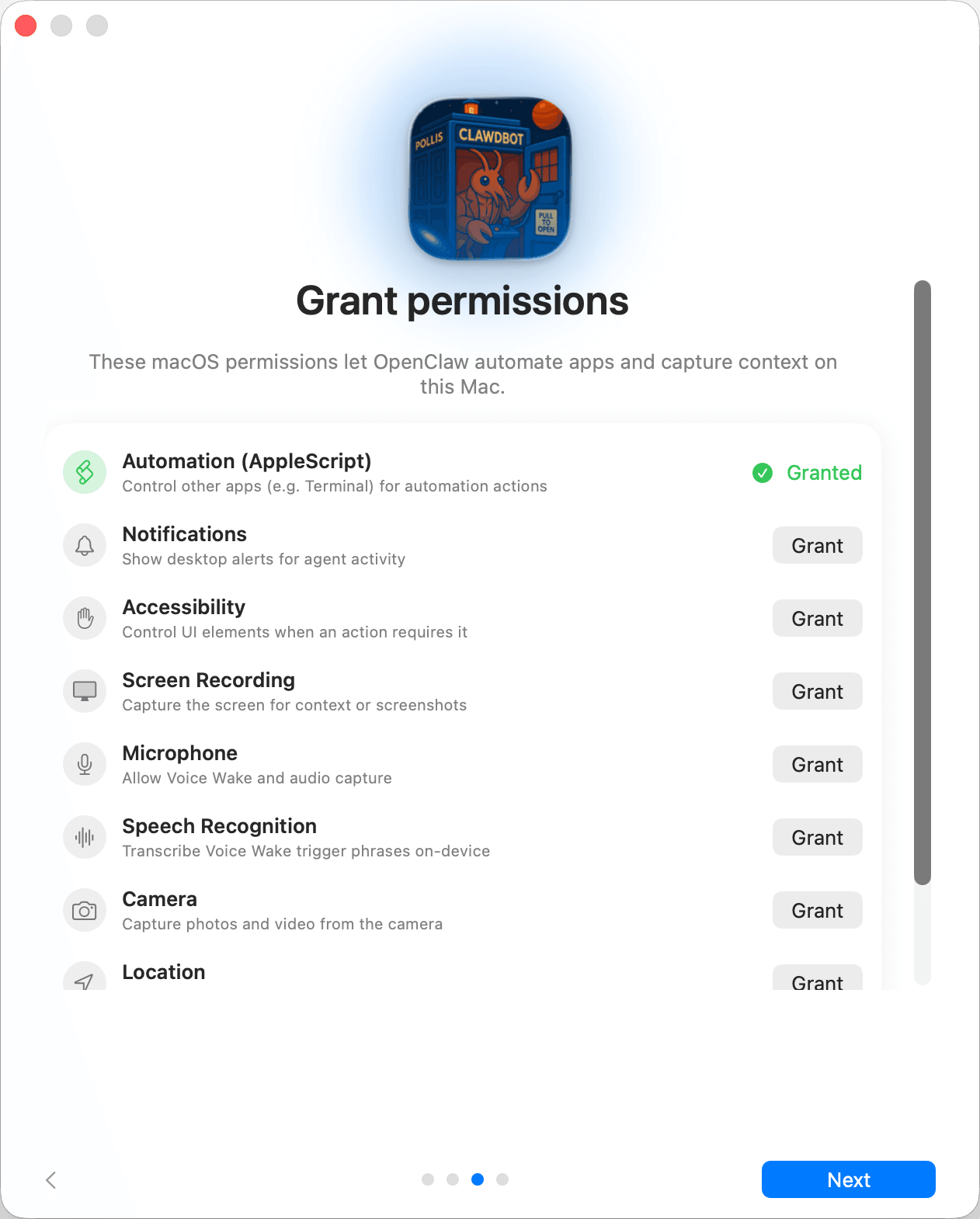
Official macOS onboarding screenshot from OpenClaw documentation, retrieved November 19, 2026. This is a setup interface, not a task we ran; the source retains its legacy Clawdbot app icon.
Switching makes sense when the maintenance work has become larger than the advantage of controlling the environment. Staying makes sense when your setup already produces useful work and someone can maintain it. Neither a free license nor a subscription tells you the total cost by itself.
If you are still separating assistants from agents and coding tools, start with our explanation of OpenClaw, Hermes, Claude and Codex. This page focuses on the decision to replace an existing setup.
1. Hermes Agent: the closest alternative for keeping control
Hermes is the first option to examine if you like OpenClaw's openness but want a different approach to persistent context and reusable procedures. Its official site now offers desktop installation and optional cloud hosting through Nous Portal. “You must rent a VPS and work in a terminal” is no longer an accurate blanket description.
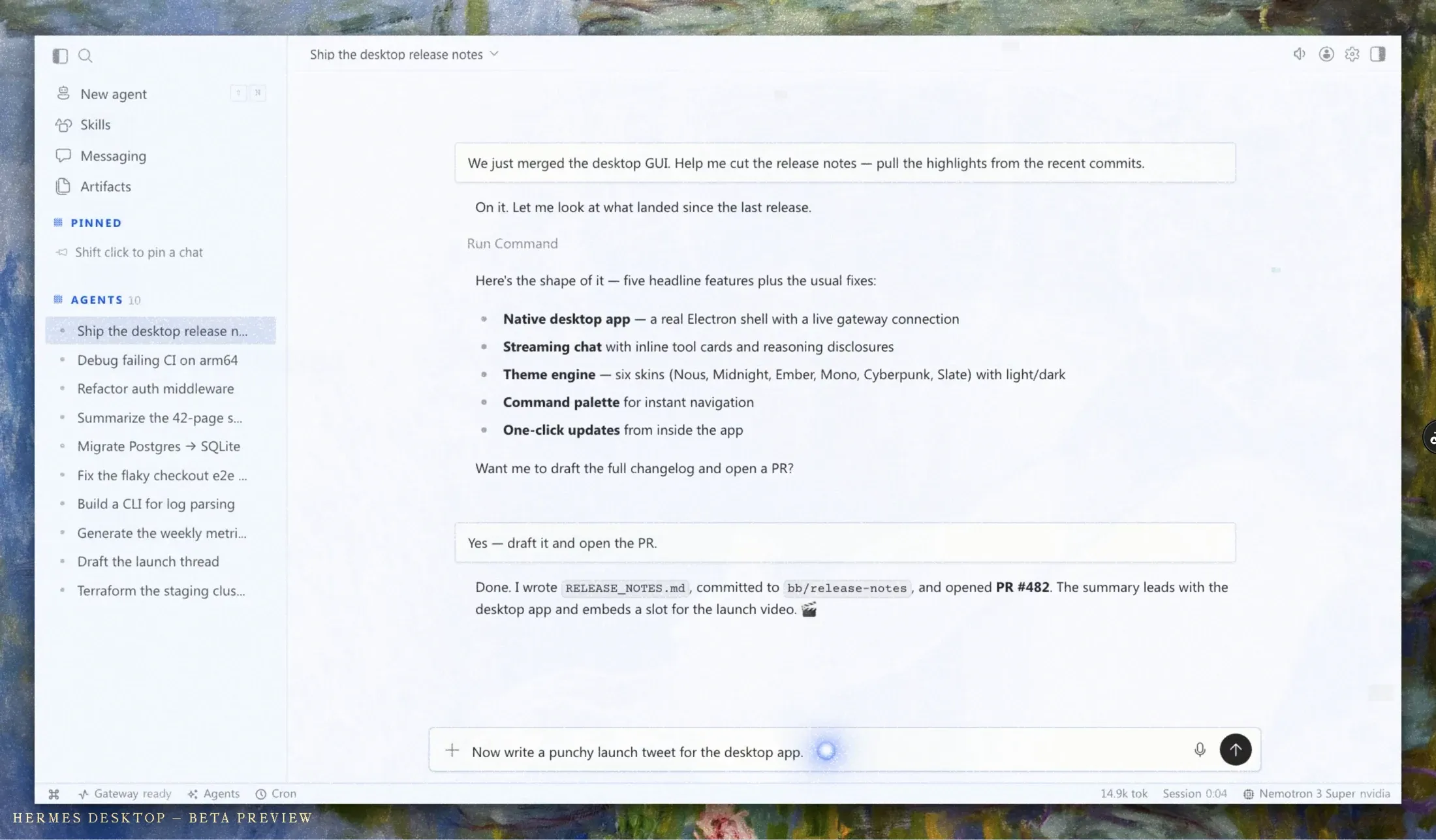
Official Hermes Desktop beta preview supplied by Nous Research, retrieved November 19, 2026. It illustrates the desktop task interface, not a task executed for this review.
For a consultant, the attraction is continuity: the agent can retain curated context about how you work and reuse procedures. Hermes's memory documentation describes bounded memory files loaded into sessions. That is a specific mechanism, not proof that every preference or instruction will be recalled correctly forever.
Advantages: open-source software, model and deployment choice, documented persistent memory, and an explicit OpenClaw migration path.
Trade-offs: you still need to understand what is being imported, which model is doing the work and how your deployment is maintained. A hosted option removes some infrastructure work; it does not make every customized OpenClaw workflow portable.
Good fit: a business user with technical help who wants to keep control over context and procedures. Poor fit: someone who expects an entirely configured business assistant immediately after signing in.
Price: the software is free. The official site lists Nous Portal Plus at $20/month, Super at $100 and Ultra at $200. Plus includes one hosted agent within published resource limits. Model usage and deployment choices still matter. We did not test a hosted account or perform a migration.
2. Claude: a candidate for document-heavy work
Consider Claude when the task is “turn these materials into a useful document” and the output will go through several rounds of review. A proposal, positioning document or meeting synthesis has different requirements from an always-on agent that lives in your own environment.
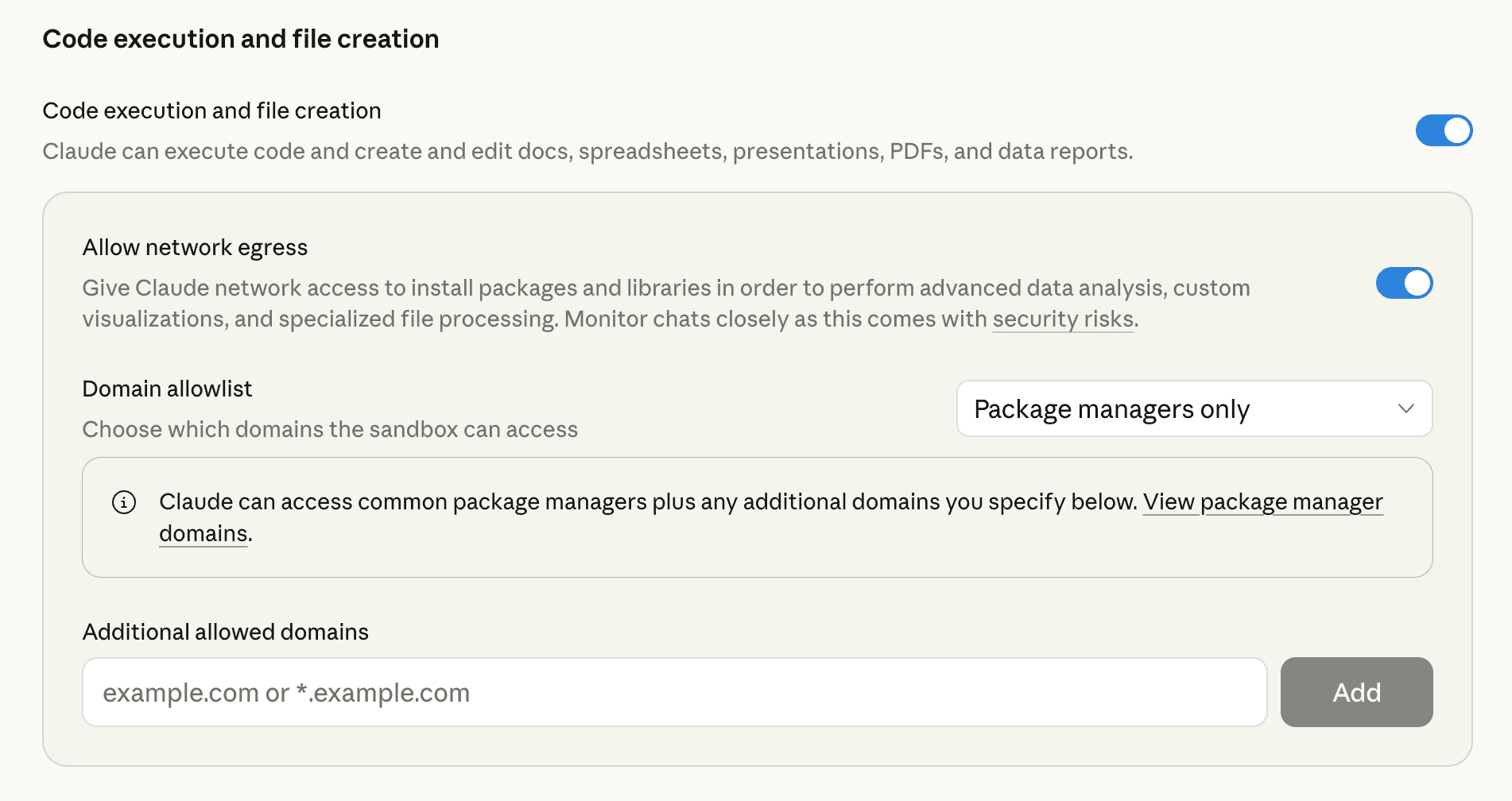
Official interface screenshot from Anthropic’s file creation and editing guide, retrieved November 19, 2026. It shows file-creation settings, not a completed task or a result from our testing.
Anthropic's Cowork page describes work across files and tools, and currently says Cowork capabilities are becoming part of Claude. Availability is rolling out across surfaces. Do not buy on the assumption that an older Mac-only description or a screenshot from another account matches your access today.
Advantages: a product organized around working with the assistant, with file-based tasks and review in the same experience. For an existing Claude subscriber, it is a sensible first trial before adding another subscription.
Trade-offs: moving away from OpenClaw means accepting the provider's product boundaries and usage allowances. We have not verified migration of OpenClaw memory, channel configuration or scheduled jobs into Claude. Treat that as a new setup.
Good fit: consultants, marketers and business leads who revise documents closely. Poor fit: someone whose essential requirement is a self-managed agent runtime.
Price: Claude Pro is $20 billed monthly or $200 billed annually. Higher tiers are available. Check the capabilities shown in your account before paying; we did not run a signed-in Claude task for this guide.
3. ChatGPT Work: a candidate for existing ChatGPT users
ChatGPT Work is relevant when you want research, analysis or a finished spreadsheet inside ChatGPT. OpenAI's current Work documentation distinguishes Work, intended for longer business tasks, from Chat and the coding-focused Codex experience.
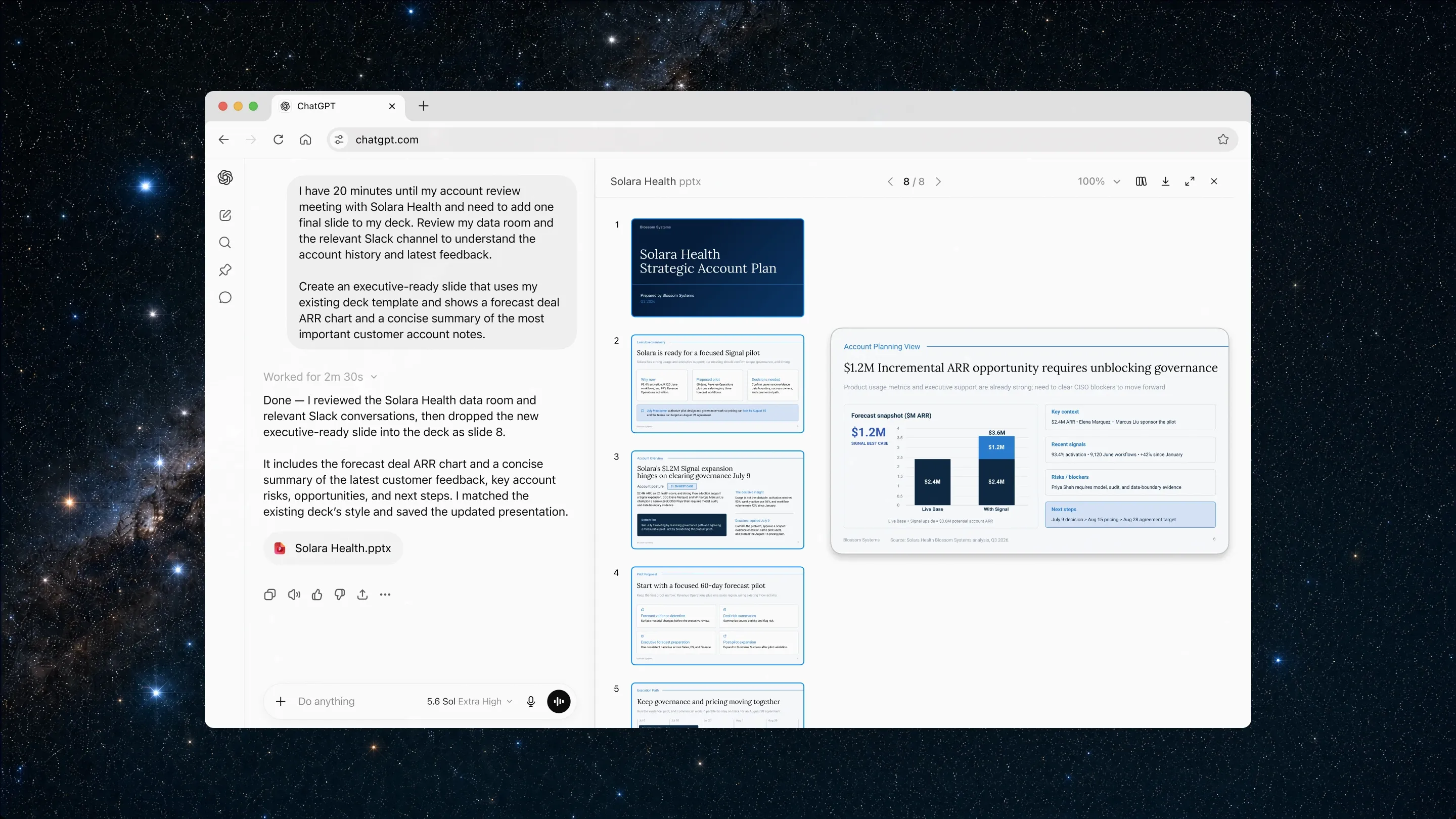
Official ChatGPT Work example from OpenAI’s July 9, 2026 announcement, retrieved November 19, 2026. The pictured account-plan deck is vendor demonstration material, not our test output.
That distinction prevents a common comparison error. A business owner looking for an OpenClaw replacement should evaluate the product they will actually use, not a command-line coding tool that happens to share the same provider.
Advantages: Work can use project context and create business deliverables within the ChatGPT experience, subject to the plan and permissions available. Existing users can assess it without learning a separate agent environment.
Trade-offs: Work and Codex share an allowance structure, and consumption varies by task and model. An old agent-mode message cap is not a reliable description of current Work usage. Provider-managed context also does not establish a portable replacement for an OpenClaw configuration.
Good fit: a ChatGPT user who wants to move from answers to multi-step tasks. Poor fit: someone who needs to control the runtime or requires a guaranteed, fixed number of complex jobs per month.
Price: Plus is $20/month. Work access and model choices depend on plan, seat and workspace settings. We reviewed documentation; browser access encountered a verification screen, and no task was run.
4. Manus: a candidate for a defined project with an end product
Manus is worth testing when you can specify a deliverable: a sourced market brief, a presentation or a small website. Its official product page puts task assignment and creation at the center of the experience.
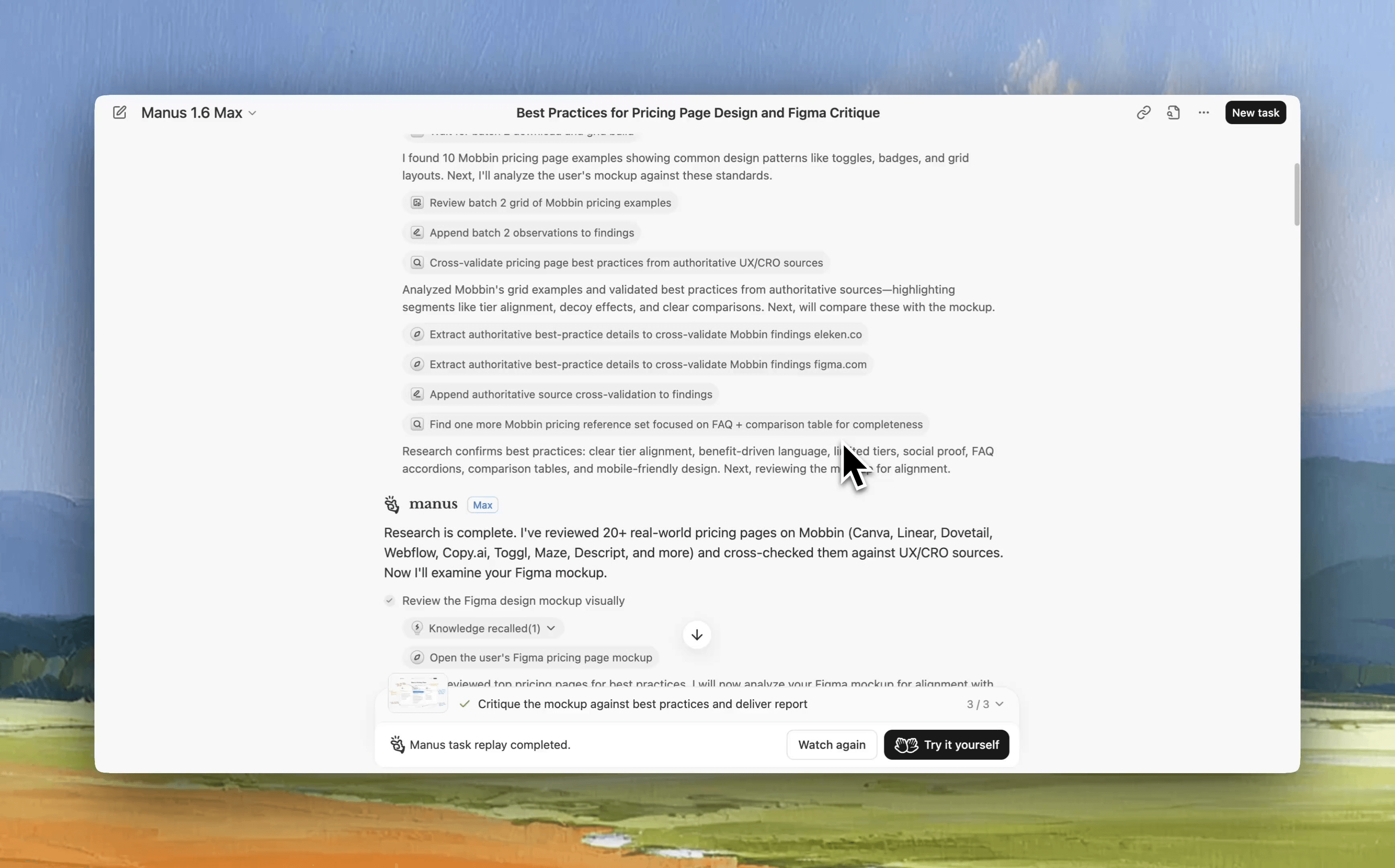
Frame at 00:05 from the official Manus Mobbin connector demo, retrieved November 19, 2026. The replay shows pricing-page research and a design critique in Manus 1.6 Max; this is an earlier vendor demo, not our hands-on test.
Compared with OpenClaw, the buying decision is less about how the agent is hosted and more about whether the finished work meets your acceptance criteria. For a competitor brief, require a source for every price. For a spreadsheet, require editable cells and a checkable calculation. Those are trial requirements, not outcomes we have verified in Manus.
Advantages: a hosted task-oriented product with research and creation features described in its official documentation.
Trade-offs: you need to watch task credits and inspect the result. If the deliverable is a deployed application, WebDev operating costs are separate from the subscription credits used to build it. A flat subscription comparison misses that distinction.
Good fit: a founder or consultant commissioning a bounded project. Poor fit: a buyer whose main objective is to keep an existing self-managed runtime or transfer its internals unchanged.
Price: the official help center lists Pro from $20/month with 4,000 monthly credits and a $40 option with 8,000. A Free plan is available. We verified the published help-page figures, not a checkout quote or task cost.
5. Lindy: a candidate for work across business tools
A sales lead often needs the same kinds of work repeatedly: prepare for a meeting, summarize calls, draft a follow-up and update a shared record. Lindy's current feature and pricing page emphasizes connected work, scheduled routines, workspace context and approvals.
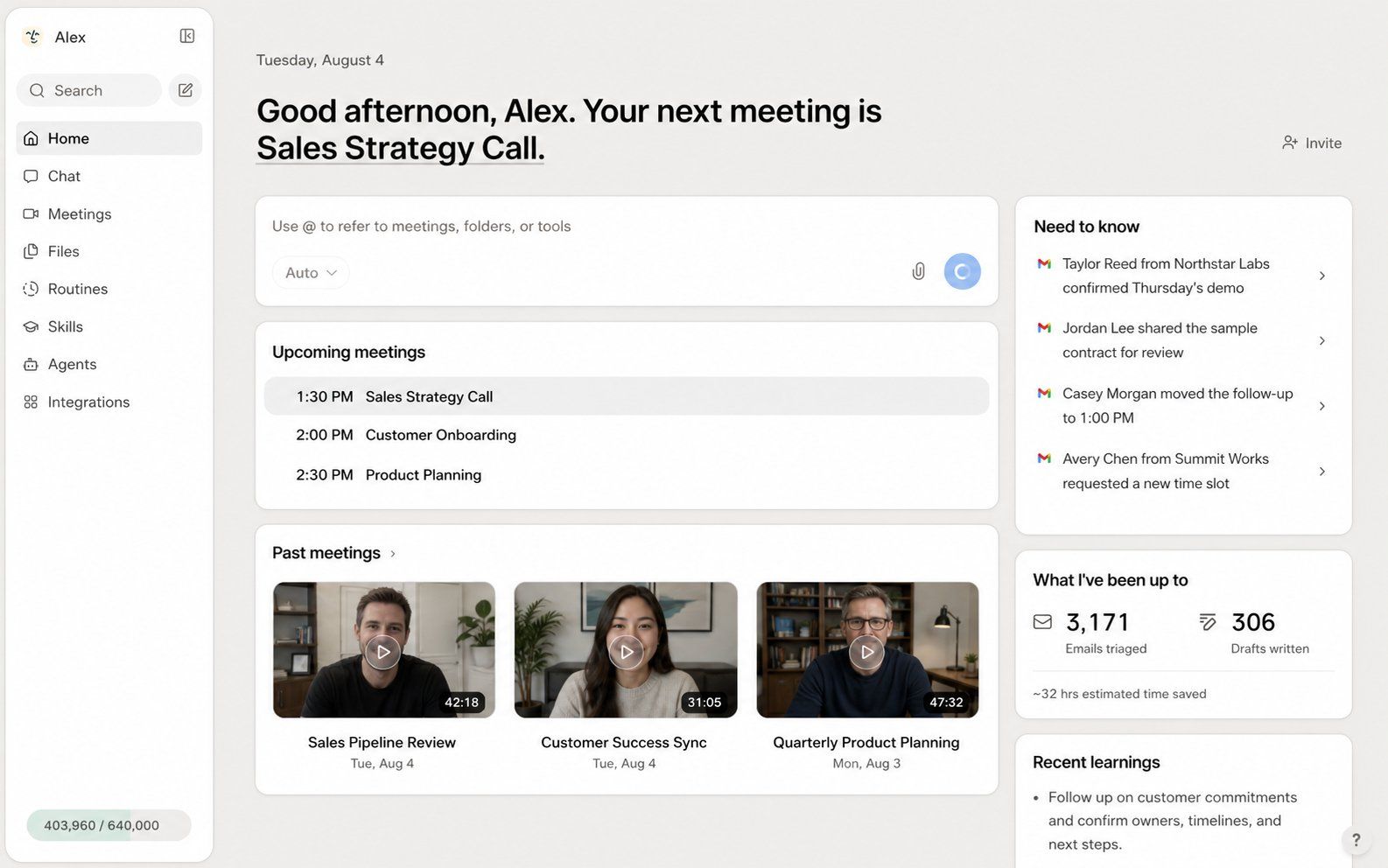
Official product-interface image from Lindy’s Home documentation, retrieved November 19, 2026. Meetings, messages and activity totals are vendor example data, not results measured in this review.
This is a different reason to switch from OpenClaw than wanting a better local agent. You are buying a business application and its integrations. The relevant test is whether the permissions and actions match the tools your team actually uses.
Advantages: business-oriented routines and a published active-user billing model. The page describes shared credit pools and pausing when the pool runs low.
Trade-offs: every active user is billed, and substantial tasks can consume more credits than short lookups. The live page still contains a computer-use reference to “Pro and Max” while its pricing cards show Free, Team and Enterprise. We would confirm that specific entitlement before buying for computer use.
Good fit: an operator with a clear recurring process and supported business tools. Poor fit: someone who wants a personal, self-hosted environment or assumes a team can share one paid seat without billing consequences.
Price: Team starts at $29.99 per active user/month for 3,000 credits. The advertised $50 in free credits expires after seven days. These credits are not comparable one-for-one with Manus or Okou credits. No connected-account task was tested.
6. Okou: a candidate for delegated business tasks, with a delivery caveat
Okou is relevant when you want to describe a business task, follow the work and reuse the process later. The product site describes connected tools and workflows, while the public pricing page separates individual member packages from the Team platform fee.
We tested a narrow, concrete task in a Free staging account: deduplicate 11 synthetic sales rows, retain the newest deal record, exclude closed and non-USD deals from totals, and produce a CSV plus a short memo. The chat correctly reported 10 unique deals, $75,000 in open USD pipeline and $39,550 weighted pipeline. It also identified the missing owner and next step.
The task was not a complete delivery success. The attachment did not remain in the composer, so we pasted the CSV. The submitted prompt retained duplicated instructions after that intervention. The returned CSV link opened an “Artifact unavailable” view, and the download menu was marked Pro. We could verify the visible calculations, but not the original file contents.
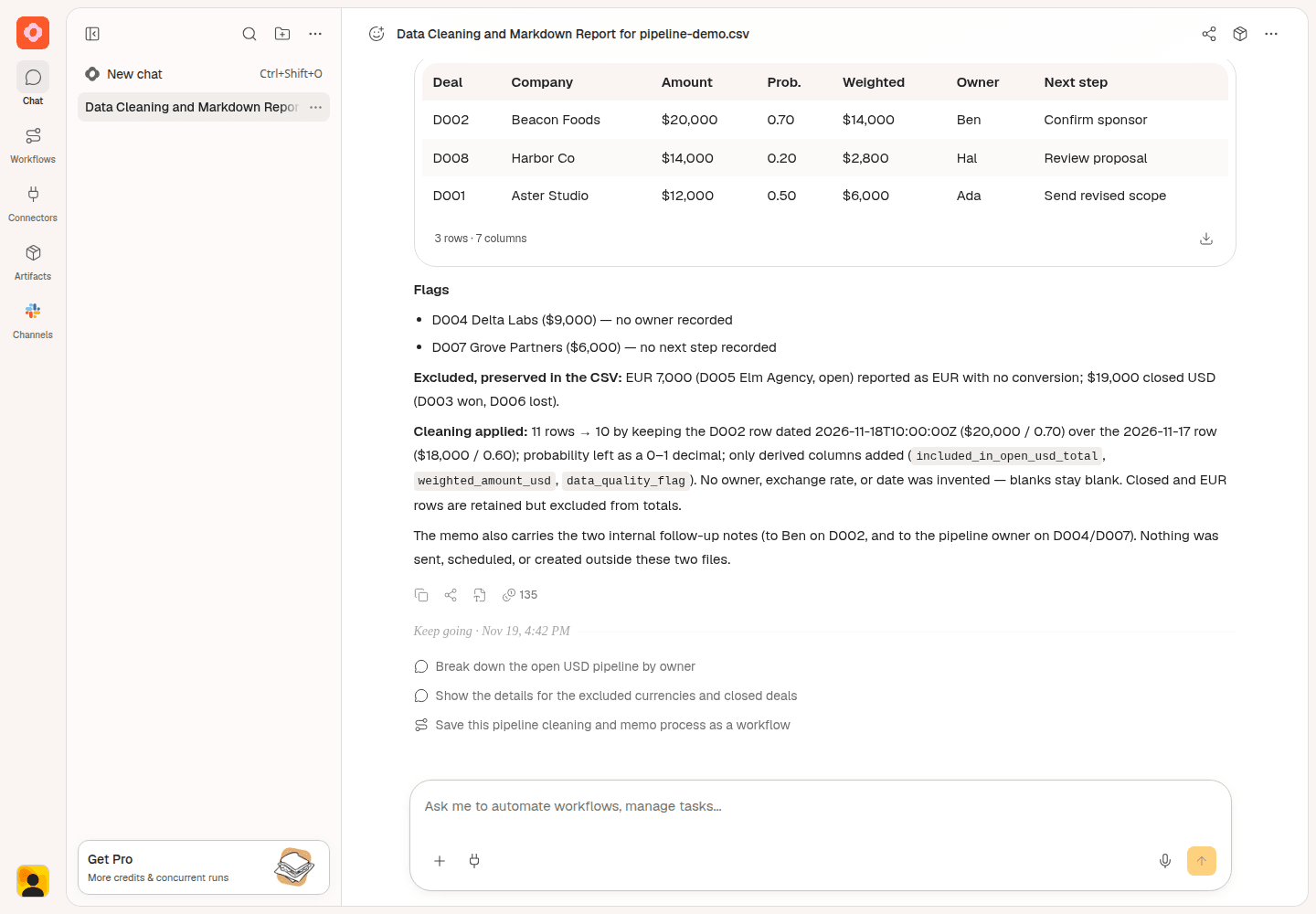
Our Okou staging test, captured November 19, 2026. Synthetic data; Free account; app version 0.1149.2; model displayed as Auto. This shows chat output, not successful file retrieval.
Advantages observed: the visible answer handled the deduplication, currency exclusion and missing-field rules correctly on this small fixture.
Trade-offs observed: input required intervention, and file delivery remained unverified. The UI displayed 36 seconds and 135 credits for the initial run. Those are observations from one staging task, not a production speed or cost benchmark. A changed-input follow-up had no verified result. Research attempts encountered an agent error and, after completing onboarding, model_provider_unavailable; no sourced-research result was obtained.
Good fit: a business user willing to trial a concrete task and inspect both the answer and the handoff. Poor fit: someone who requires proven file delivery on the tested Free setup, or needs ownership of an OpenClaw-like runtime.
Price: Pro starts at $20/month. Team starts at $180/month, comprising a $160 platform fee and a member package starting at $20. Free includes 1,000 credits valid for 30 days. We did not buy a subscription to resolve the test limitation.
What recent users report about switching and maintenance
These original X posts add operational context. They are selected anecdotes, not a representative survey. Counts were visible when collected on November 19, 2026; views and likes do not establish product quality.
| Source and date | Report | Relationship and visible engagement |
|---|---|---|
| Holger Gruenhagen, November 11 | Described moving an OpenClaw setup to another server. “Took three tries.” He credited rollback for recovering from failed attempts. | OpenClaw contributor and user; 65 likes, 3,593 views |
| Matt Canham, October 27 | Said he switched from OpenClaw to Grok Bot after a trial, citing voice, conversation threading and collaboration. | Non-official user; Atlassian product role in bio; 254 likes, 35,702 views. Sponsorship not independently established. |
| OpenClaw, November 16 | Official patch announcement listed fixes involving messaging reconnects, memory merging and backups. | Official release communication; 194 likes, 23,487 views |
The first report makes recovery a useful buying criterion. The second suggests interaction design can matter as much as model choice; it does not establish a controlled Grok comparison, so Grok is not ranked here. The official patch shows maintenance work in progress, not how frequently users encounter those defects.
How to switch without losing useful work
Start with one workflow that has a visible outcome. A weekly competitor brief is easier to compare than “be my assistant.” Keep its inputs, source requirements and review rules in an ordinary document you control.
If moving to Hermes, read the official import guide before running anything. It documents preview and conflict handling, explicit treatment of secrets, and items that need manual attention. Cron jobs are archived for recreation; WhatsApp needs re-pairing. We have not tested this migration.
For a hosted replacement, assume you will reconnect tools and recreate the useful procedures unless the product documents an import path. Test a small output, open it using the intended recipient's account, and revise one input. Keep the old setup until those checks work. Our own staging result is a reminder that an answer saying “uploaded” does not prove the handoff succeeded.
FAQ
What is the closest open-source alternative to OpenClaw?
Among the products reviewed here, Hermes Agent is the closest candidate for people who want an open agent with persistent context and deployment choice. It also documents an OpenClaw import path. That does not make every plugin, schedule or channel setup interchangeable.
Is a paid alternative cheaper than OpenClaw?
It can be, but a license-price comparison cannot tell you. Include model usage, hosting and the time spent maintaining the setup. For subscriptions, include task allowances, overages, seats and any separate deployment costs. We did not measure a common monthly workload across these products.
Does OpenClaw still require a terminal to get started?
Its official page currently offers desktop installers for macOS, Windows and Linux. We inspected those options, not the full installation process. Some advanced configuration or maintenance can still require technical understanding.
Which alternative is best for a non-technical founder?
Start with the product you already use: Claude for document work or ChatGPT Work for supported multi-step tasks. Trial Manus for a bounded project, Lindy for connected routines, or Okou for delegated business work. Use a real acceptance test before committing to another subscription.
Did you test every product in this guide?
No. Hands-on task execution was limited to Okou staging. Other assessments use official documentation, public UI inspection and attributed social posts. There is no measured accuracy ranking, migration benchmark or cross-product speed comparison.
For a first Okou trial, use a small, non-sensitive task with an output you can check. Review Okou's plans, then verify the file and sharing experience on the plan you intend to use. If your current OpenClaw setup already works and you value its control, keeping it is a reasonable decision.