The best personal AI agents should earn their place in your working day by finishing a task you can check. For document-heavy work, start by evaluating Claude or ChatGPT Work. For a defined research or creation project, consider Manus. For connected business routines, examine Lindy and Okou. If owning the agent environment matters, compare Hermes Agent and OpenClaw.
These are different buying decisions. A founder who wants a sourced competitor brief does not necessarily need the same product as an operator maintaining a customized, always-available assistant.
Disclosure: Okou publishes this article and is included in the comparison. “Best for” labels are editorial recommendations about fit, not measured performance rankings. We ran a limited Okou staging evaluation and inspected public pages for other products. We did not test every product, compare equal models or calculate an accuracy score.
The shortlist by business task
| Product | Start here when you need… | Product type | Main question for your trial | Published starting price |
|---|---|---|---|---|
| Claude | Documents and analysis you will revise with the assistant | Hosted assistant with delegated work capabilities | Can you edit and iterate on the actual output you need? | Pro $20/month or $200/year |
| ChatGPT Work | Multi-step research and business deliverables in ChatGPT | Agentic work inside an assistant product | Is Work enabled, and how does your task use the shared allowance? | Plus $20/month; access depends on eligibility |
| Manus | A bounded project such as a brief, presentation or website | Hosted task agent | Does the delivered result satisfy the brief and source requirements? | Pro from $20/month |
| Lindy | Connected business work and recurring routines | Business assistant with integrations | Are the actions, approvals and active-user costs right for your team? | Team from $29.99/active user/month |
| Okou | Delegated business tasks and reusable workflows | Business assistant with connected tools | Can you verify both the answer and the file handoff on your plan? | Pro from $20/month |
| Hermes Agent | Persistent context with model and deployment choice | Open-source personal agent with desktop and cloud options | Can you maintain and inspect the setup you need? | Free software; hosted Portal Plus $20/month |
| OpenClaw | A personal agent environment you control | Open-source assistant running on your devices | Who owns configuration, updates and recovery? | Free software; models and hosting separate |
Prices checked November 19, 2026, in USD before applicable taxes. Sources: Claude, ChatGPT, Manus, Lindy, Okou, Hermes, OpenClaw.
What makes a personal AI agent useful for business?
A personal AI agent can work through steps using tools and context on your behalf. For a business user, its value depends on the result: a sourced report, a usable spreadsheet, an editable document or an action completed with the right permission. A convincing chat response alone is not enough.
Consider a sales pipeline. “Summarize this sheet” sounds simple until it contains duplicate deals, mixed currencies and missing owners. A useful agent needs to apply the rules, show what it excluded and produce something your team can use. If a generated file cannot be opened, the arithmetic may be correct while the task remains unfinished.
This guide focuses on products a business user can evaluate directly. We have not mixed developer orchestration libraries into the same ranking. Hermes and OpenClaw are included because they are personal-agent products with current desktop entry points, but we label their operational responsibilities separately. For the terminology, see our explanation of agents, assistants and coding tools.
1. Claude: a candidate for document-heavy knowledge work
A consultant usually spends more time revising a proposal than admiring its first draft. That makes the editing loop a useful reason to evaluate Claude: can you provide the source materials, ask for a specific output and improve the document without rebuilding the context each time?
The official Cowork page describes delegated work with files and tools. At review time, it also says Cowork capabilities are becoming part of Claude across surfaces. Treat current account access as part of the trial; older articles that describe a fixed desktop-only product can be misleading.
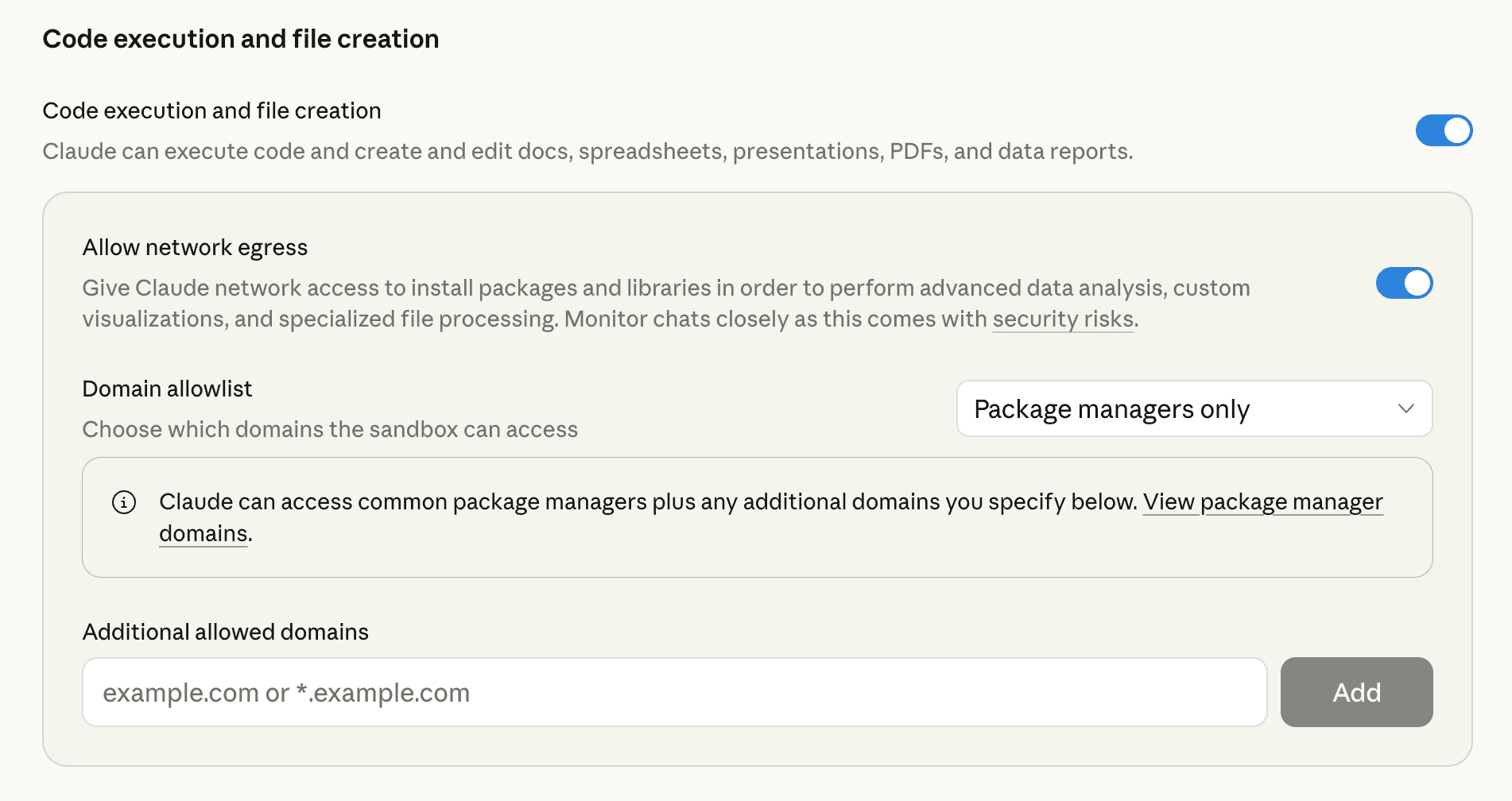
Official interface screenshot from Anthropic’s file creation and editing guide, retrieved November 19, 2026. It shows file-creation settings, not a completed task or a result from our testing.
What we like: the documented work is relevant to people producing and revising business materials. An existing Claude user has a clear place to start a trial.
What to check: file editing, output format, usage limits and whether the relevant capabilities have reached your account. We did not perform that signed-in test, and we would not infer reliable unattended routines from a document demo.
Best suited to: consultants, marketers and business leads who work closely with drafts. Less suited to: buyers whose priority is controlling the runtime or migrating an existing open-source agent setup unchanged.
Price: Pro is $20 billed monthly or $200 billed annually. Higher plans are available; their value depends on actual usage.
2. ChatGPT Work: a candidate for existing ChatGPT users
ChatGPT Work deserves a trial when your requests have become larger than a single answer: analyze source documents, compare options and produce a report or spreadsheet. The current official guide positions Work for those tasks and keeps Codex focused on software development.
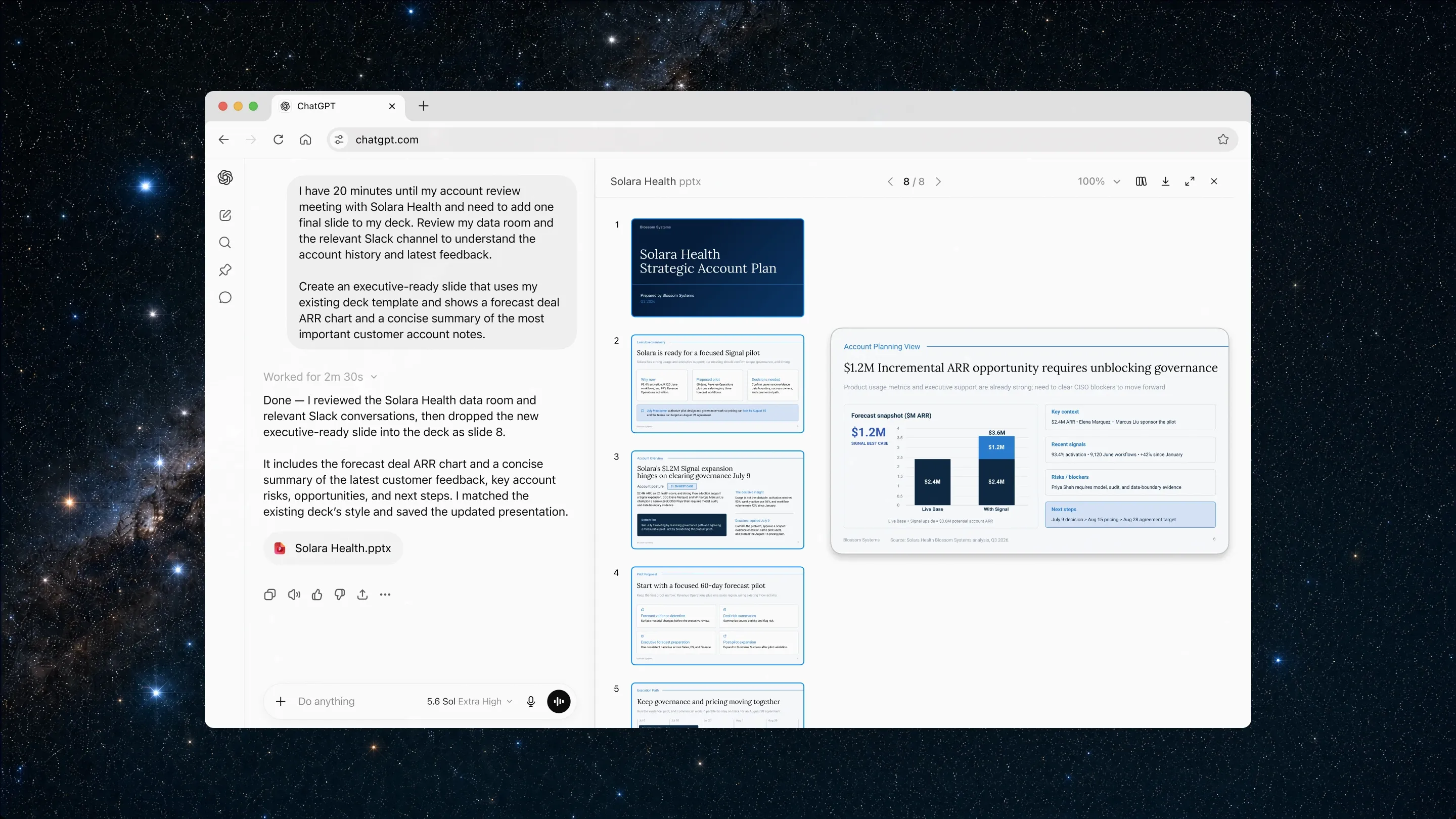
Official ChatGPT Work example from OpenAI’s July 9, 2026 announcement, retrieved November 19, 2026. The pictured account-plan deck is vendor demonstration material, not our test output.
Work can use project context, and cloud Work chats can continue across supported web, mobile and desktop surfaces. For a business user, that makes it worth testing within an existing project before opening another paid account elsewhere.
What we like: a documented path from conversation to multi-step work and finished deliverables within ChatGPT.
What to check: Work eligibility, enabled tools and how your chosen model consumes the shared Work/Codex allowance. Usage varies by task. We did not use a signed-in account, and a public browser visit encountered a verification screen.
Best suited to: founders and analysts already organizing their work in ChatGPT. Less suited to: buyers who need a fixed, verified number of complex tasks each month or complete control over the execution environment.
Price: Plus costs $20/month. Feature and model access depend on the plan and workspace. Do not reuse old agent-mode limits as a description of current Work.
3. Manus: a candidate for a clearly defined project
Manus makes the most sense on this shortlist when you can describe the finish line. “Prepare a competitor brief with a source for each claim” is a better trial than “research my market.” Its public interface starts with task assignment and offers creation paths such as presentations and websites.
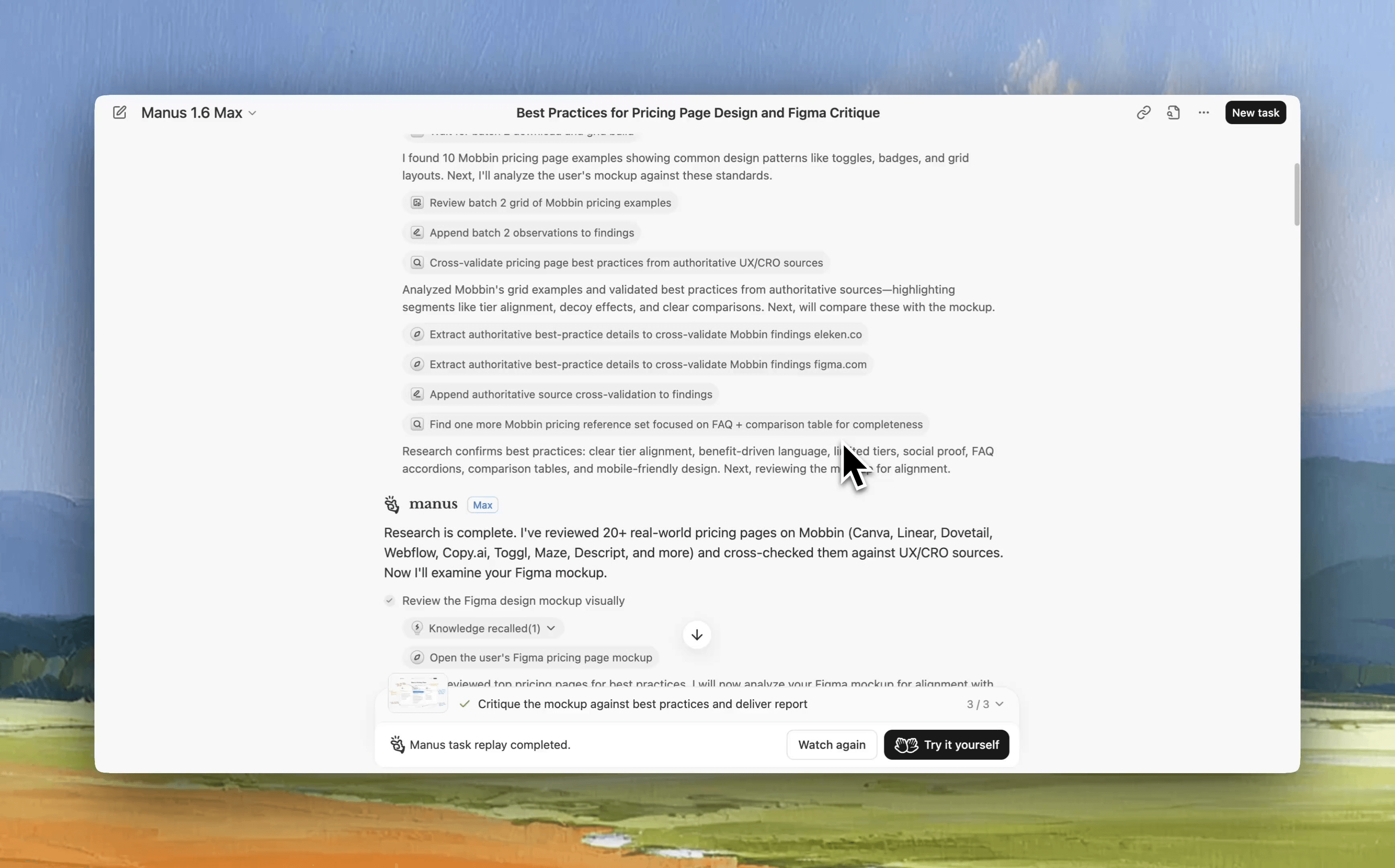
Frame at 00:05 from the official Manus Mobbin connector demo, retrieved November 19, 2026. The replay shows pricing-page research and a design critique in Manus 1.6 Max; this is an earlier vendor demo, not our hands-on test.
What we like: the task-oriented approach gives a business user a concrete way to commission work. Official documentation includes research and creation features that match a project-based trial.
What to check: source quality, whether the output is editable, the credits used by the task and what happens when revisions are needed. If you ask for a deployed website, review WebDev billing: running a published application has separate usage costs.
Best suited to: founders, agencies and consultants with bounded assignments. Less suited to: someone whose primary goal is owning the environment or preserving a customized local assistant.
Price: the official help center lists Pro from $20/month with 4,000 monthly credits, and a $40 option with 8,000. A Free plan is available. Those figures are published terms, not our measured task cost.
4. Lindy: a candidate for connected operations
An operations assistant needs to work where the information lives. Lindy's current pricing and features page lists meeting preparation and follow-up, inbox work, scheduled routines, persistent workspace context and approvals.
For a customer-success lead, a useful pilot could be a meeting brief and a draft follow-up using a small set of permitted sources. Check whether the draft is useful before asking the product to repeat the process. We did not connect a mailbox, send a message or enable a routine in Lindy.
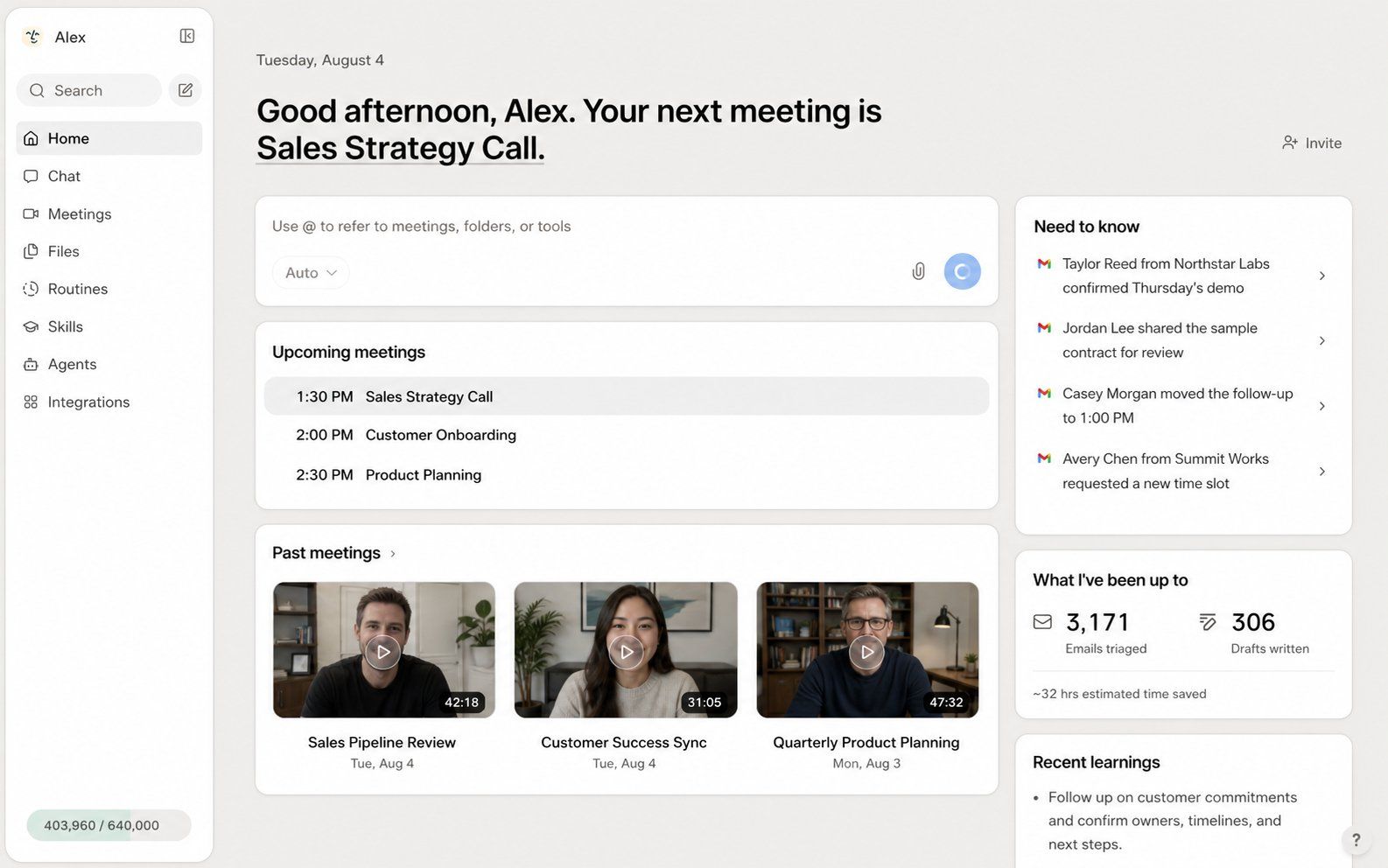
Official product-interface image from Lindy’s Home documentation, retrieved November 19, 2026. Meetings, messages and activity totals are vendor example data, not results measured in this review.
What we like: concrete business activities and an explicit description of active-user billing and shared credits.
What to check: supported actions in your tools, approval behavior and credit use for deeper work. The page's reference to computer use on “Pro and Max” does not match its current plan-card names; confirm that entitlement if it is essential.
Best suited to: operators with a defined connected process. Less suited to: buyers who mainly need an occasional standalone writing assistant or want self-hosted control.
Price: Team starts at $29.99 per active user/month with 3,000 credits. Free trial credits expire after seven days. More seats and more work change the cost.
5. Okou: a candidate for delegated business work
Okou's product site describes an assistant that works with connected tools and reusable workflows. The practical question is whether a task moves from instruction to an output you can hand over.
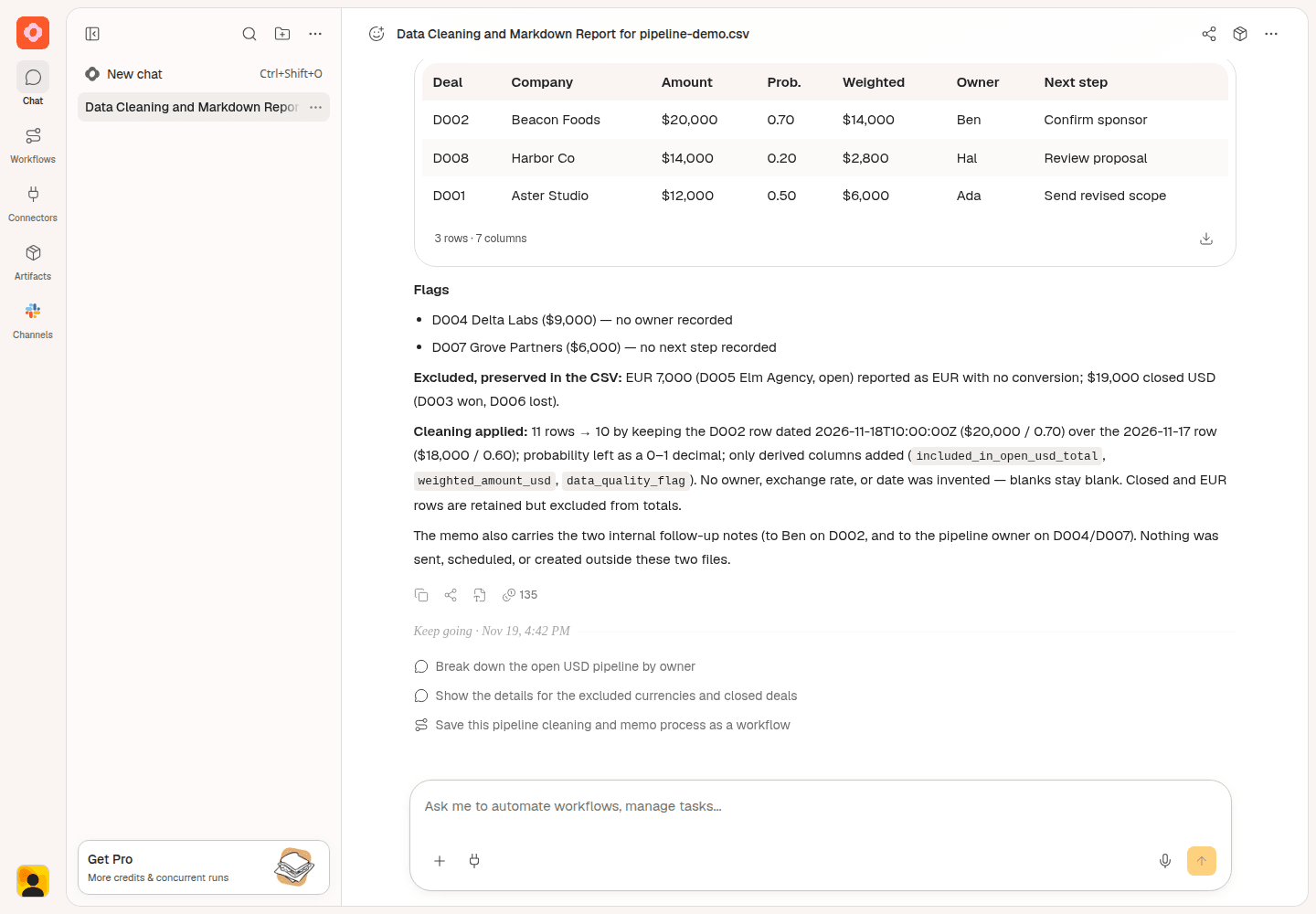
Our Okou staging test, captured November 19, 2026. Synthetic data; Free account; app version 0.1149.2; model displayed as Auto. This shows chat output, not successful file retrieval.
We tried a synthetic sales-data task in staging. The visible result correctly removed an outdated duplicate, kept closed and EUR records outside the requested totals, and identified missing information. It reported $75,000 in open USD pipeline and $39,550 in weighted pipeline, matching our independent calculation.
The handoff did not meet the same standard. The attachment failed to remain visible, so we pasted the CSV; duplicate instructions remained in that submitted message. The returned CSV artifact could not be opened in the test account. The download menu was marked Pro. A later task attempt encountered an agent error, and a changed-input follow-up produced no verified result. A separate research attempt after full onboarding ended with model_provider_unavailable.
What we like from the test: a checkable answer with the requested exclusions and missing-field flags. The UI exposed work history and per-run credits.
What to check: file access on your intended plan and whether the same process works again with changed inputs. Our staging observations do not establish production reliability or superiority to another product.
Best suited to: a business user who wants to evaluate delegated tasks using explicit output checks. Less suited to: someone who needs this small review to prove reliable file handoff or repeated execution; it does not.
Price: Pro starts at $20/month. Team starts at $180/month, with a $160 platform fee plus member packages. Free includes 1,000 credits valid for 30 days. No paid upgrade was used in our test.
6. Hermes Agent: a candidate for controlled, persistent context
Hermes is worth considering if you want to inspect and shape the assistant's working context. Its memory documentation describes curated, bounded memory files, while its official site offers desktop use and optional Nous Portal hosting.
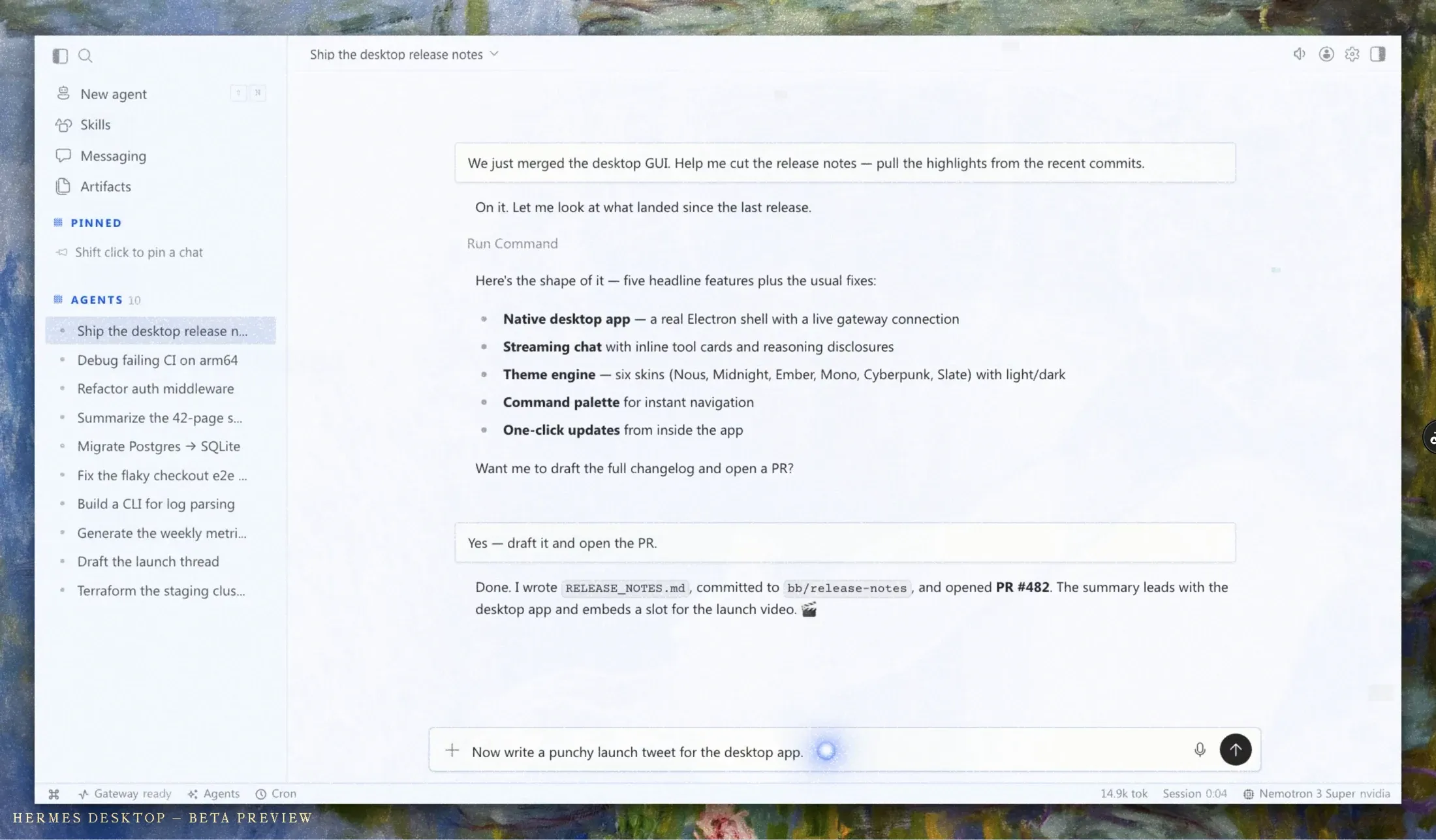
Official Hermes Desktop beta preview supplied by Nous Research, retrieved November 19, 2026. It illustrates the desktop task interface, not a task executed for this review.
For a knowledge worker with technical help, that can be useful: retain approved context, reuse procedures and choose the deployment. It also creates responsibilities that a hosted business application handles differently.
What we like: explicit documentation of how persistent context is represented, plus model and deployment choice.
What to check: how you review and correct stored context, what maintenance your chosen setup needs, and whether the intended business output works. We did not install Hermes, test its recall or operate its cloud plan.
Best suited to: a user who values control and can support the setup. Less suited to: someone who expects a fully configured business process without making model or configuration decisions.
Price: free software. The official site lists Nous Portal Plus at $20/month, Super at $100 and Ultra at $200, with different hosted resource and usage limits. Free software does not imply zero operating cost.
7. OpenClaw: a candidate for owning the personal-agent setup
OpenClaw's official site presents a personal assistant running on your devices. Desktop installation options now cover macOS, Windows and Linux, so “developer-only terminal tool” is too narrow a description of the current entry points.
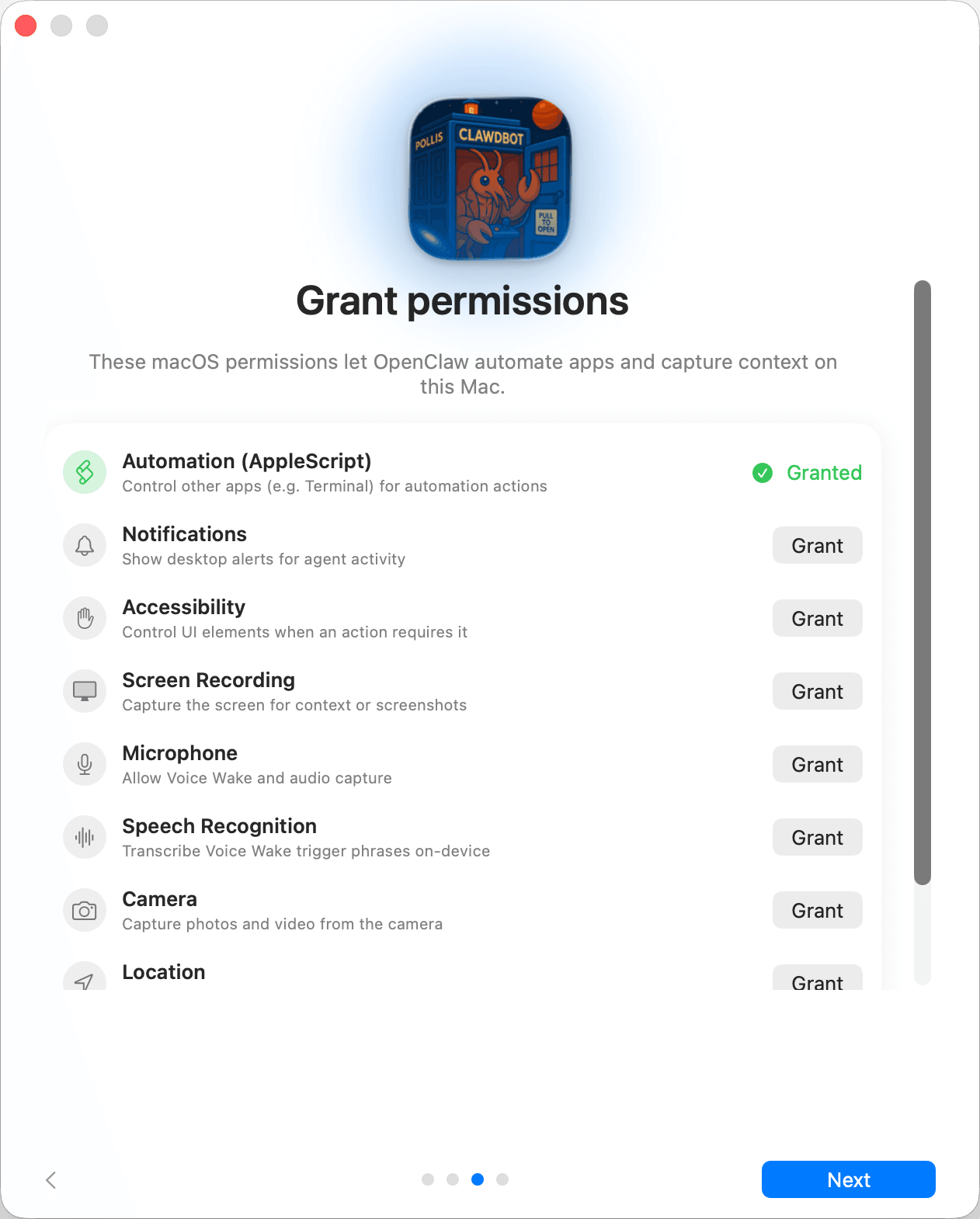
Official macOS onboarding screenshot from OpenClaw documentation, retrieved November 19, 2026. This is a setup interface, not a task we ran; the source retains its legacy Clawdbot app icon.
The reason to choose it is control. The reason to hesitate is the responsibility that comes with that control. A business owner should know who will maintain the setup, recover it after a failure and check the permissions it has been given.
What we like: a personal-agent product with deployment choice and a current desktop path, rather than just a framework for building an application.
What to check: the full onboarding path, model costs, backup procedure and the actual business task. We inspected the public installation options; we did not install a desktop build or run a workflow.
Best suited to: users with a clear ownership requirement and enough support to maintain the environment. Less suited to: a team that needs the vendor to operate the runtime and has no one responsible for its upkeep.
Price: free software, with model usage and infrastructure billed separately where applicable. No official hosted subscription was listed on the page we reviewed.
Our test: calculation, delivery and repetition are separate checks
We designed common business tasks before evaluating the products. Access allowed only a limited Okou staging execution, so the table below is a coverage report, not a league table.
| Check | Planned task | What we actually established |
|---|---|---|
| Sourced research | Compare four project-management products using official pricing, with a memo and CSV | Initial attempt hit “Agent not found”; a shortened prompt after full onboarding hit model_provider_unavailable. No sourced result to assess. |
| Data analysis | Deduplicate 11 synthetic sales rows, apply currency/status rules and flag missing fields | Initial Okou chat values matched the prepared answer: 10 unique rows, $75,000 gross and $39,550 weighted open USD |
| File delivery | Open and inspect the generated CSV and memo | The CSV link failed in the test account; original file contents were not verified |
| Controlled repetition | Change one deal from $4,000 to $5,000 and rerun the same rules | Follow-up attempted; no verifiable result from that attempt. Expected totals were $76,000 and $40,050 |
| Cross-session memory | Save, inspect, correct and recall an approved test preference | Not run; no personal memory was written |
The initial data task used app version 0.1149.2 in a Free staging account with the real-agent preview flag enabled. The UI showed Auto without exposing the underlying model, 36 seconds of work and 135 credits. The screenshot and test log preserve the actual output and interventions. These figures are not a general speed, accuracy or cost estimate, and no identical-model competitor test was performed.
Our Okou staging test, captured November 19, 2026. Synthetic data; Free account; app version 0.1149.2; model displayed as Auto. This shows chat output, not successful file retrieval.
What public user reports add
Social posts can reveal friction that a feature list misses. They cannot tell us the failure rate of a product without a representative sample and a consistent method. We collected original X posts and retained their authors, dates, wording and engagement counts; the following are selected examples.
| Source | Experience reported | Relationship and counts at collection |
|---|---|---|
| Gustavs Cirulis, October 26, 2026 | “Claude Cowork has been a huge help, but I kept hitting bottlenecks that slowed me down.” He then described building a writing app around his document process. | Product designer promoting his own open-source app; 14 likes, 628 views |
| Abhay Kapoor, November 13, 2026 | Described rebuilding a brief across four mailboxes and wrote, “Claude for coding but I made every decision.” | Non-official operations practitioner; 9 likes, 1,253 views. Context about human setup work, not a direct Cowork or Work test. |
| Holger Gruenhagen, November 11, 2026 | Described an OpenClaw server migration that needed three attempts and a rollback path. | OpenClaw contributor and user; 65 likes, 3,593 views |
All counts were collected on November 19, 2026. We did not independently rule out every commercial relationship. The official OpenClaw patch post from November 16, separately classified as a vendor source, described messaging and backup fixes; it had 194 likes and 23,487 views when collected.
The practical lesson is to test editing, intervention and recovery alongside the first answer. We have not collected representative sentiment for every product on the shortlist, and engagement is not used to rank them.
How to choose your first personal AI agent
Pick one task you already understand well enough to evaluate. A sales operator can check a pipeline calculation. A consultant can check a proposal against its source brief. A marketer can verify a competitor's prices and the links used to support them.
Write down the acceptance criteria before opening the product. For a research brief, require direct sources, a check date and explicit unknowns. For a spreadsheet, specify duplicate handling, currencies and missing fields. For an email task, ask for a draft and review the recipient and content before any sending.
Then count the work you still had to do. Did you repair the input, correct facts, recover a failed file or explain the same instruction again? A small amount of review may be worthwhile. Rebuilding every result may erase the time saved.
Finally, compare the cost of that task on the plan you would actually use. A $20 subscription, 3,000 credits and a free software license describe different billing systems. Avoid choosing by the biggest credit number. We have not measured a common monthly workload across these products.
If you already pay for Claude or ChatGPT, test the relevant work capabilities there first. If the task needs a particular business connection, trial that connection in Lindy or Okou. If you want control over the environment, evaluate Hermes or OpenClaw with whoever will maintain it.
FAQ
What is the best personal AI agent for a non-technical user?
There is no supported overall winner in this review. Start with the task and the product you already use. Claude and ChatGPT Work are candidates for knowledge work; Manus for a defined project; Lindy and Okou for connected business work. Hermes and OpenClaw make more sense when control is worth the setup responsibility.
Is a personal AI agent different from a chatbot?
An agent can carry work through steps using tools and context. A chatbot may simply answer a question, although many current products provide both experiences. Evaluate the mode and permissions you will actually use, then check the finished output.
Can personal AI agents work without coding?
Several products here provide a hosted interface for delegating tasks. That removes the need to build the agent application yourself. It does not remove the need to connect accounts, specify the task, review access or check the result. Desktop options also exist for Hermes and OpenClaw.
Which personal AI agents are free?
OpenClaw and Hermes have free software, while model and deployment costs may remain. Hosted products offer different free plans or trial credits. Check expiration, output restrictions and whether the intended capability is included; free access is not equivalent across products.
Can an agent send emails or run scheduled work for me?
Some products document connected actions and recurring tasks, but access and approval behavior vary. Test a draft-first process and inspect the pause and review controls before enabling a live routine. We did not send messages or create unattended schedules in this evaluation.
How should I evaluate memory?
Test an explicitly approved, non-sensitive preference in a new session, inspect what was saved, then correct or remove it and test again. A product's memory feature is not evidence that all information will be remembered accurately. This review did not perform that cross-product experiment.
Which agent produced the best results in your test?
The test coverage is too limited to answer that. We verified some visible calculations in one Okou staging task, encountered delivery and continuation problems, and did not run comparable tasks in the other products. The recommendations above are based on use-case fit and documented capabilities.
To try Okou, check the current plans and bring one small task whose result you can verify. Judge the answer, the editable output and the next revision together before making the assistant part of your daily work.