For marketers, founders and small-business owners, TikTok competitor analysis starts with a public profile link and a question: what could we make for our audience? Give both to Okou to get a review of recent posts and a concrete video idea. Here's how to analyze a TikTok account, using Duolingo as a creative reference for a language school.
1. Paste the competitor's profile link into Okou
Choose an account with topics relevant to your customers. Our example uses Duolingo's public TikTok profile to help a language teacher plan videos for adult beginners.
Sign in to Okou, paste the profile link into the message box, and explain what you want to learn. Set a small post limit to keep the review manageable.
Try this request:
Review up to 12 recent public posts from https://www.tiktok.com/@duolingo. Compare typical views with the biggest posts and find recurring caption themes. Include dates and post links. I'm looking for ideas a small language school could adapt. Keep pinned posts separate when identifiable.
Click the send arrow. When the report appears, check the account name, the number of posts returned and the dates they cover. These tell you what the review actually includes.
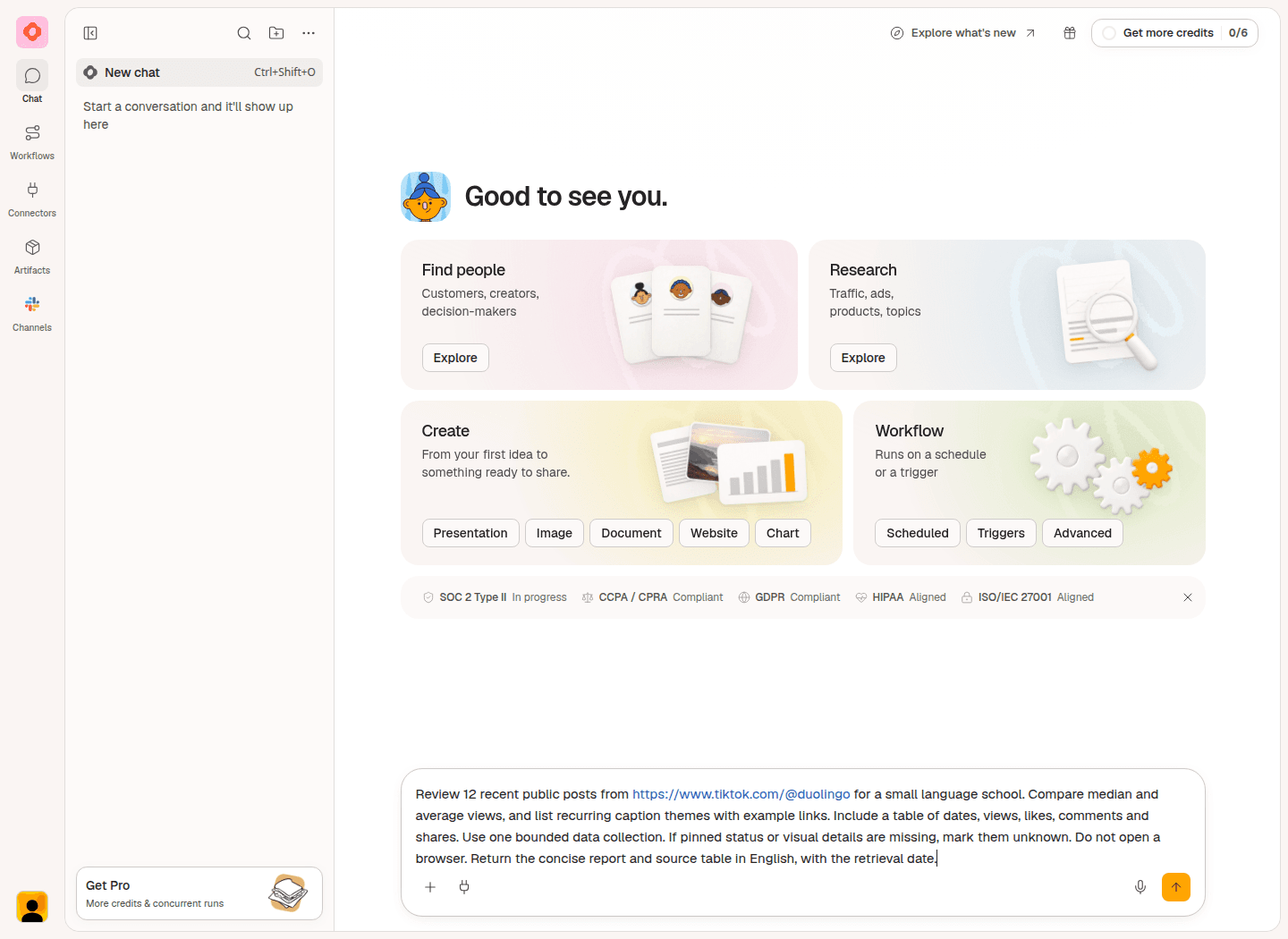
Give Okou the public profile, a post limit and the business you want ideas for.
2. Compare recent posts and choose a useful pattern
Read the date range before comparing the numbers. This Duolingo sample contained 12 posts dated November 4 to 19, 2026, retrieved on November 19 at 07:59 UTC.
Pinned posts stay at the top of a profile and can be older than surrounding posts. Pinned status wasn't available in this review, so Okou marked it as unknown and couldn't compare the two groups separately.
Check typical views alongside the biggest numbers
The median is the middle view count when you sort the posts from lowest to highest. The average, also called the mean, can rise sharply when one post has a very large count.
| Measure in the 12-post sample | Views |
|---|---|
| Median | 438,700 |
| Average | About 2.13 million |
One November 11 post had 14.9 million views, about 58% of the sample's total. That makes it worth examining, but you should also open posts closer to the middle of the sample.
Check their ages, too. The newest post had only about seven hours to collect views when the data was retrieved. Its count isn't directly comparable with a post that had been live for two weeks.
These figures describe Duolingo's returned sample. They aren't a view target for the language school.
Look for a topic your customers recognize
Ask Okou to group recurring themes and link to examples. In this review, two captions pointed to familiar learning problems:
| Caption from the sample | Reported views | An angle a teacher could explore |
|---|---|---|
| “y'all need to lock in on ur listening exercises” | 364,500 | A moment when a learner struggles to understand what they hear. |
| “is this a math lesson or a language lesson” | 216,600 | A familiar task that suddenly feels confusing in another language. |
For a teacher, these are useful starting points for a content strategy: take a situation students recognize and help them handle it. Neither caption needs to be the account's biggest hit to suggest a relevant lesson.
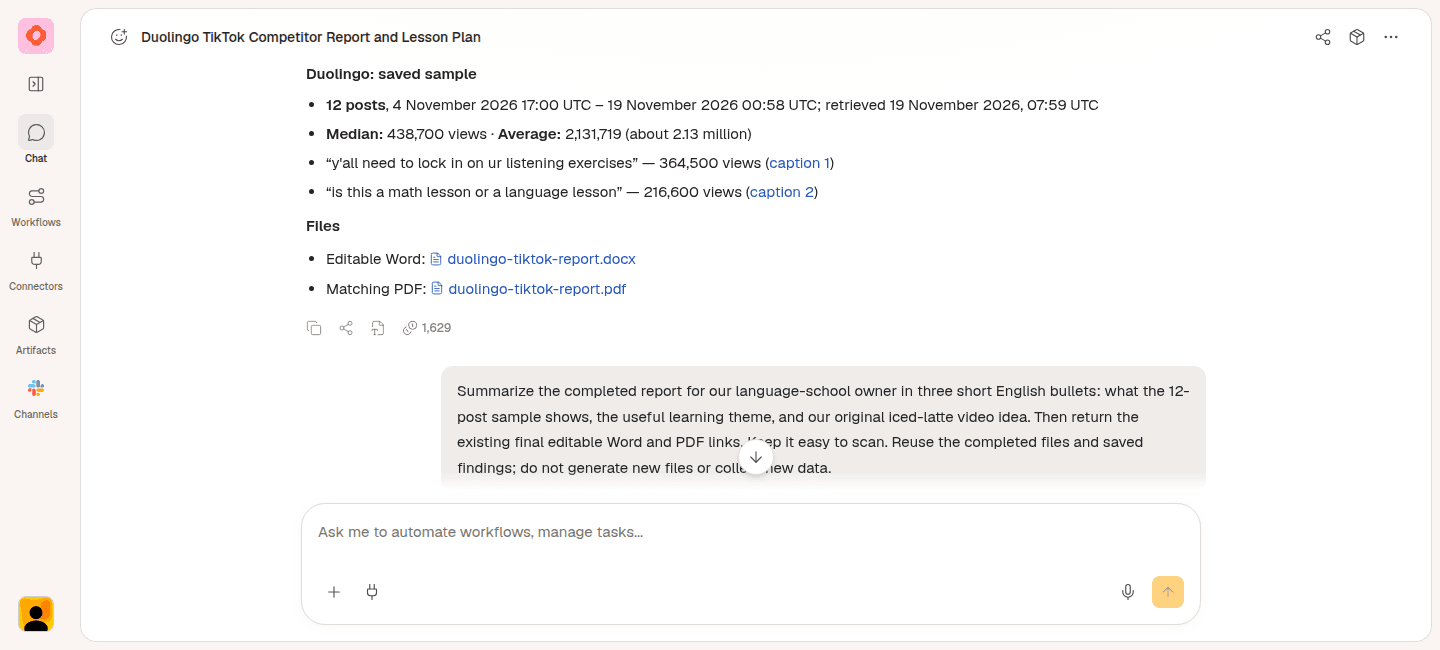
A compact recap of the saved sample keeps the dates, view counts and named source links together.
Open the linked posts before borrowing a video format. A caption can reveal a theme, but it doesn't tell you exactly how the video opens. This review used captions and public counters; it didn't verify the visual openings. For a closer look at one selected clip, use the TikTok video analyzer.
You can also review engagement, meaning visible interactions such as likes, comments and shares. Use those counts to choose posts to examine. A high comment count alone doesn't explain what people thought or why they responded.
3. Ask Okou for an idea you can actually film
Add your own audience and teaching goal. This turns TikTok account analysis into a useful content brief.
Try this request:
I teach beginner English to adults. Based on these learning themes, suggest an original video about ordering an iced latte. Give me a clear title, one opening line, four simple shots and the exact phrase viewers will learn. I can film at a desk with a phone and a paper menu.
Check that you know what belongs in each frame. If the idea is still broad, ask: “Write exactly what I should film and say in each shot.”
The worked example became “Order an iced latte in English.”
Opening line: “You know coffee. Then the barista asks, ‘What size?’”
- Freeze at the menu. Film a paper café menu on your desk, with one hand at the edge. After the opening line, hold a brief pause.
- Point to the drink and size. Tap “Medium · Iced Latte” on the menu. Say: “A medium iced latte, please.”
- Choose the milk. Point to “oat milk,” or write it in the margin. Say: “With oat milk.”
- Say the complete order. Keep the camera on the desk. Say: “Could I get a medium iced latte with oat milk, please?”
The viewer leaves with one usable order, including size and milk choice. The teacher can film it with their own menu and phone.
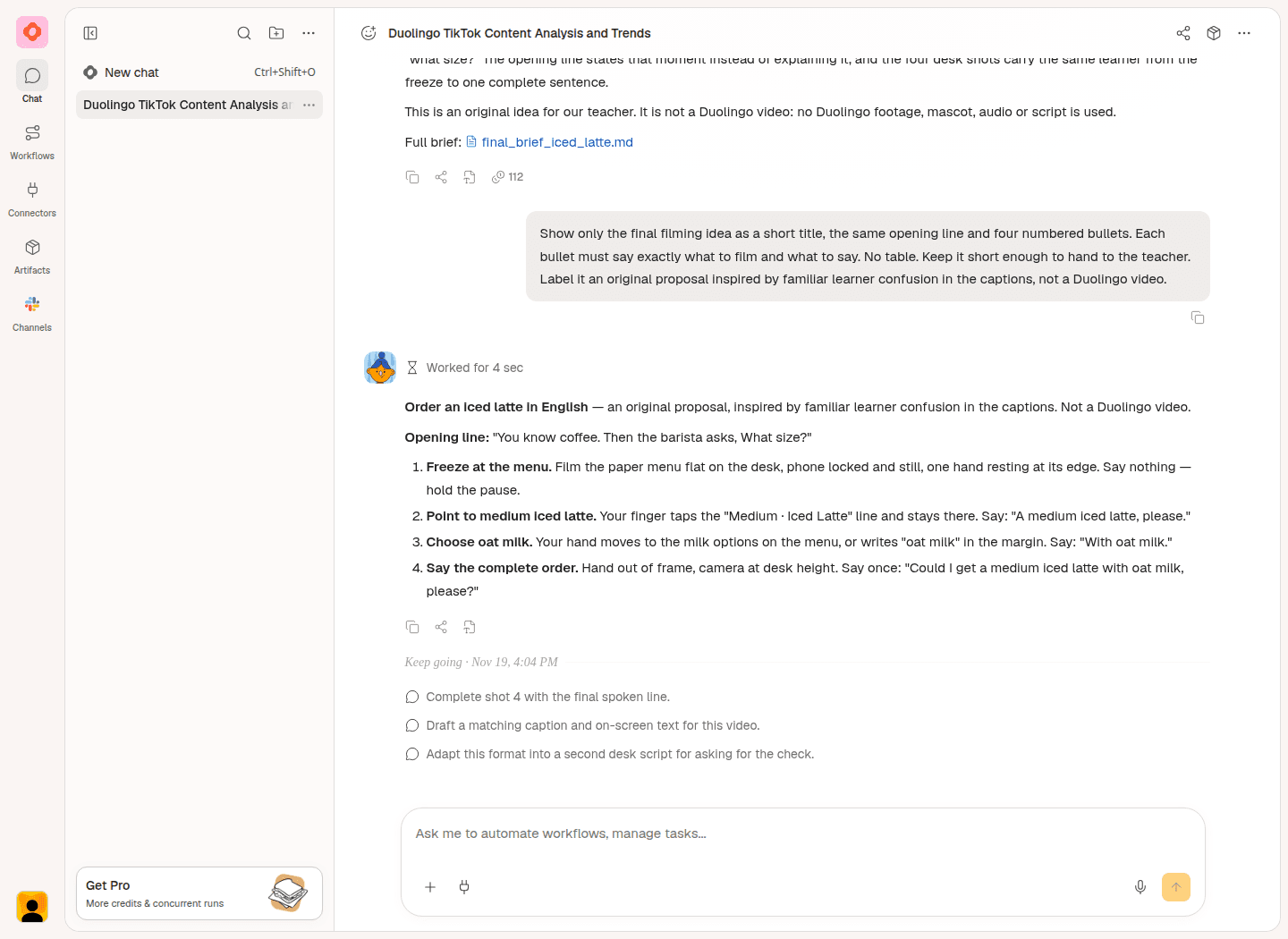
A follow-up request makes the proposal specific enough to film: a title, an opening and four actions with spoken lines.
The iced latte script and shots are original proposals inspired by the learning themes in Duolingo's captions. This isn't a lesson found on Duolingo's account. The proposed video hasn't been filmed or published.
Read the lines aloud before adding the idea to your content plan. Check that each shot helps a beginner understand the order.
Optional: prepare a report to share
Turn the saved findings into a shareable TikTok competitor report. In this example, Okou generated an editable Word document (DOCX) and a matching PDF with the sample, three observations and the iced-latte video plan.
Try this request:
Turn these findings into a short report for our language-school owner. Include the sample, three observations with source links, and the iced-latte video plan. Give me an editable Word document and a PDF.
Open each file in the chat. Check the dates, figures, source links and proposed shots, then select Download options > Download.
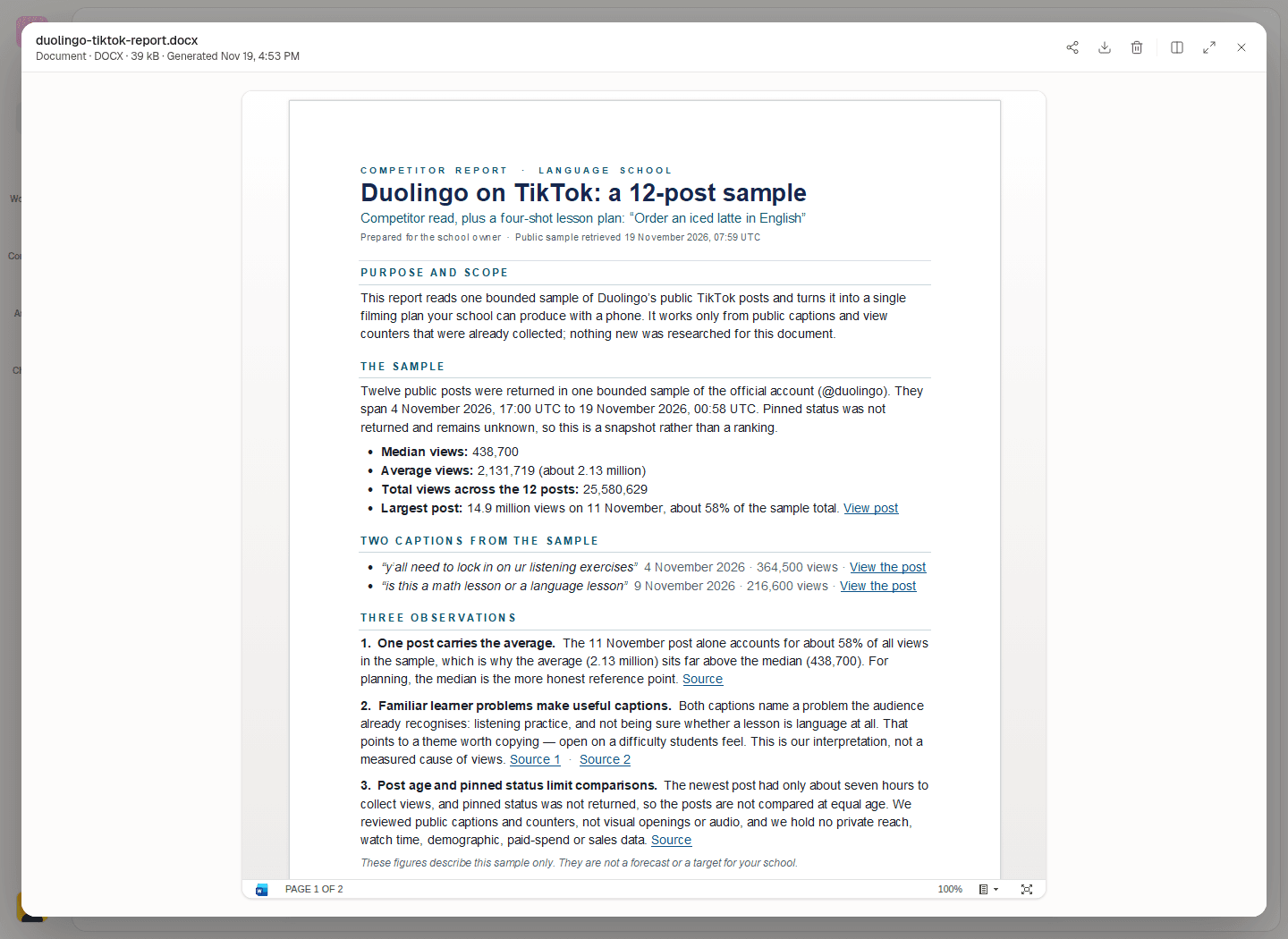
This Word report was generated in a separate task using the saved findings. Both report formats were downloaded and checked.
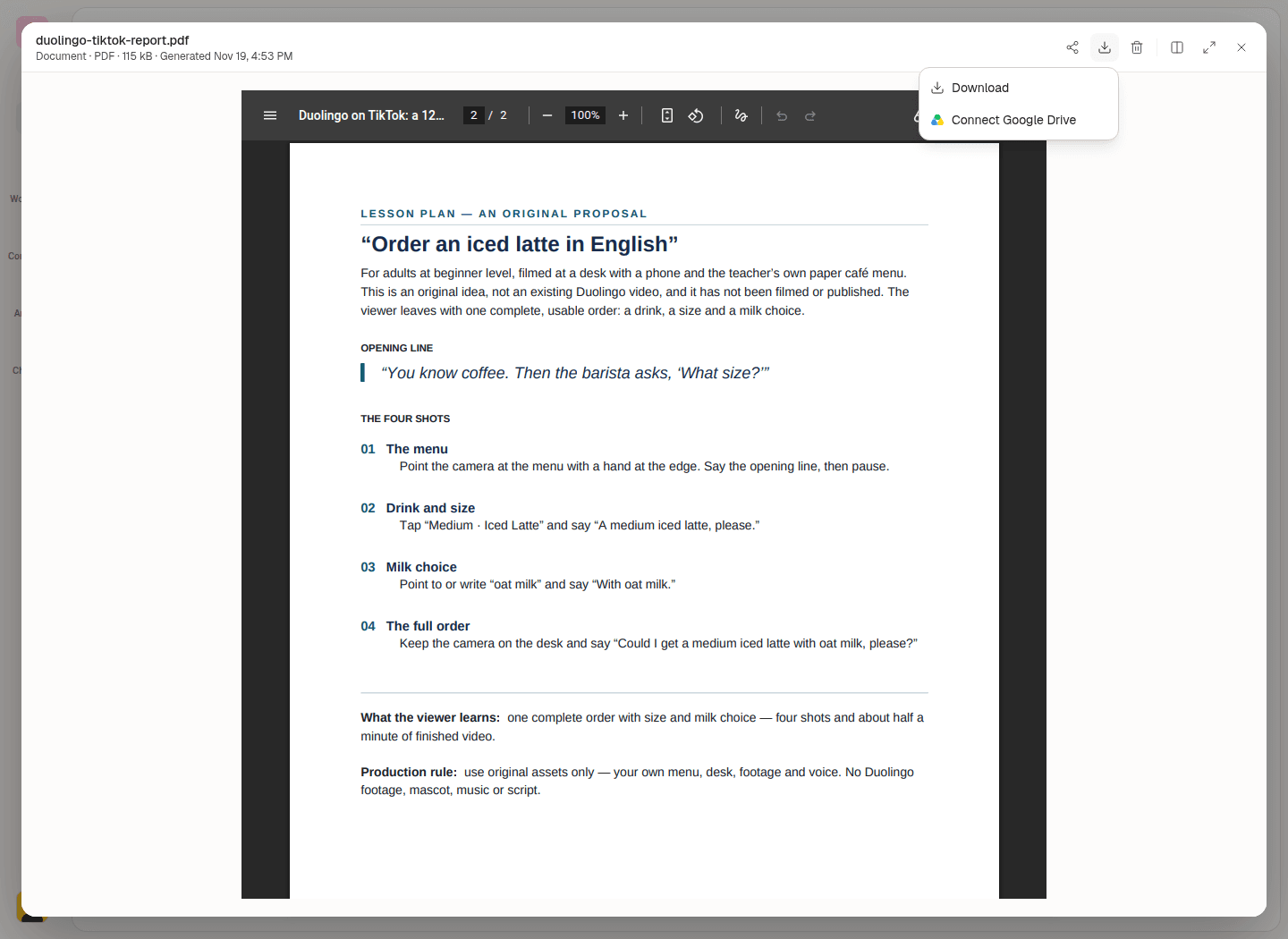
Review the proposed shots in the PDF, then download it to share.
To email the report, connect Gmail first: open Connectors, search for Gmail, then select the + on its card. If your account is already connected, ask for a draft:
Prepare a reviewable Gmail draft to [recipient email] for our language-school owner. Summarize the findings and iced-latte video idea, and attach the report I've reviewed. Leave it for me to check and send.
Open the email card to review the recipient, subject, message and attachments in Okou's email panel before sending. The panel below uses an example draft; no Gmail draft was created for this demonstration.
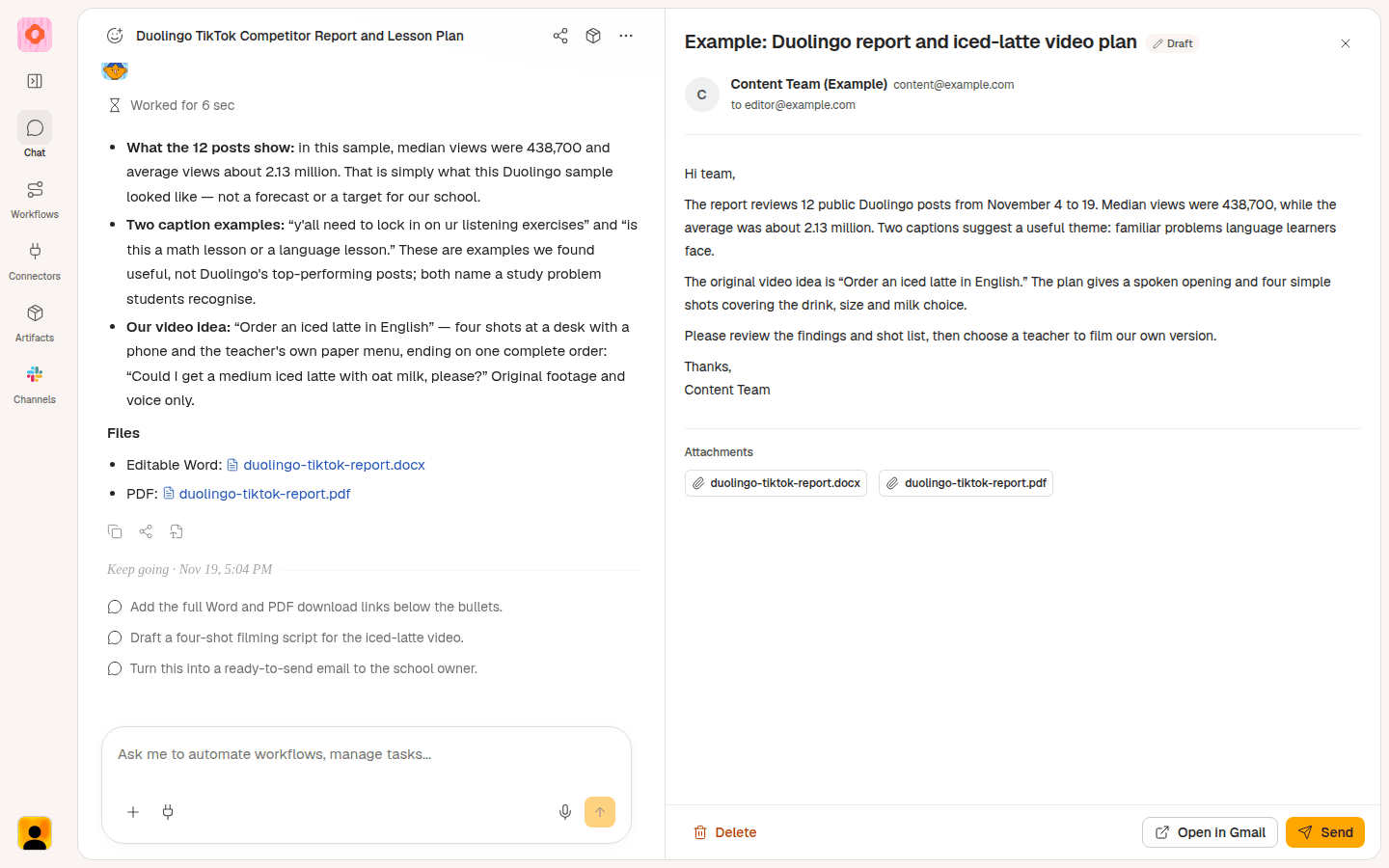
Example email review in Okou, with sample recipient details. Review the message and report attachment before sending.
Start your TikTok competitor analysis
Choose one relevant public account and use the TikTok profile analyzer to begin. Give Okou the profile link and your business question, then ask for a video idea with a clear opening and shots you can film.
Frequently asked questions
Can I analyze someone else's TikTok account?
Yes, when the public account and posts are supported. You can review content and visible counters. You can't use a public profile review to see a competitor's private audience demographics, watch time, paid spend or sales.
How is this different from my own TikTok analytics?
TikTok Studio provides the analytics available for your own account. A public competitor review helps you research content outside your account. Use each for the questions its data can answer.
Is the TikTok account analyzer free?
Running the analysis in Okou requires sign-in and available credits. Start with one account and a limited sample, then ask follow-up questions about the saved results.
How many posts should I review?
Twelve was enough to find ideas in this example. Around 10 to 20 posts can be a practical starting point; check the dates and whether themes repeat. A limited sample isn't the account's full history, and a gap in the returned dates doesn't prove it stopped posting.