If you create content for a small beauty brand or online shop, here's how to analyze a TikTok video and turn it into something you can film. Give Okou one public link, then use the breakdown to write a creative brief: a short plan with a line to say at the start, four shots, and a clear ending.
1. Send the video link and explain what you sell
Sign in to Okou, select New chat, and paste the public TikTok link. Add a sentence about your business so the analysis has a purpose. You'll need an account with available credits.
This walkthrough uses e.l.f.'s Thirst Burst Moisturizing Fluid video, published by the verified @elfyeah account on November 18, 2026. It's an 11-second clip that includes a close-up of the product being spread on a hand.
Try this request:
Analyze this product video for a small skincare shop: [paste public video link]. Look at the actual video and caption. Explain the opening, demonstration, and ending in plain English. Keep what you can see separate from product claims. Show a short report here.
Send the message, then check that the response names the right account and product. If Okou can't access the footage, don't treat a description based only on the caption as a review of the video.
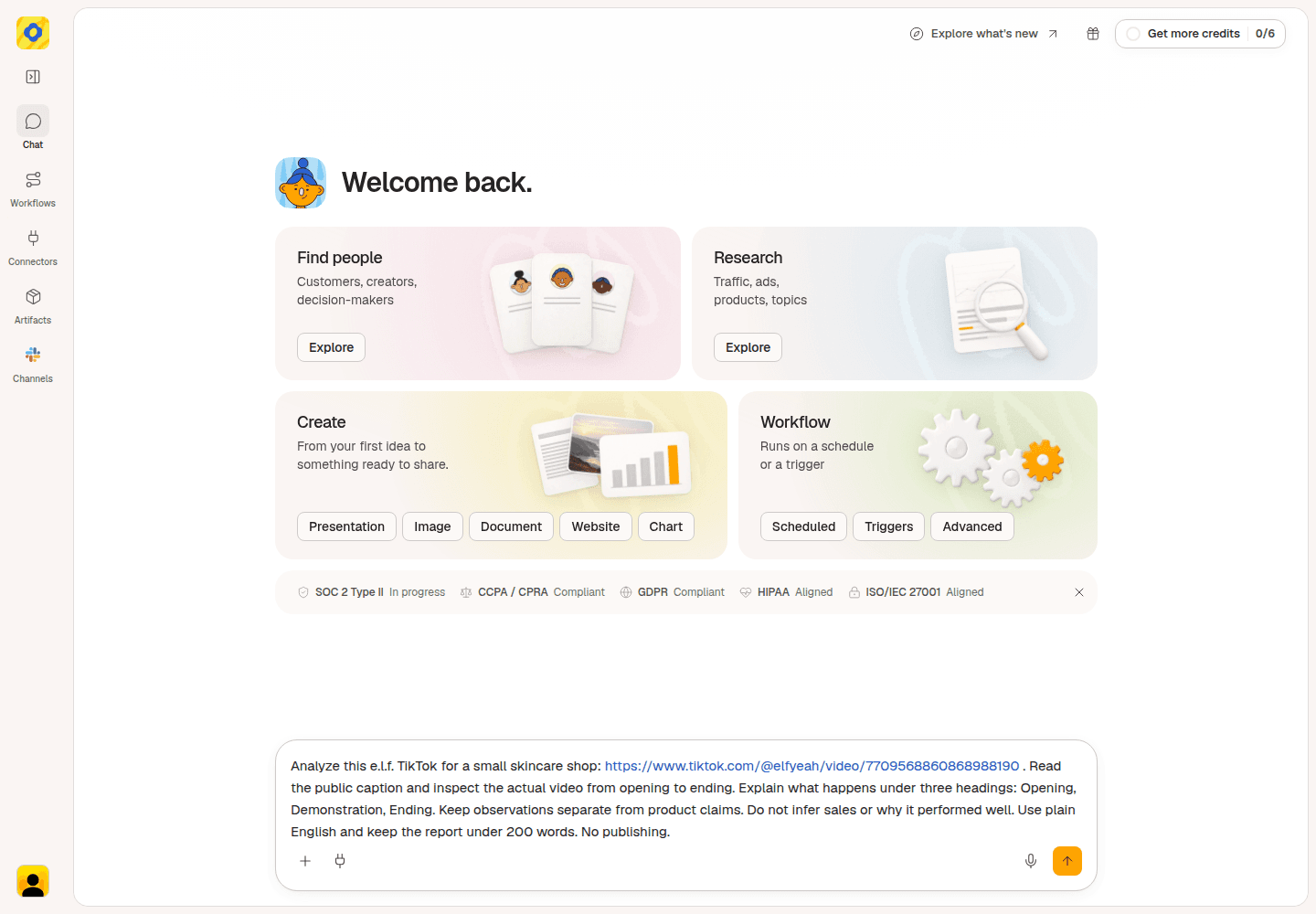
Give Okou the video link and explain that you are planning content for a skincare shop.
2. Read the opening, demonstration, and ending
A hook is the opening moment that gives someone a reason to keep watching. TikTok hook analysis starts with a simple question: what do you see before the product explanation begins?
In this e.l.f. video, the sequence is easy to follow:
- Opening: a hammer taps a beetroot, which is replaced by red powder on a bright blue surface.
- Demonstration: the video reveals the bottle, then shows a small amount of white fluid being spread across the back of a hand.
- Ending: the camera returns to the bottle resting on red powder, under the words “without looking oily.”
Use the breakdown to decide what would help your own shoppers. Here, it's the hand close-up: viewers can see the amount of product and how it spreads. Build your own clip around those actions using your actual product.
Keep the wording honest. The clip says “hydrates skin,” but seeing a product spread across a hand doesn't establish its hydration benefits.
A call to action, or CTA, tells viewers what to do next. The checked ending and post caption describe the product rather than giving a direct instruction such as “shop now.” Your own video can end with a clear route to your product details.
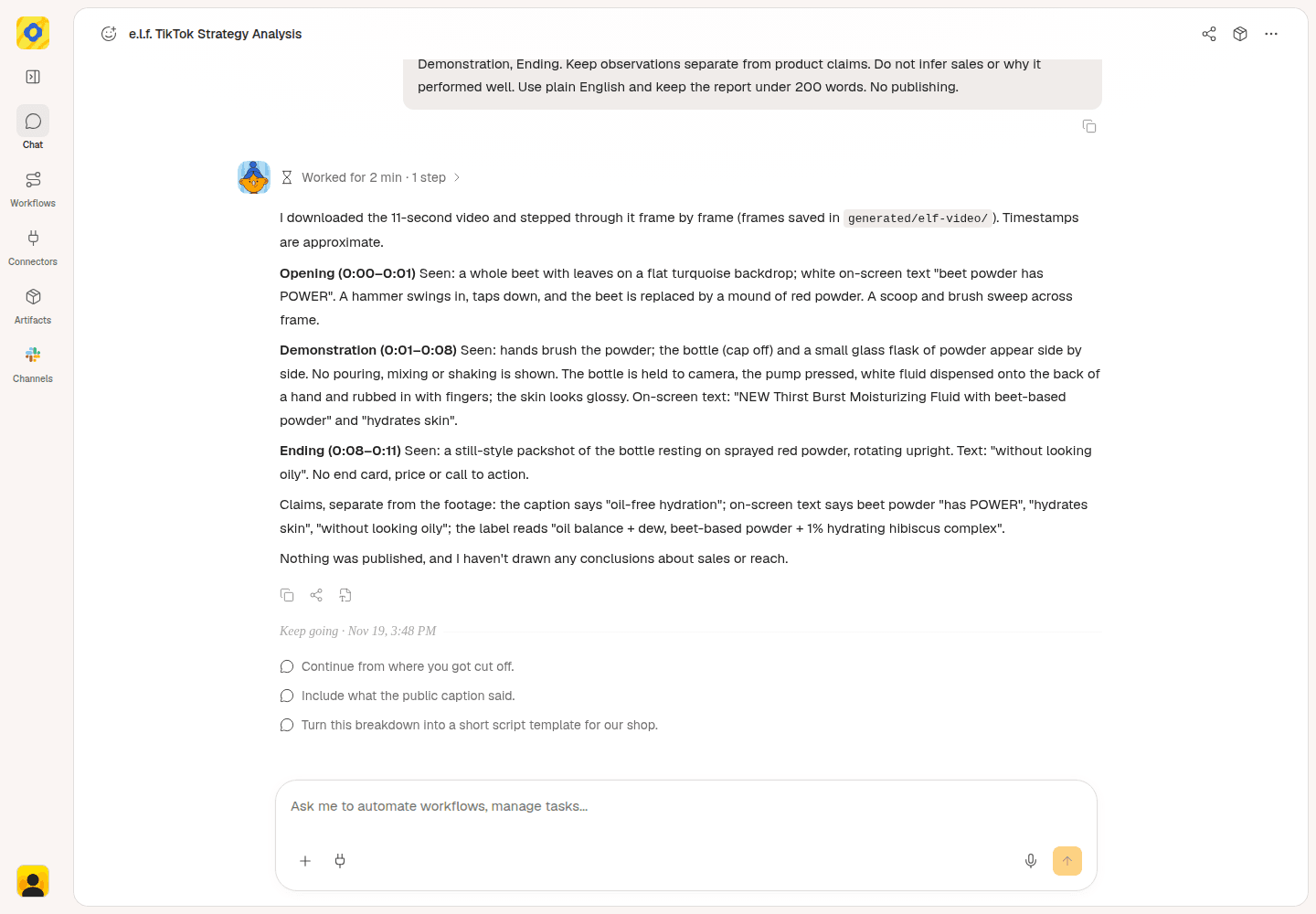
Okou separates the visible actions from the product claims in the e.l.f. video.
3. Ask for an opening line and four shots
Now turn one useful observation into a video you can actually make. For this example, the idea is a close-up demonstration of your own moisturiser.
Try this follow-up:
Write a short brief for our own moisturiser video: “What does this moisturiser look like when you spread it?” Give me one opening line I can say, four simple shots, and a closing line pointing to our product page. Use the actual product and visible results. Don't invent ingredients, benefits, or how it feels.
The brief should answer a shopper's question with something they can see. Here's a proposed four-shot version:
Video title: What does this moisturiser look like when you spread it?
Opening line: “You've seen the bottle. Here's the texture up close.”
- Show the product. Hold your bottle so the real product name is readable. Say the opening line.
- Show the amount. Put a small amount on the back of your hand, following the product's directions. Hold the close-up so viewers can see what comes out.
- Show it spreading. Keep the same lighting and framing as you spread the product. Say, “Here's how it spreads.”
- Show the result. Hold your hand still beside the bottle. End with, “See the product details in our shop,” and add the correct product link where available.
What viewers can understand: what the product looks like out of the bottle, how it spreads, and its visible appearance immediately afterward on that person's skin.
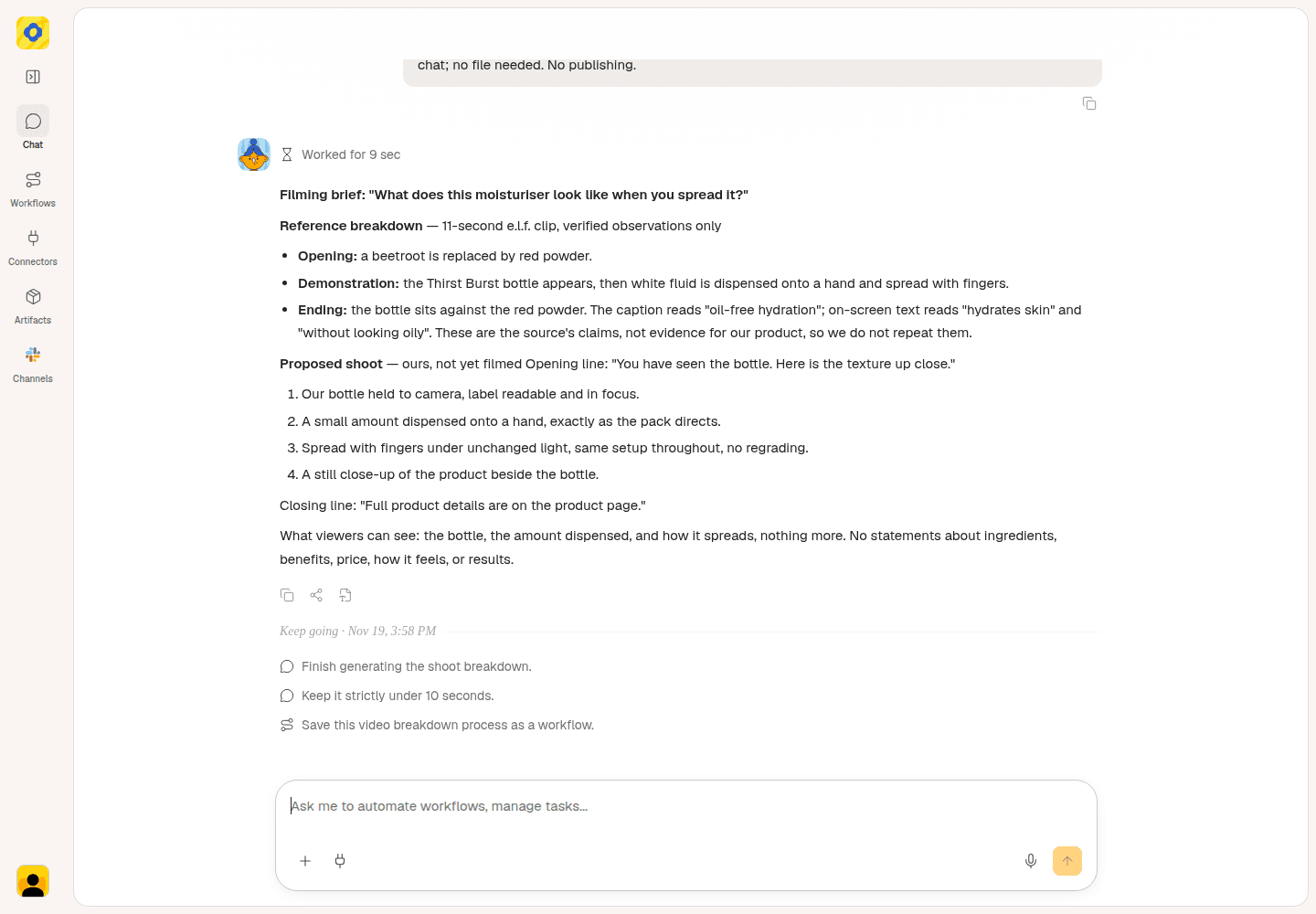
A separate brief task uses the saved analysis to plan four shots with the shop’s own product.
Read the brief in chat before handing it to your editor. Replace any generic product wording with the correct name, check the shop link, and remove claims you can't support. Film the actual result without a beauty filter that changes the appearance of the skin or product.
This is a proposed shoot using your own product. It hasn't been filmed or tested.
Optional: share the brief as a document or Gmail draft
Ask Okou to turn the brief into a shareable report as an editable Word document (DOCX) and a PDF. Keep the opening line, four-shot list, and source video link together for your video editor or shop owner.
Try this request:
Make this brief into a short report in DOCX and PDF. Include the reference observations, source link, opening line, and four shots. Label our video idea as a proposal. Use the saved notes without fetching the video again.
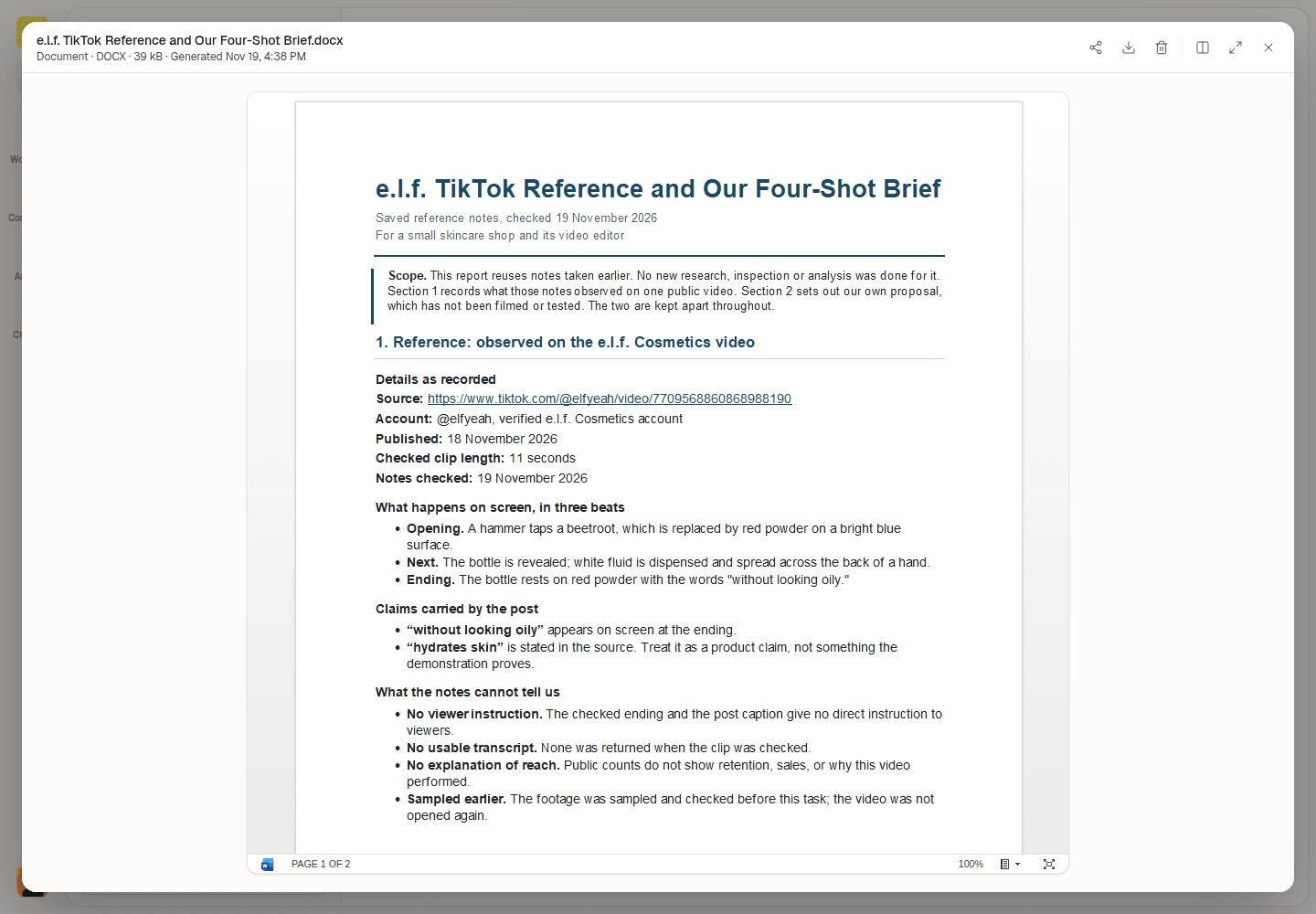
A separate report task reuses the saved e.l.f. notes to generate an editable DOCX.
Open the files and check the facts, source link, and draft copy before sharing. In this example, both the editable DOCX and PDF were downloaded and checked.
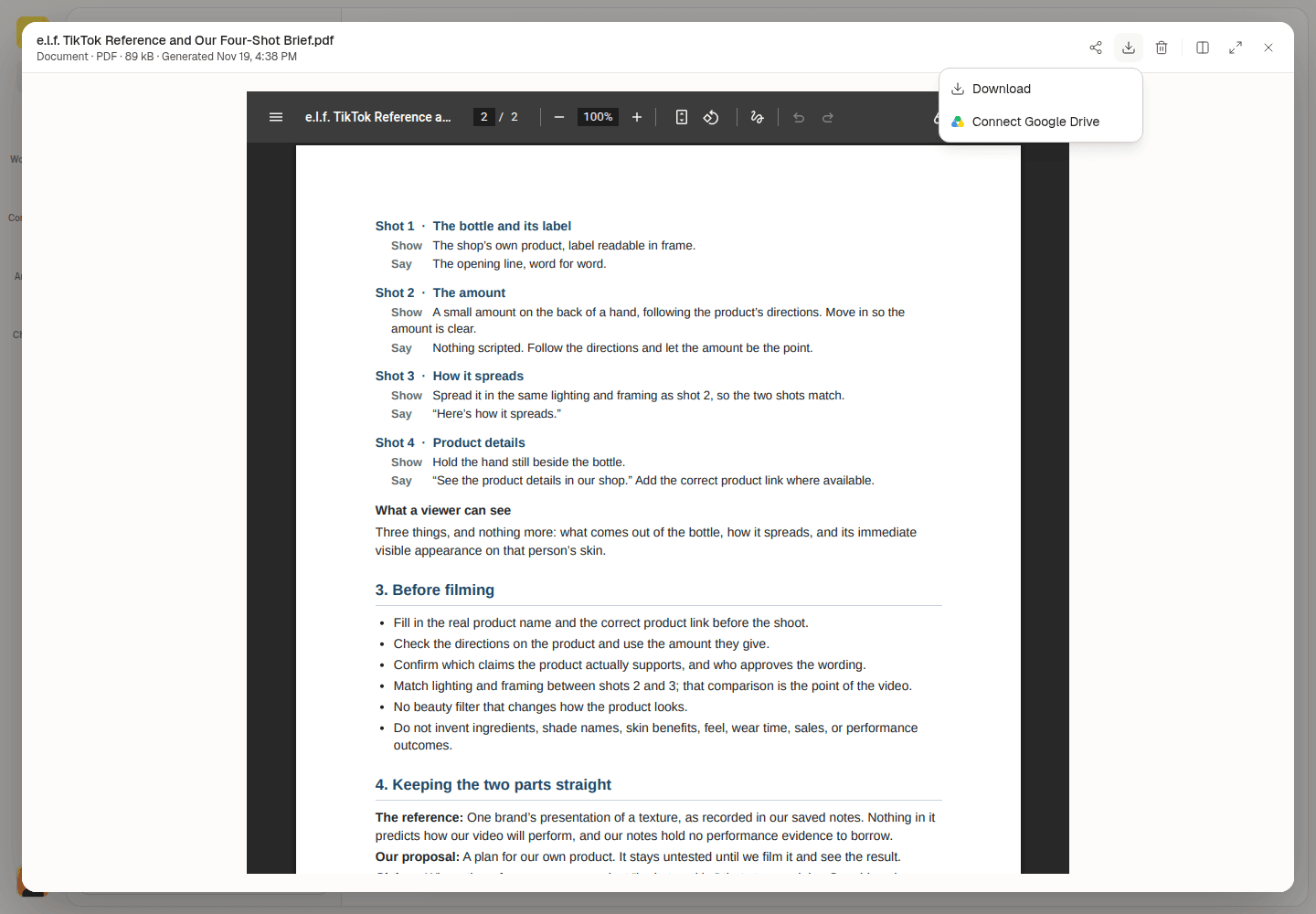
Open the PDF to review the four shots, then choose Download from the download options.
After you connect Gmail, ask Okou to prepare a draft with the reviewed report attached and a short summary. Open the email card to review the subject, body, recipient, and attachments in Okou's email panel. Send it yourself when it is ready.
Try this follow-up:
Prepare a reviewable Gmail draft to my video editor at [recipient email]. Attach the report I've reviewed and add a short summary of the opening line and four shots. Leave it unsent.
The example below uses sample email details to show the review step. It was not created in Gmail.
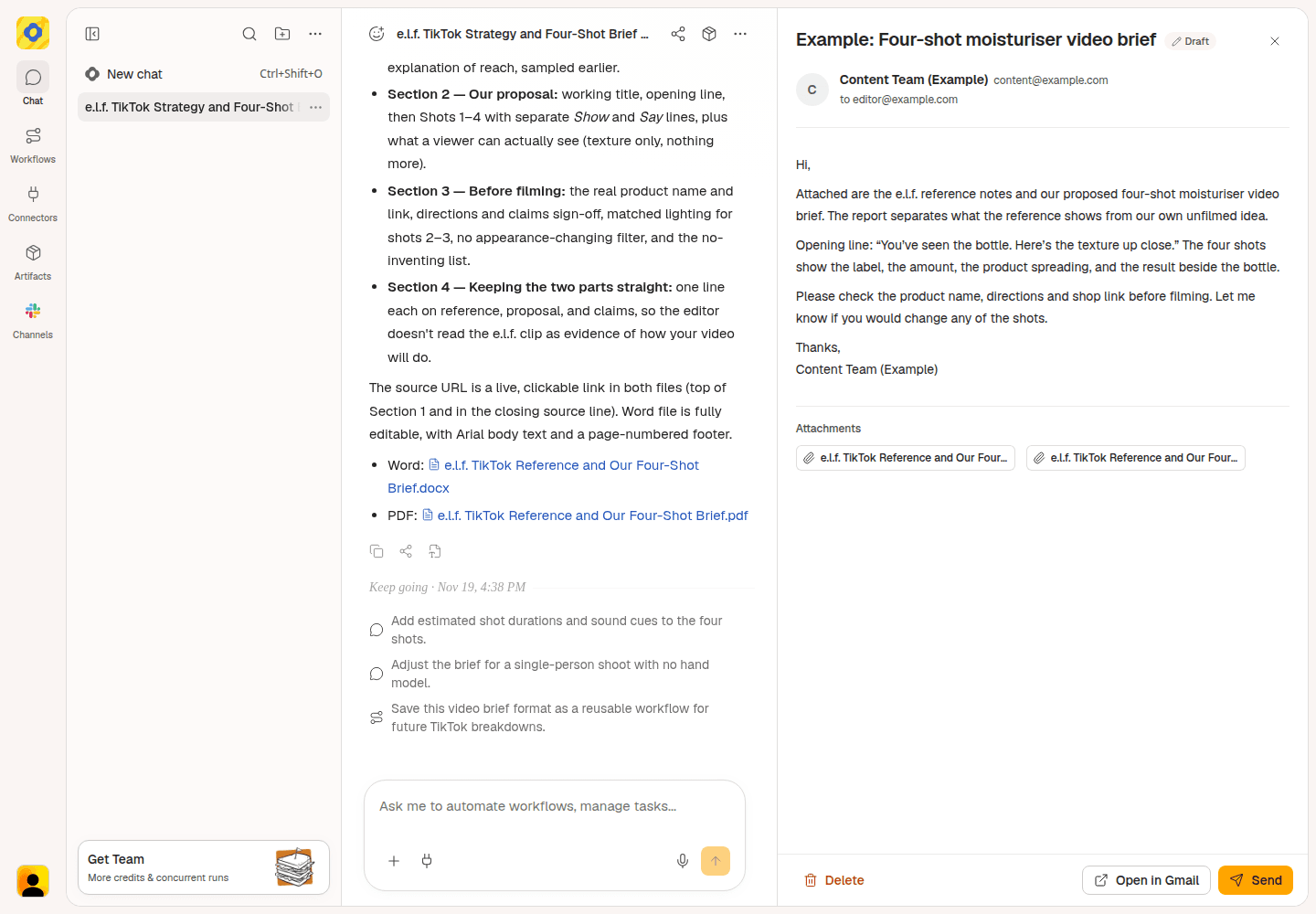
Example email review in Okou, with sample recipient details. Review the message and report attachment before sending.
Plan your next product video
Start your TikTok video analysis with a public reference and one shopper question. Ask Okou for a brief with words you can say and shots you can film. If you're comparing patterns across an account rather than one clip, use the TikTok profile analyzer.
Frequently asked questions
Can you analyze a TikTok video from its link?
Yes. Give Okou a public video link and your goal. Check what it could actually access before relying on the result. A caption alone doesn't show the actions, cuts, or ending of a video.
How do you check video analytics on TikTok?
For your own posts, open Analytics in TikTok Studio and select the video. A TikTok video analyzer can work with available public content and counts, but it doesn't reveal another creator's private retention, traffic sources, or sales data.
Can AI explain why a TikTok video went viral?
It can identify ideas to try, such as an ingredient reveal or a clear product demonstration. Public view counts don't establish which creative choice caused performance. Use the analysis to plan your next video, not to promise a result.
Do I need a transcript to analyze a product video?
Not always. You can examine visible actions, on-screen text, and the post caption even when no usable transcript is available. If you need spoken wording, try the TikTok transcript generator and check unclear phrases against the original video before quoting them.