If you manage social media for a brand or client, here's how to analyze an Instagram profile and find ideas for your next posts. Give Okou a public profile link and a question about your content. You'll get a review of recent posts and a short content plan you can edit.
The example below uses MIT's public account, @mit, from a real Okou audit on November 18, 2026.
1. Share the profile and ask for content ideas
Open Okou and paste the Instagram profile link into a chat. Tell Okou what you want to decide, such as what to post next or whether to try more Reels. You'll need to sign in to Okou and have available credits.
Try this request:
Review https://www.instagram.com/mit/ using up to 20 recent public posts. Show the main topics, compare Reels, carousels and single images, and link to posts with strong likes and comments. Suggest three content ideas to try next. Tell me which information you couldn't access.
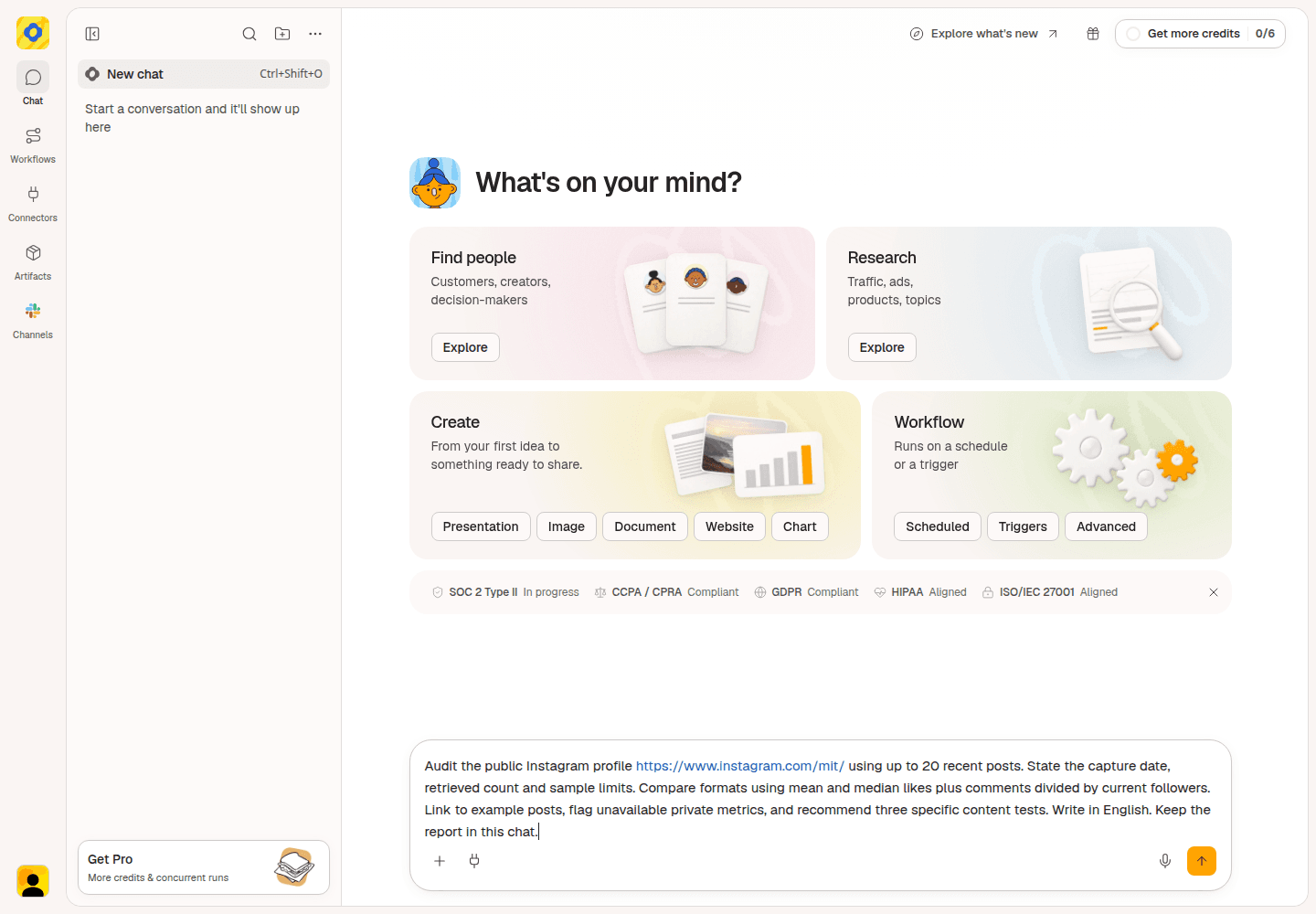
The MIT example used a more detailed request; the shorter version above asks for the same kind of content review.
Okou returns the account details and the posts used in the review. In this example, the 20 posts covered October 4 through November 17. Check those dates so you know which period the ideas come from.
2. Look at the posts and formats that did well
Read the summary of topics and formats. A carousel is a post with several images or slides; a Reel is a video. Open a few of the linked posts to see what people were responding to.
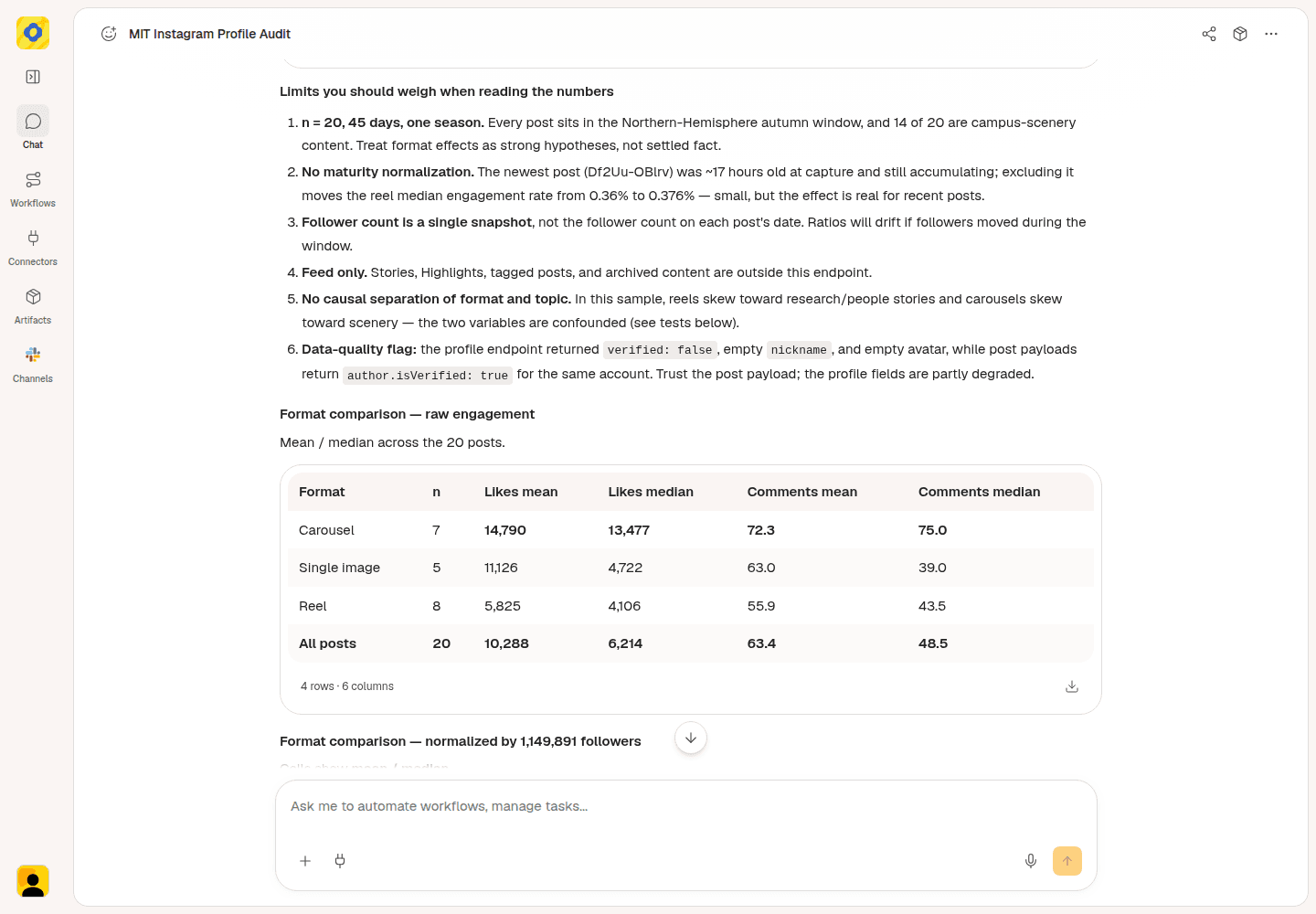
The format table helps you compare a typical carousel, single image and Reel in this sample.
Start with the median likes column. The median is the middle result when posts are sorted by likes, so one unusually popular post has less influence than it does on the average.
| Format | Posts reviewed | Median likes |
|---|---|---|
| Carousel | 7 | 13,477 |
| Single image | 5 | 4,722 |
| Reel | 8 | 4,106 |
Carousels received the most likes on a typical post in this sample. But 14 of the 20 posts featured autumn scenery, and many of the carousels covered that subject. This is a useful reason to try a scenery carousel, not a reason to turn every research story into one.
That's the useful part of Instagram profile analysis: connect the numbers to what the posts actually show. For MIT, the next question is whether a similar campus scene works well as both a carousel and a Reel.
Use likes and comments as signs of public response. This audit couldn't see reach, views, saves or shares, so those measures can't guide the comparison here.
3. Choose an idea worth trying
Look for suggestions that fit what your account is there to explain or show. For MIT, campus scenery is one direction, but research stories still matter. A content strategy needs room for both.
Okou proposed these ideas from the reviewed posts:
| Content idea | What to make |
|---|---|
| Show the same place in two formats | Use one campus visit to make a carousel and a short Reel. |
| Ask a question in a short Reel | Show an unusual campus detail, ask viewers what it is, then reveal the answer. |
| Make a shorter research story | Take one research story and create a short version alongside the longer explanation. |
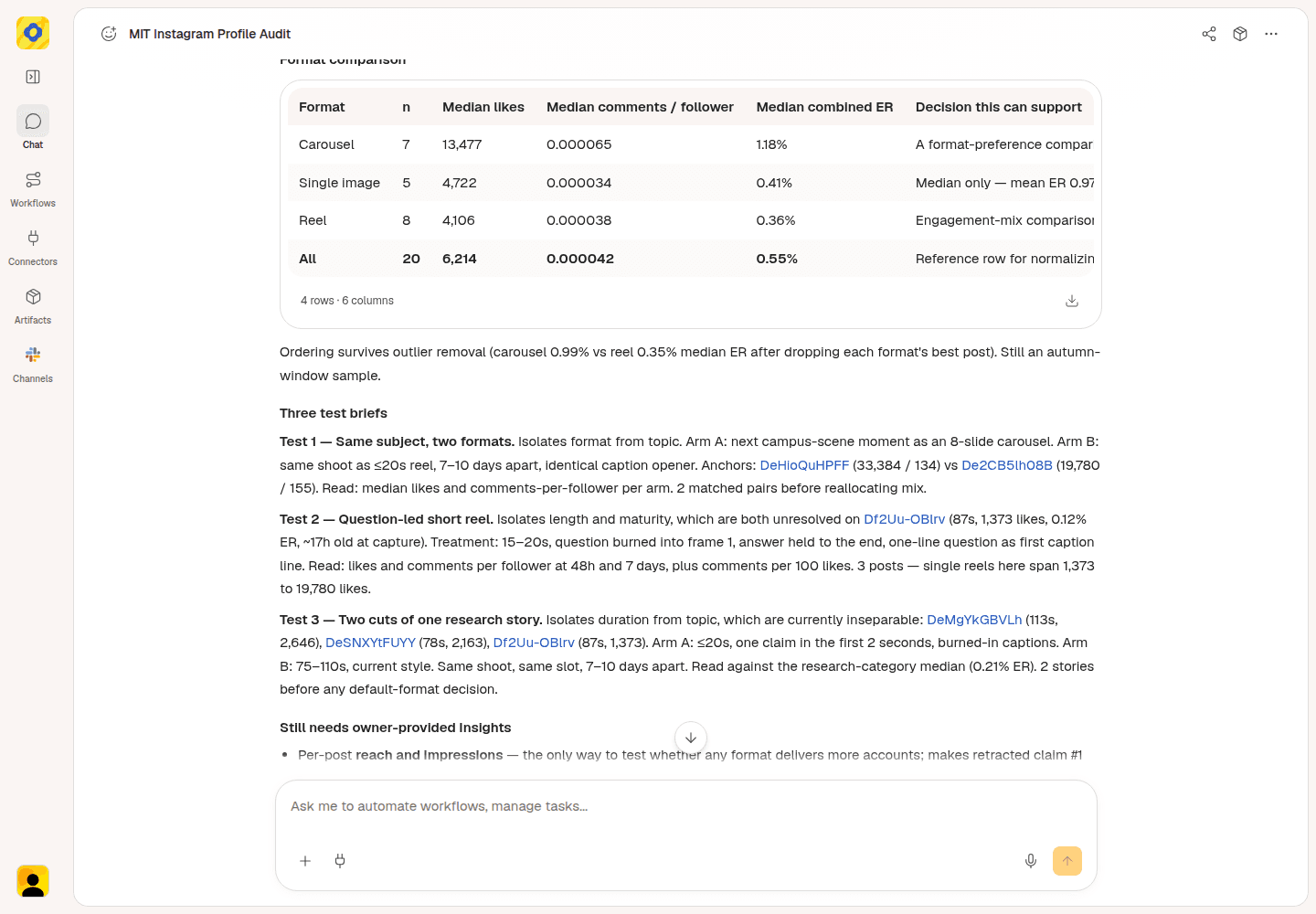
Use these suggestions as starting points for tests with your own audience.
For the first idea, compare the fall-colors carousel with the campus scenery Reel. They give you concrete examples of a similar subject presented in different ways.
For a brand account, the equivalent might be one product demonstration shown as slides and as a short video. Pick the idea that answers your team's current question, rather than copying MIT's subject matter.
4. Ask Okou for a short content plan
Stay in the same chat and ask Okou to turn the ideas into something you can use when planning posts.
Try this follow-up:
Turn these ideas into a short content plan. For each idea, include the topic, format, what to show, a supporting post link and what to look at afterward. Use the posts you've already reviewed. Keep it practical and don't promise results.
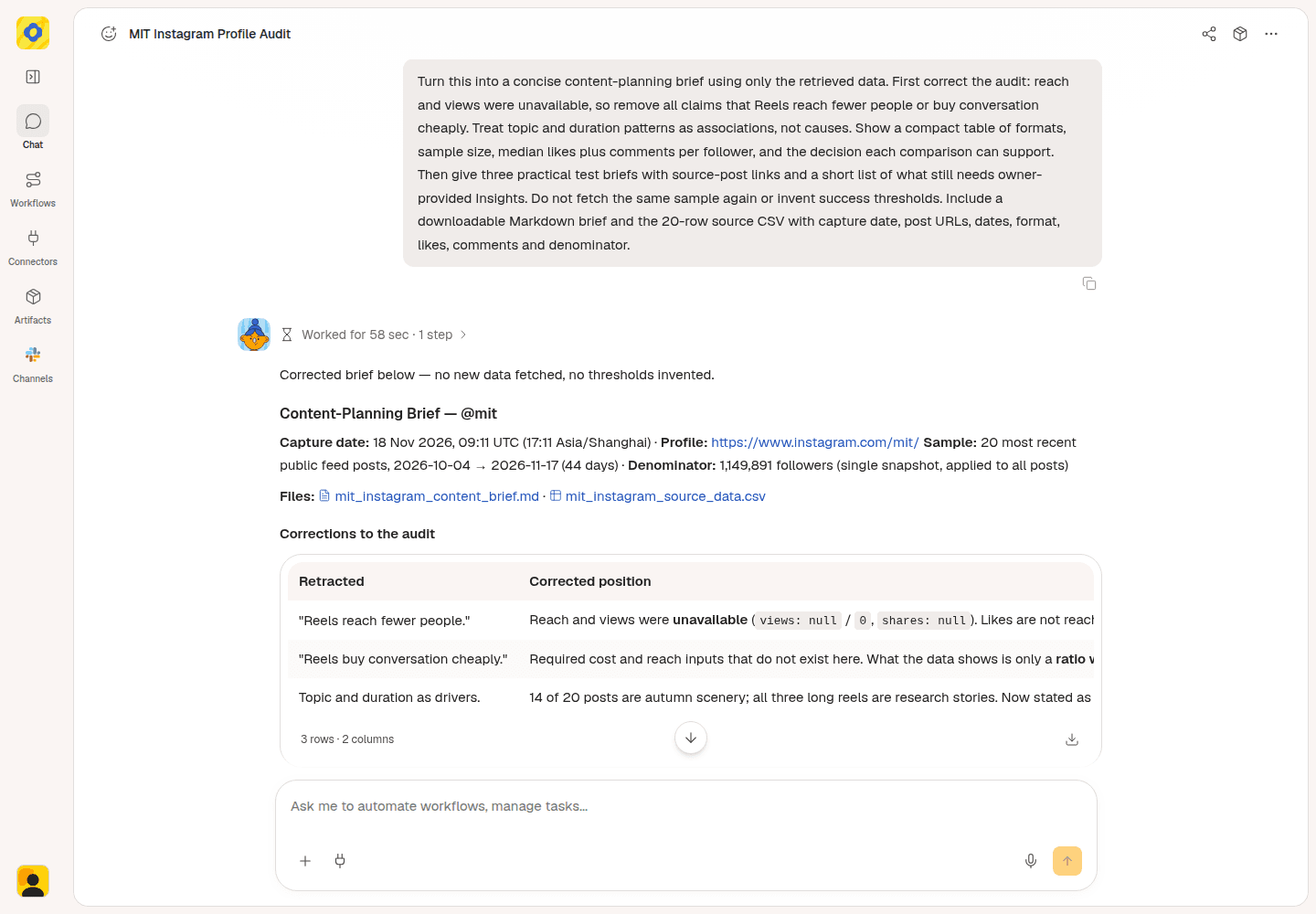
The follow-up asks Okou to turn the reviewed posts into a short content plan.
The MIT follow-up returned a brief with three proposed tests and source links. Use that as a starting point: choose an idea, adjust it to your audience, and ask Okou to revise anything that doesn't fit. The result should tell you what to make next, not leave you with another list of numbers.
When you try the idea, compare likes and comments after the same amount of time, such as seven days. Look at several posts before changing your regular content mix. If you manage the account, your own Instagram Insights can add reach and saves to that review.
Optional: Share a report or prepare a Gmail draft
Ask Okou to turn the reviewed notes into a shareable report, with an editable Word document (DOCX) and a matching PDF.
Try this follow-up:
Create a short Instagram content review and next-week plan from these notes. Include source links, label content ideas as proposals, and give me DOCX and PDF files.
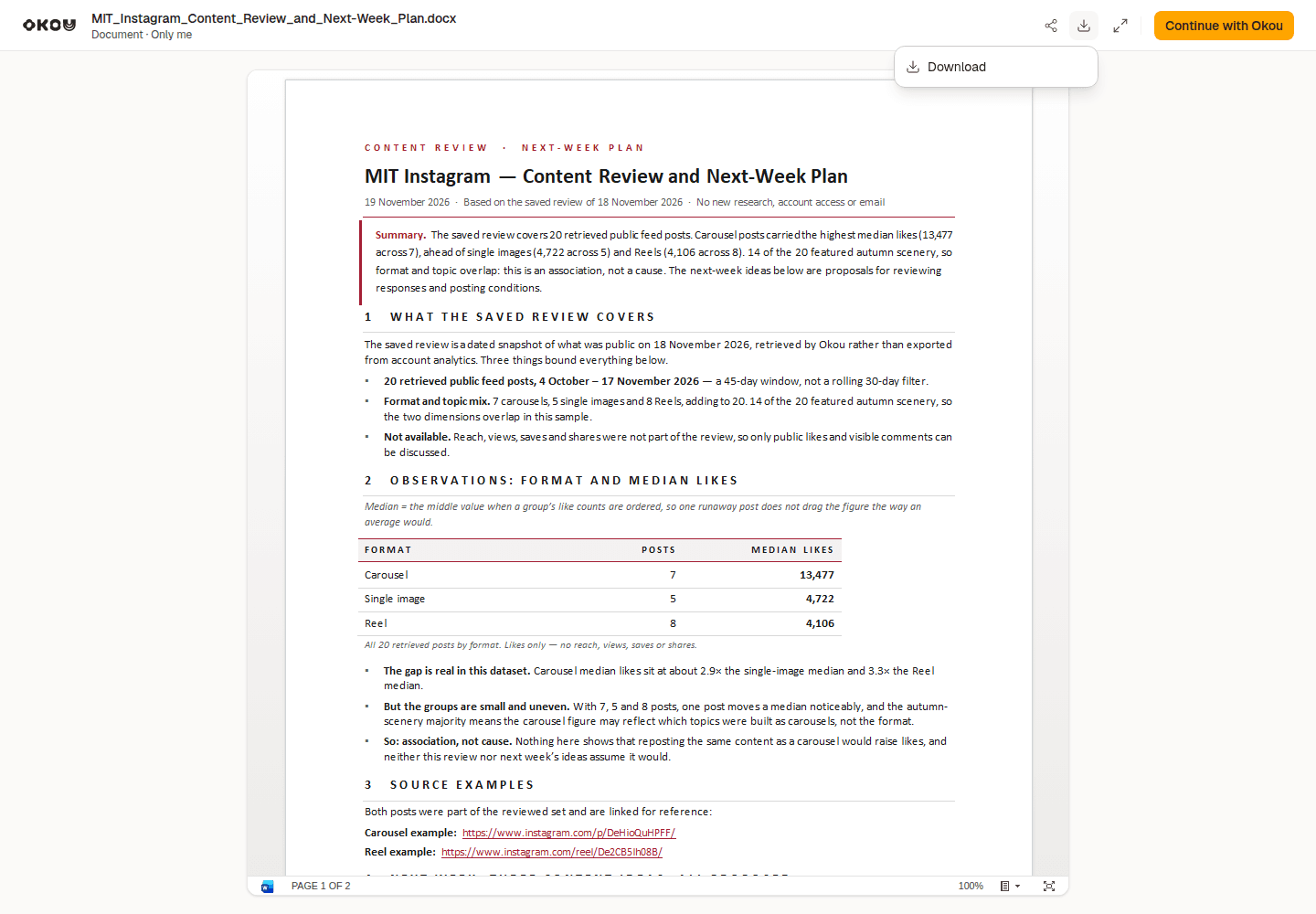
A separate Okou task used the saved MIT review notes to create this Word report. Open Download options to save the editable file.
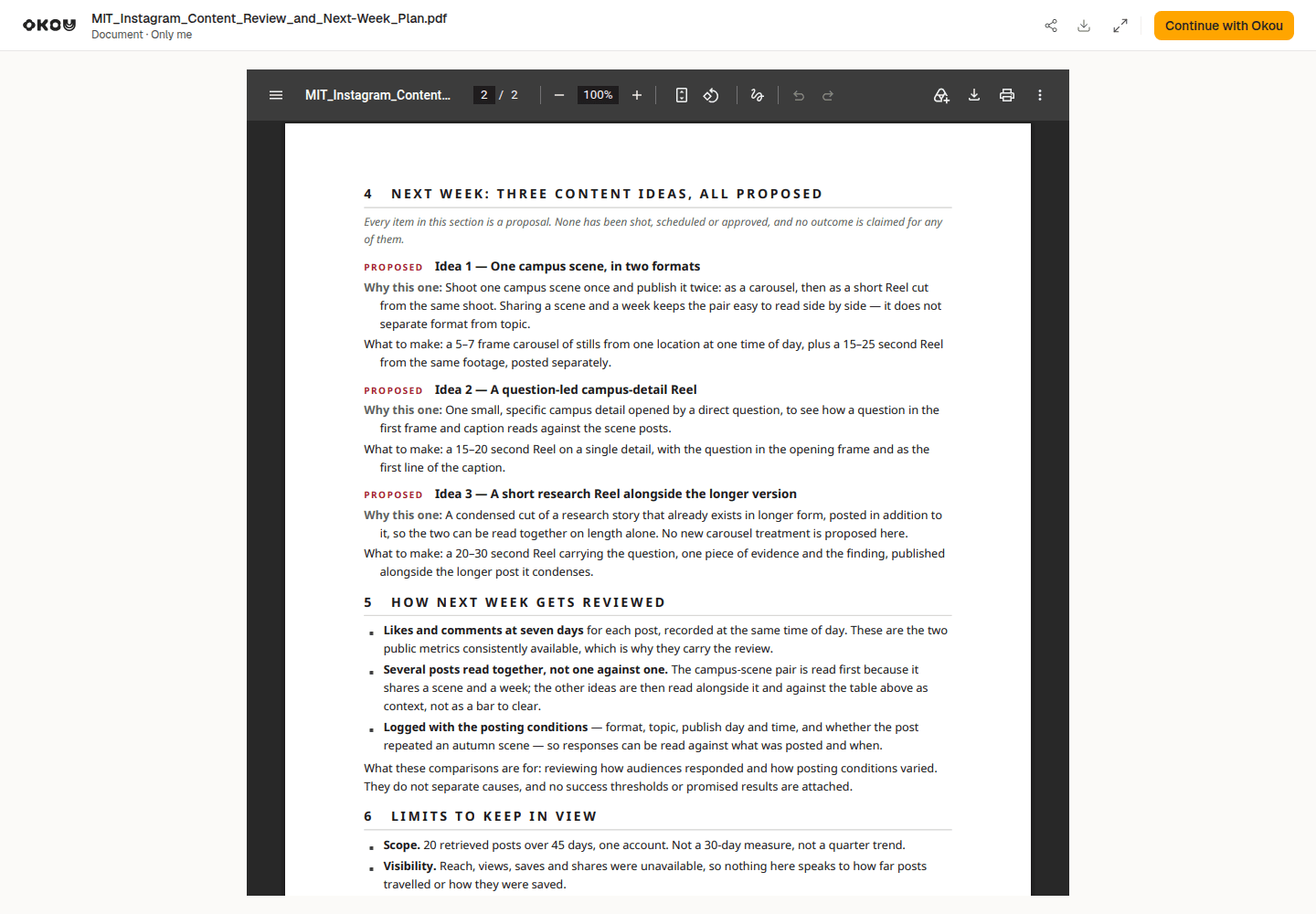
The matching two-page PDF includes the proposed content plan.
Download and open both files. Check the facts, source links and recommendations before sharing.
To connect Gmail, open Connectors, search for Gmail, then select the + on the Gmail card to connect your account.
Once connected, ask Okou for a draft with a short summary and the reviewed report attached. Open the email card to review the subject, message, recipients and attachments in Okou's email panel. Send it yourself when everything is ready.
Try this follow-up after reviewing the document:
Prepare a reviewable Gmail draft to [recipient email], our social media manager or client. Summarize the Instagram content review and next-week plan, attach the reviewed DOCX or PDF, and leave it unsent for me to check.
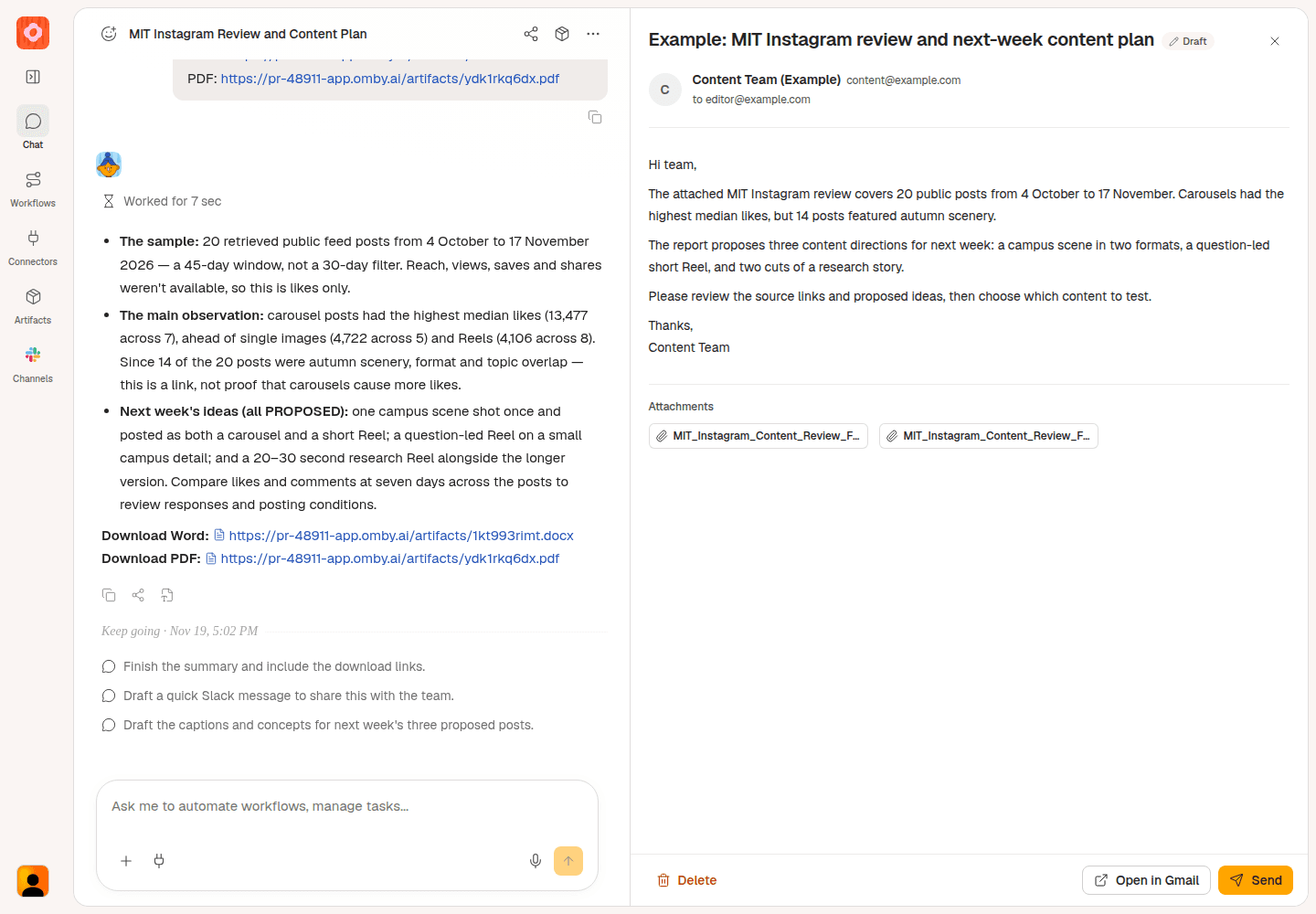
Example email review in Okou, with sample recipient details. Review the message and report attachment before sending.
Find your next content direction with Okou
Start with the Instagram profile analyzer and one question about what to post next. For a side-by-side review of other brands, use Instagram competitor analysis. If you want ideas from the questions people leave under a particular post, use the Instagram comment analyzer.
Frequently asked questions
Can I analyze someone else's public Instagram profile?
Yes, if the profile and posts are publicly accessible. You don't need that person's Instagram login. You do need to sign in to Okou to run the task, and private profiles aren't available through this public-profile review.
Can an Instagram profile audit show reach or audience demographics?
Those details require access to the account's private analytics. A public Instagram profile audit can review available posts and interactions, but it doesn't provide another account's Instagram Insights.
Should I compare engagement rates or likes and comments?
Start with likes and comments when choosing content ideas for one account. If you use an engagement rate, check its formula: a follower-based rate is likes plus comments divided by followers, multiplied by 100. It isn't the percentage of viewers who engaged. For future comparisons, use the follower count recorded with each measurement.