If you work in product marketing, this guide shows how to analyze Instagram comments to find questions worth answering. Give Okou a public post and say what you'd like to learn. You'll get an FAQ draft and a video idea, with the original comments beside each suggestion.
We'll use the comments on Canva's Craft launch to show the process.
1. Share the post and your question
Sign in to Okou, open a chat, and paste the link to the public Instagram post you want to understand. Add a simple goal, such as “What do people need us to explain about this product?” Running the task requires available credits.
Try this request:
Read up to 100 available public comments on [POST LINK]. Group the questions people repeat and show a few original comments for each group. Suggest an FAQ and a video idea we could make. Flag any product facts we need to check. Don't post replies.
If you don't have a post in mind, ask Okou to choose a relevant product post from a known account. That's how the Canva example started: Okou looked at 12 returned posts and selected the Craft launch. You can skip that search when you already have the post link.
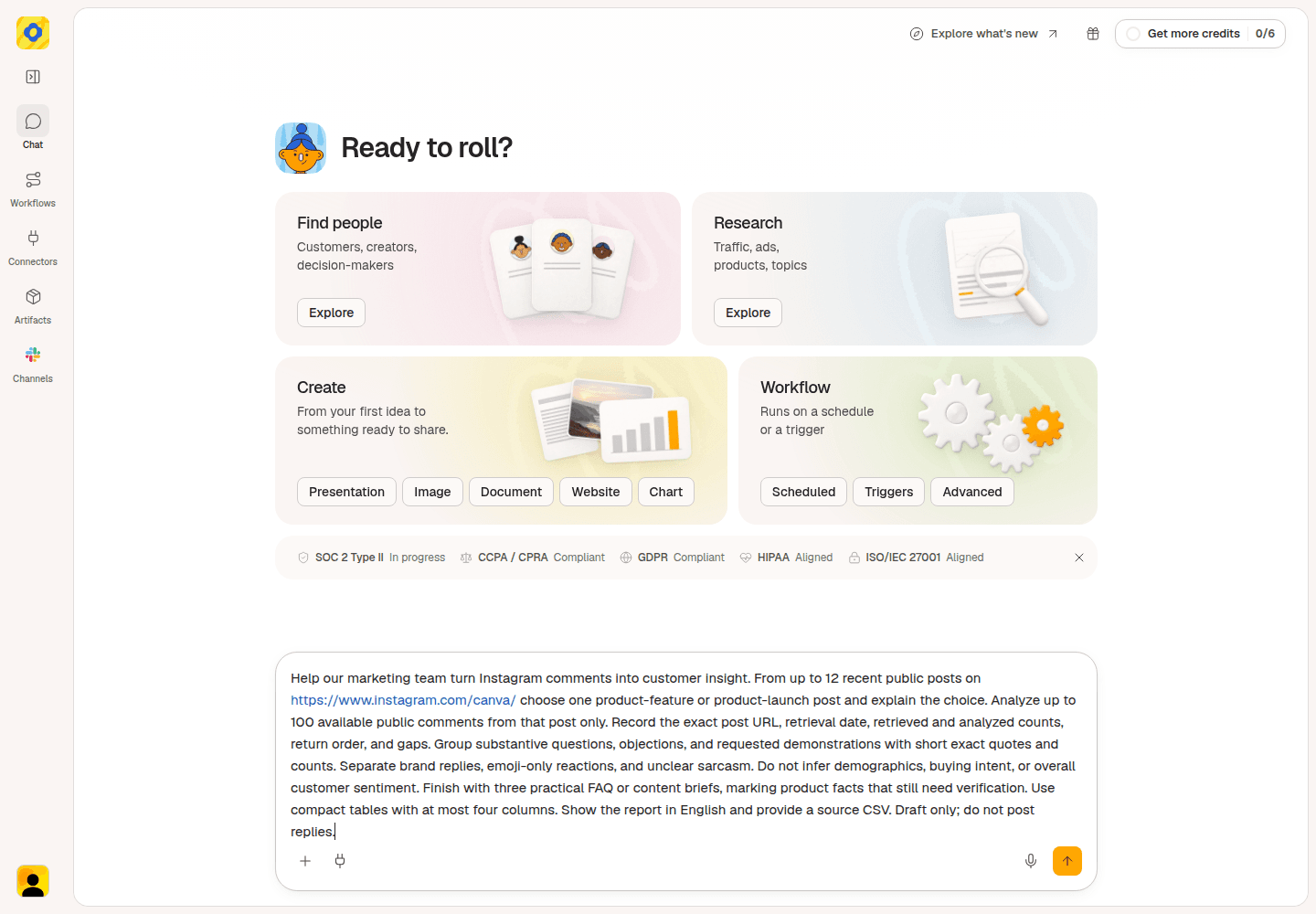
The original Canva request started from the account profile; use a post link when you already know which conversation to analyze.
Check that the result names the post you meant. A product launch is useful for feature questions; a brand joke or giveaway may produce a very different conversation.
2. Find the questions people repeat
Read the themes in Okou's answer. For Instagram comment analysis, a useful theme tells you what someone wants explained. “Product feedback” is too broad. “Can I edit the text after generating an image?” gives you something to answer.
In the Canva example, two themes each appeared in three questions:
- Editing generated text. One comment asked, “Can Craft keep typography editable after generation”. Others asked about changing headlines and brand colors.
- Keeping a consistent brand style. One comment said, “Curious how it handles brand kits.” Others asked about keeping the same character or visual style across several images.
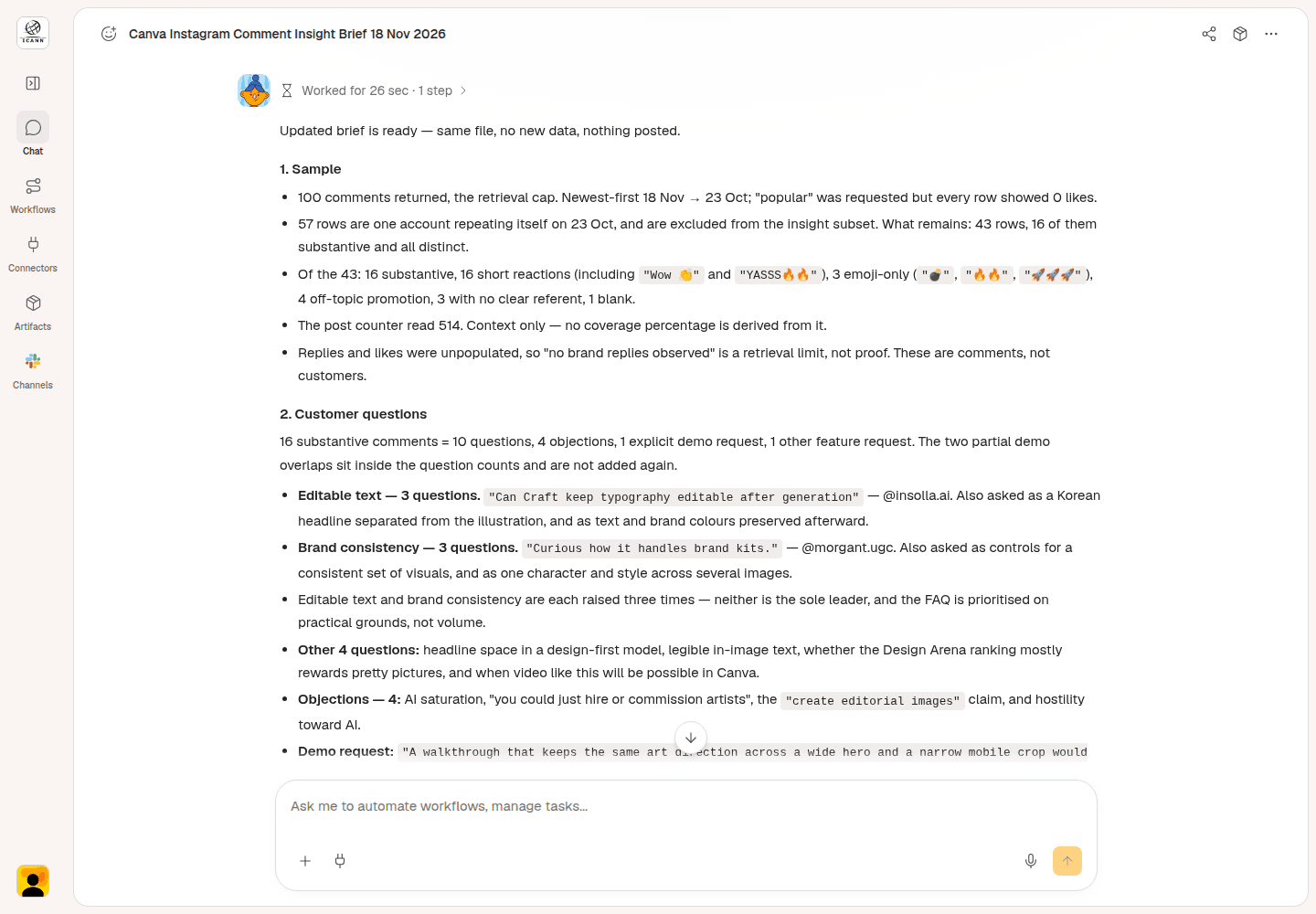
Example results from a later review of the same Canva comments, with no new collection: both themes have three questions.
Read the quoted comments before choosing a topic. Do they ask the same thing, or has Okou grouped different needs together? If a theme is unclear, ask: “Show me the comments behind this theme and explain the question they share.”
Ask Okou to leave repeated copies, promotions, and emoji-only reactions out of the theme counts. This example used 100 returned comments from one post; it offers questions to explore, not a survey of all buyers.
If you request sentiment analysis, it groups reactions as positive, negative, or neutral. That can help you spot frustration, but you still need the actual question to decide what to explain next.
3. Turn one question into an FAQ
Choose a question whose answer would help someone use or evaluate the product. The Canva example prioritized editable text because a marketer needs to know whether they can change a headline before using a generated visual in a campaign.
That choice wasn't based on frequency alone. Brand consistency had three questions too.
Try this request:
Turn the text-editing questions into a short FAQ draft. Use the product information I've provided. Tell me what my team still needs to confirm before completing the answer.
The resulting FAQ question was:
“If I generate an image with Craft, can I still edit the text in it?”
The important fact to check is simple: can someone select and change the words, or are those words part of the generated image? The comments don't answer that. The example therefore leaves the product behavior for confirmation instead of inventing a yes or no.
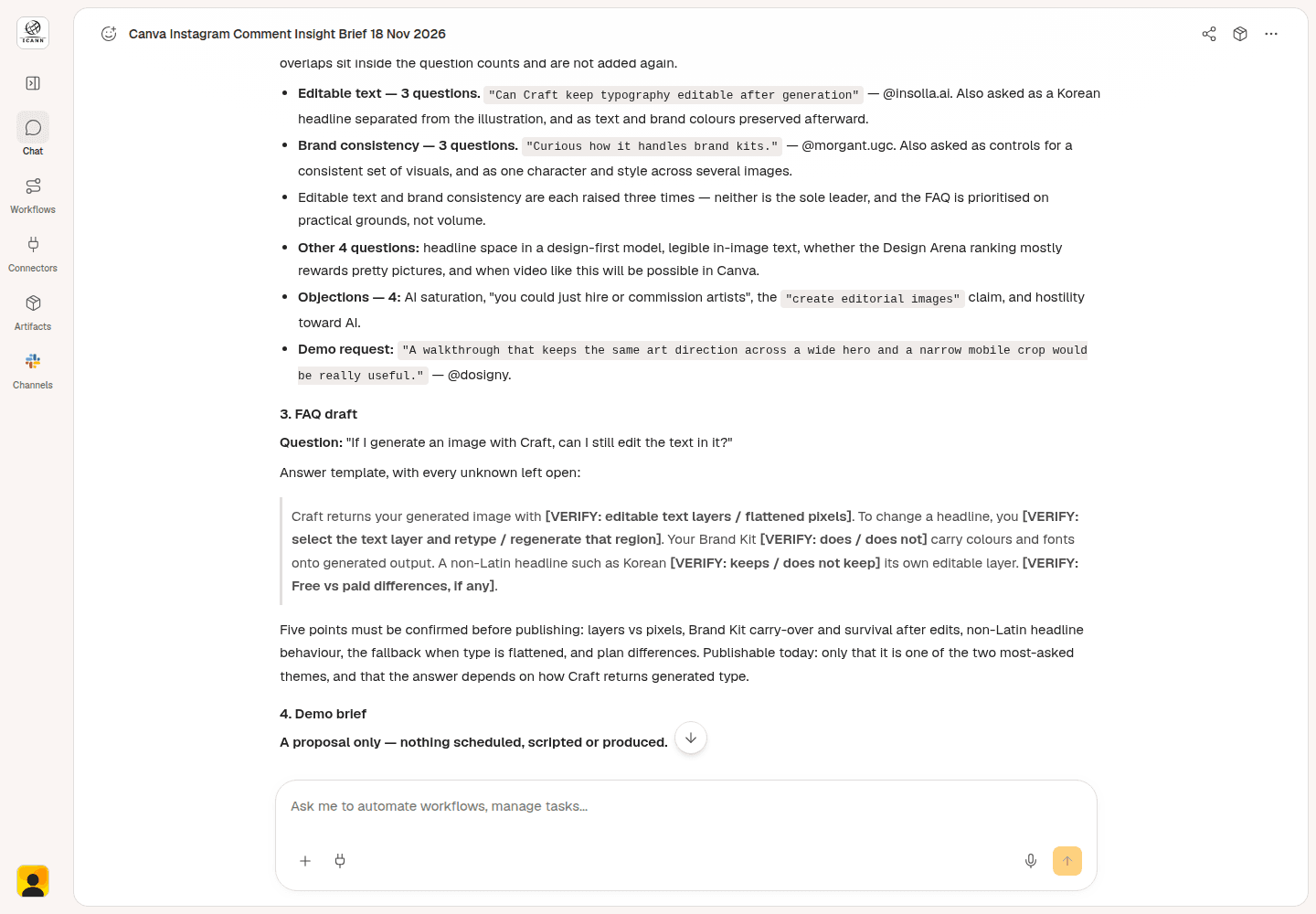
The FAQ example identifies what the product team needs to confirm before filling in the answer.
For your own product, give Okou the relevant help page or confirmed instructions. Then ask Okou to write the answer in plain English: what the person can do, how to do it, and where to find the full instructions.
You now have a specific question for your FAQ and a clear next action for the person who knows the product.
4. Plan a video and download the brief
Some comments tell you exactly what to show. One Canva comment asked:
“A walkthrough that keeps the same art direction across a wide hero and a narrow mobile crop would be really useful.”
When using Instagram comments for content ideas, ask for the words to say and the shots to show.
Try this request:
Turn this comment into a short video plan. Give me a clear title, an opening I can say aloud, and four shots showing one image as a website banner and a phone layout. Flag any product steps my team needs to confirm.
Here's a simpler filming proposal based on the original brief:
Title: One image for a website banner and a phone screen
Opening to say on camera:
“Need a website banner and a phone image? Start with one picture. I'll show you where to put the subject and headline in each.”
Four shots:
- Show the original image. Fill the screen with it and point out the main subject. Say, “This is the image we're starting with.”
- Show the two layouts side by side. Put a wide banner on the left and a tall phone version on the right. Label them “Website” and “Phone.”
- Point out where the subject and words go. In the banner, place the subject on the right and the headline on the left. In the phone version, put the headline above the subject. Point to the space around each so viewers can see what stays inside the frame.
- Give viewers something to try. End on both layouts and say, “Try one of your own images in both shapes. Can you still see the subject and read the headline?”
What viewers learn: how to arrange the same image and headline for a wide banner and a tall phone screen, and what to check in each layout.
Before filming, have the product team confirm the Canva steps for making both layouts and adding the headline. This is a proposed video; it hasn't been filmed.
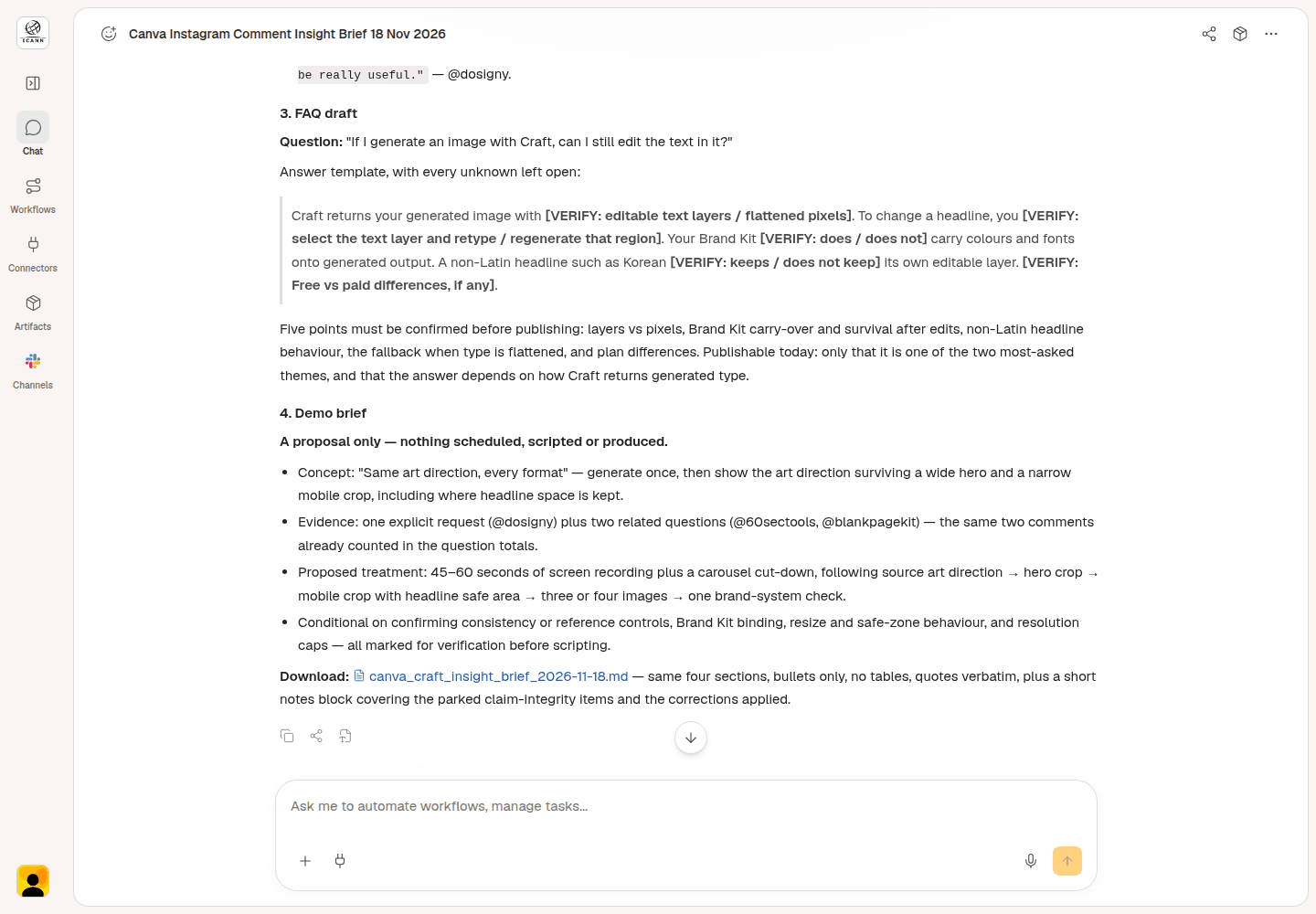
The original Okou brief and file link; the title, opening, and shots above simplify its proposed demonstration.
Ask Okou to put your FAQ, video plan, and supporting comments in one downloadable document. Open the file and use Download options > Download to save it. The original Canva brief was downloaded and opened to check its contents.
Before sharing it with your team, check that each idea still includes the question it answers and any product facts you need to confirm. Choose the FAQ to finish first and the video to plan next.
Optional: Share a report through Gmail
Ask Okou for a shareable customer insight report with the repeated questions, FAQ draft, banner-and-phone video plan, and source comments. Choose an editable Word document (DOCX) for a teammate to revise or a PDF to share.
For this example, a separate task generated both formats from the saved Canva notes. We opened and downloaded both files to check their contents.
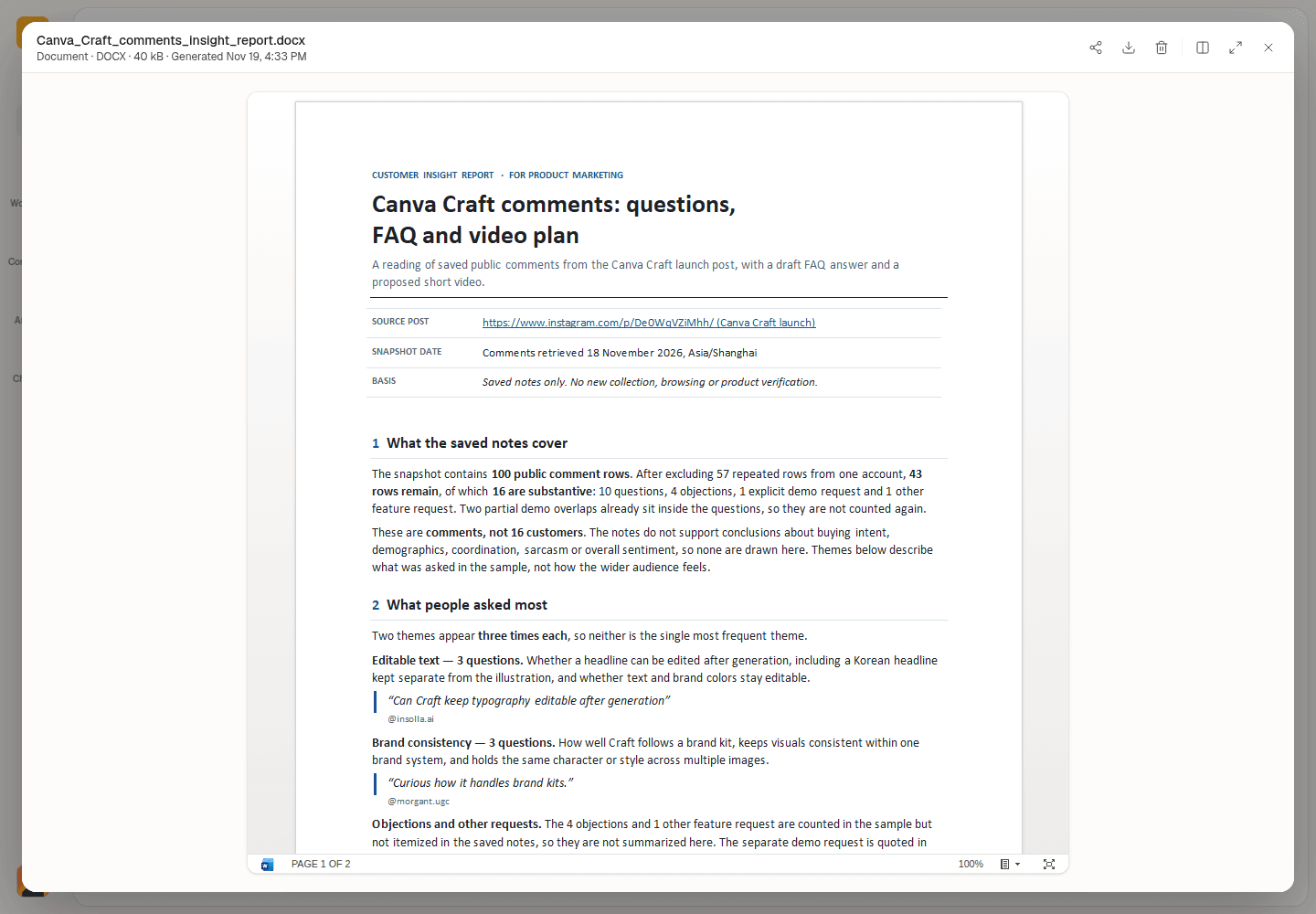
A separate task turned the saved Canva notes into this editable Word report.
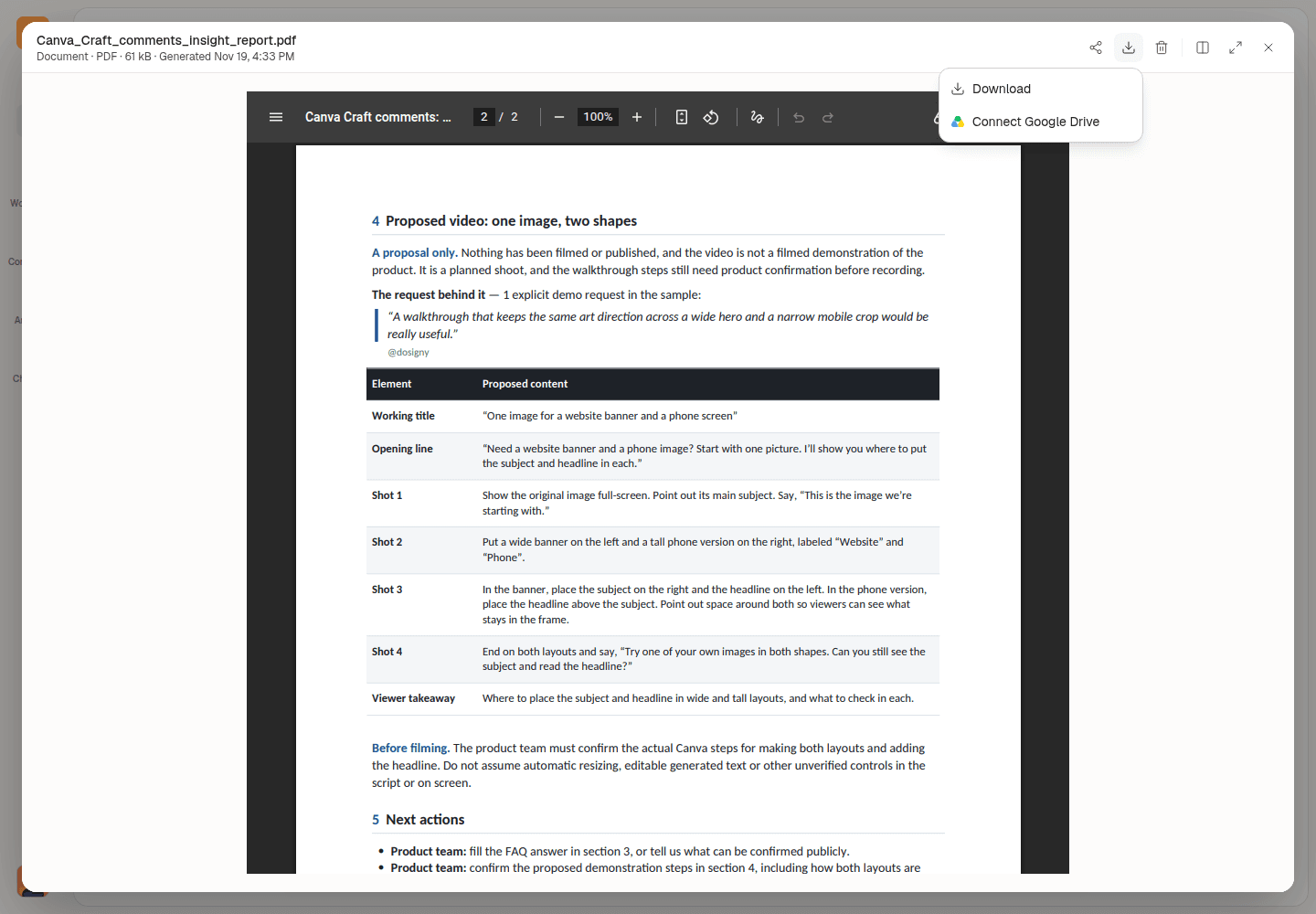
The PDF includes the four-shot video plan. Choose Download options > Download to save it.
Check the generated report's facts, quotes, and source links before preparing an email. After you connect Gmail, ask Okou for a draft with the report attached and a short summary for your product team. Open the email card to review the subject, message, recipients, and attachments in Okou's email panel. Send it yourself when you're ready.
The screenshot below uses an example draft with sample addresses.
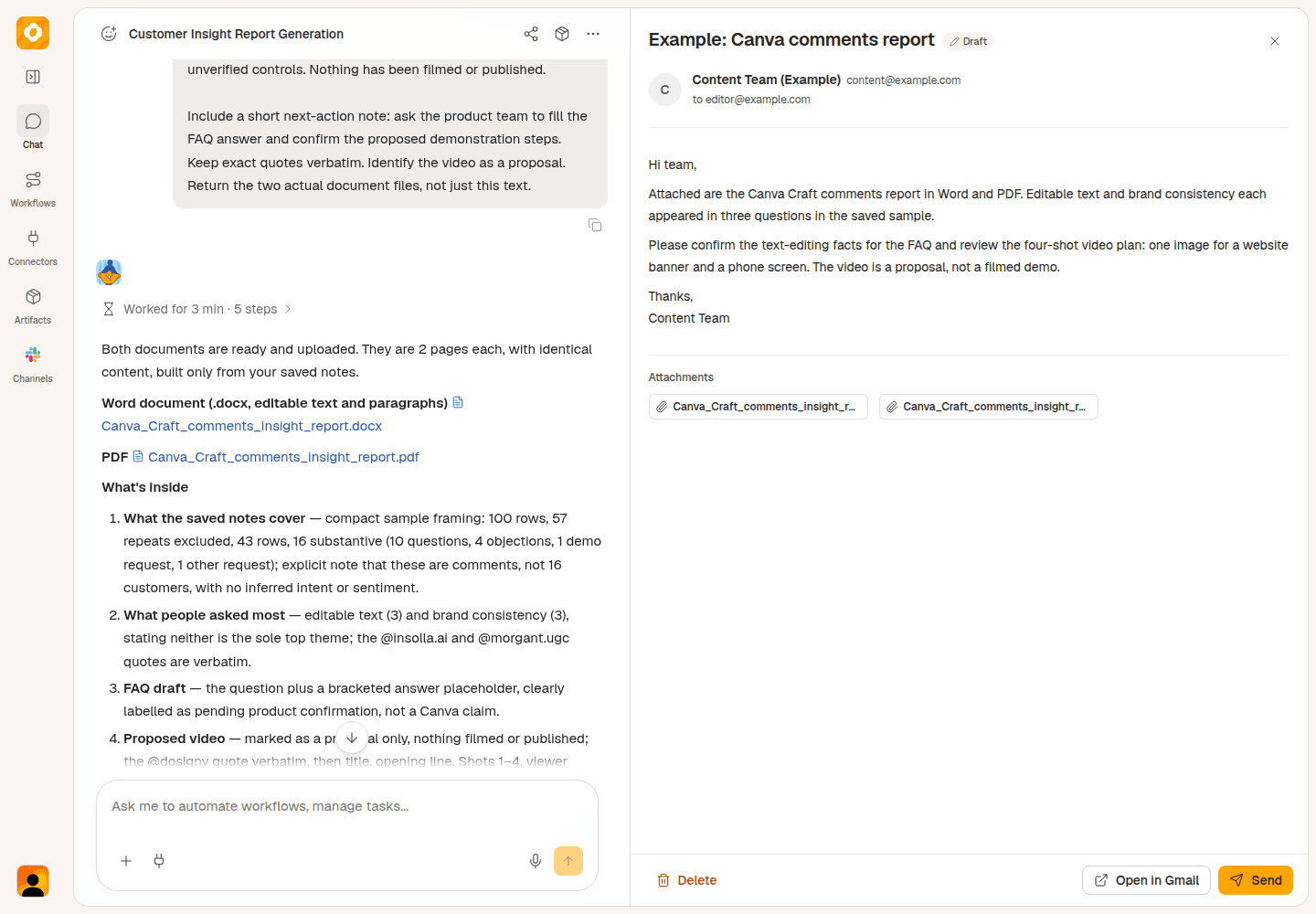
Example email review in Okou, with sample recipient details. Review the message and report attachment before sending.
Try this follow-up:
Create the report as a Word document for my review. After I approve it, prepare a reviewable Gmail draft to my product marketing teammate at [recipient email]. Attach the approved document and summarize the questions and next steps. Leave the email for me to review and send.
Find your next FAQ or video idea
Start with the Instagram comment analyzer and a post your team wants to learn from. Give Okou one clear question, then use the comments to decide what to explain.
Working with a TikTok video instead? Use the TikTok comment analyzer for its public comments.
Frequently asked questions
Can I analyze comments on a competitor's Instagram post?
Yes, if the post and comments are publicly accessible. You can look for questions worth answering in your own content. This doesn't give you access to the competitor's private messages, account Insights, or customer data.
Will Okou read every comment on the post?
This task asks for up to 100 available public comments. Check the number returned; some comments may be hidden, deleted, or unavailable. Treat the result as a sample of that conversation.
What if there aren't any repeated questions?
One specific request can still make a useful FAQ or video idea. Describe it as one person's question rather than a common concern. If the comments are mostly brief reactions, try a post that explains a product feature or invites questions.
Will Okou publish the FAQ or reply to comments?
The requests in this guide prepare drafts only. Check the product facts, edit the wording, and decide what to publish yourself.