If you work in marketing or create content, here's how to get a TikTok transcript you can use in your next piece of writing. Give Okou a public video link and ask for the spoken words as text. You'll get a transcript to read and download, with an optional translation or draft for another channel.
The example below uses a Spanish marketing video from @sebastian.sosam. The screenshots show real Okou results from November 18, 2026. You can follow the same steps with another public video.
1. Paste the TikTok link into Okou
Sign into Okou and paste the video's link into a chat. Use the link to the individual video, not the creator's profile. You don't need to download the video first; running the task uses Okou credits.
Try this request:
Transcribe this TikTok video: [paste link]. Keep the original language, add timestamps where available, and include the source link. Show the text here and give me a TXT file. Mark unclear words rather than guessing.
Send the message and wait for the transcript. This request turns the video to text first, so you can read it before deciding what else you need.
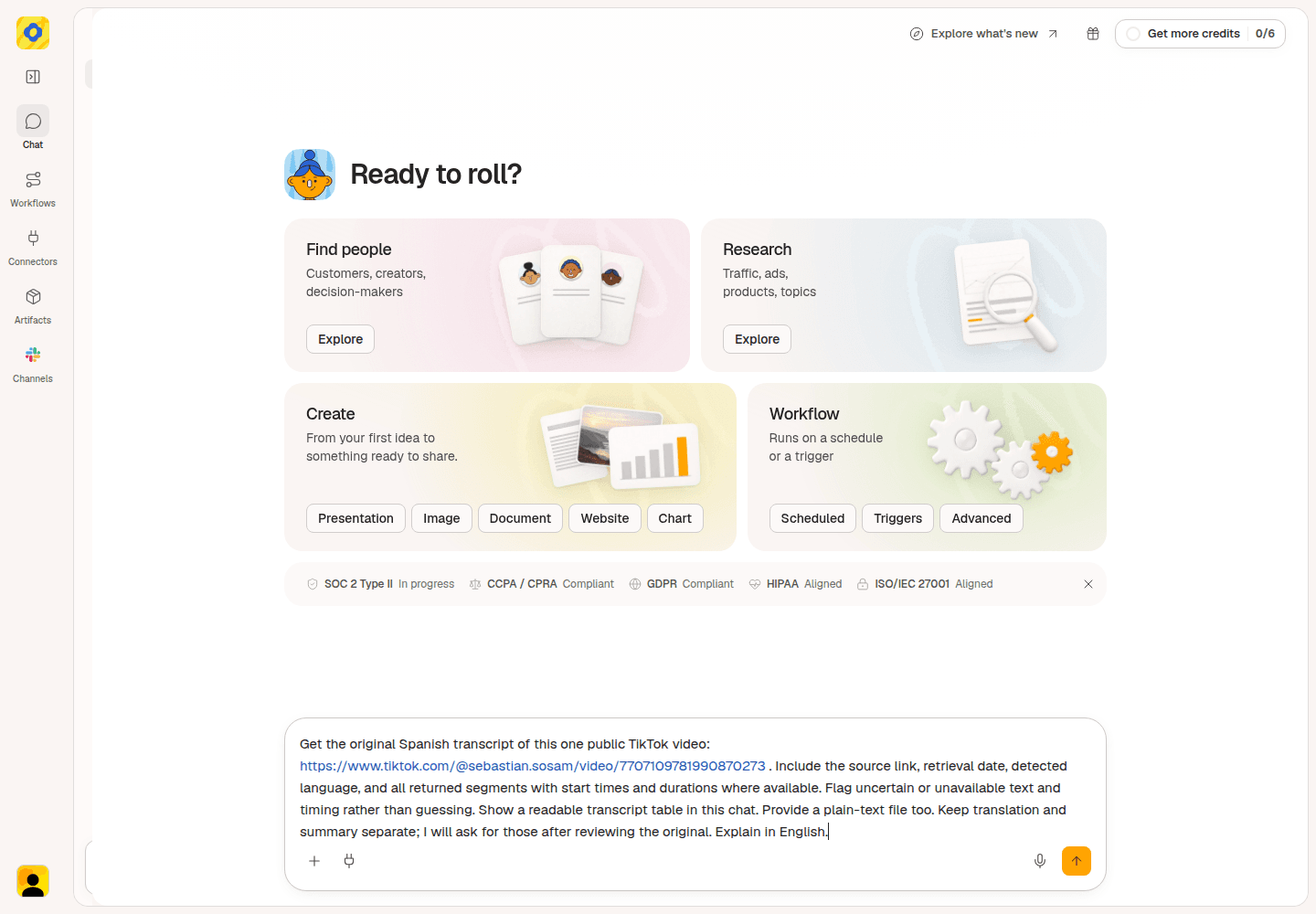
This example used a longer request. The short version above asks for the same essential output: original text, available timestamps, and a TXT file.
2. Read the transcript and check the words you need
Okou returns the text in the video's original language. Timestamps tell you where each passage starts, so you can find it in the video.
For the Spanish example, part of the transcript reads:
| Time | Original Spanish |
|---|---|
| 17.24 s | pero si primero publicas varios videos en orgánico |
| 20.92 s | analizas el que tuvo mejor rendimiento |
Check that the source link points to the right video. Before quoting a name, number, or important sentence, listen to that passage: automatic transcription can mishear words.
Once the wording you need is clear, you can copy the text from the response into your notes or download the file in the next step. If a word is still unclear, keep it marked rather than filling it in.
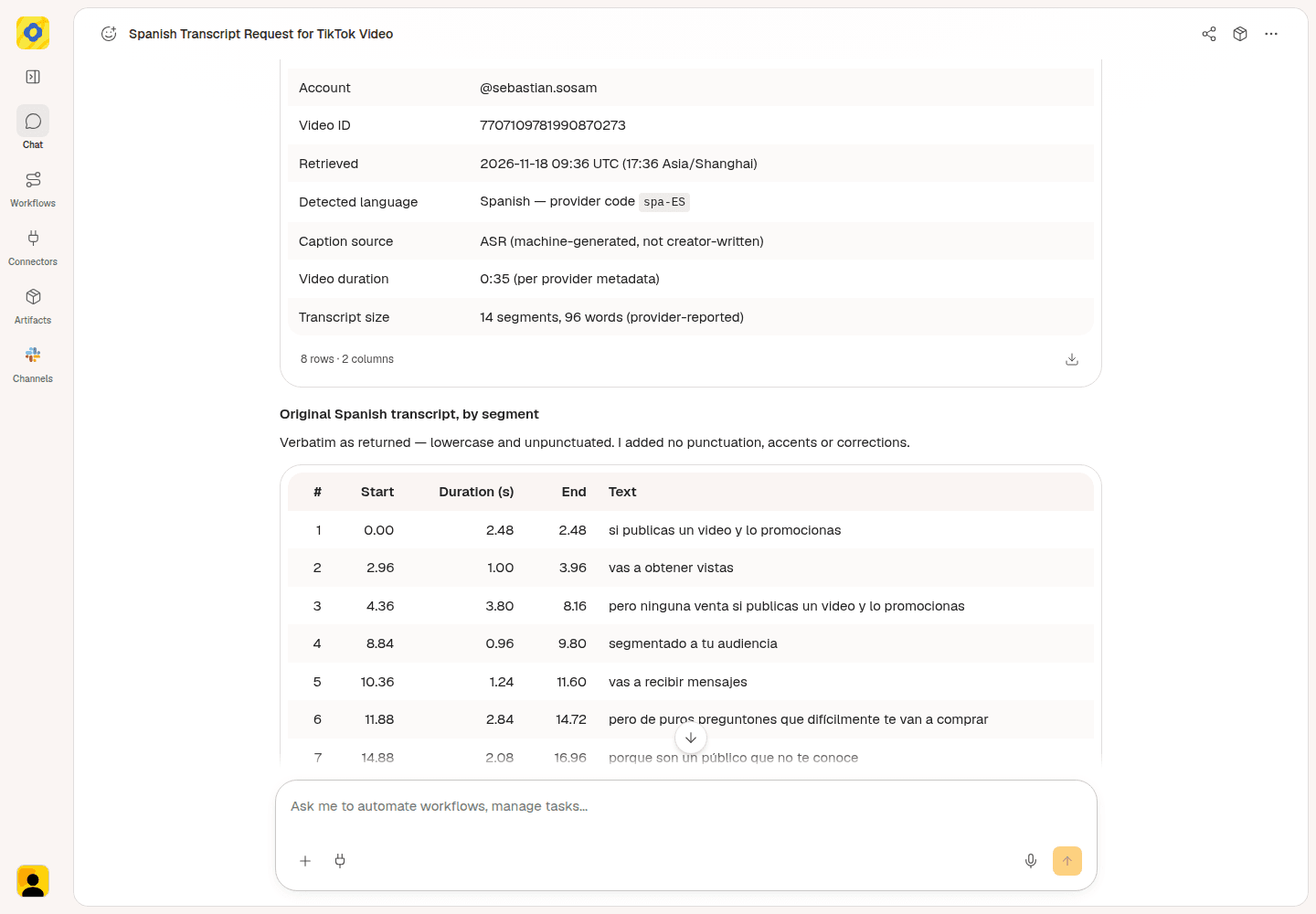
Use the time beside a sentence to find that passage in the video before quoting it.
3. Download the transcript
Open the TXT file link in Okou's response. In the file view, choose Download options → Download.
Open the downloaded file to check that it contains the transcript and source link. You now have an editable text file to keep with your content notes or share with a colleague. This download path was checked with the Spanish example.
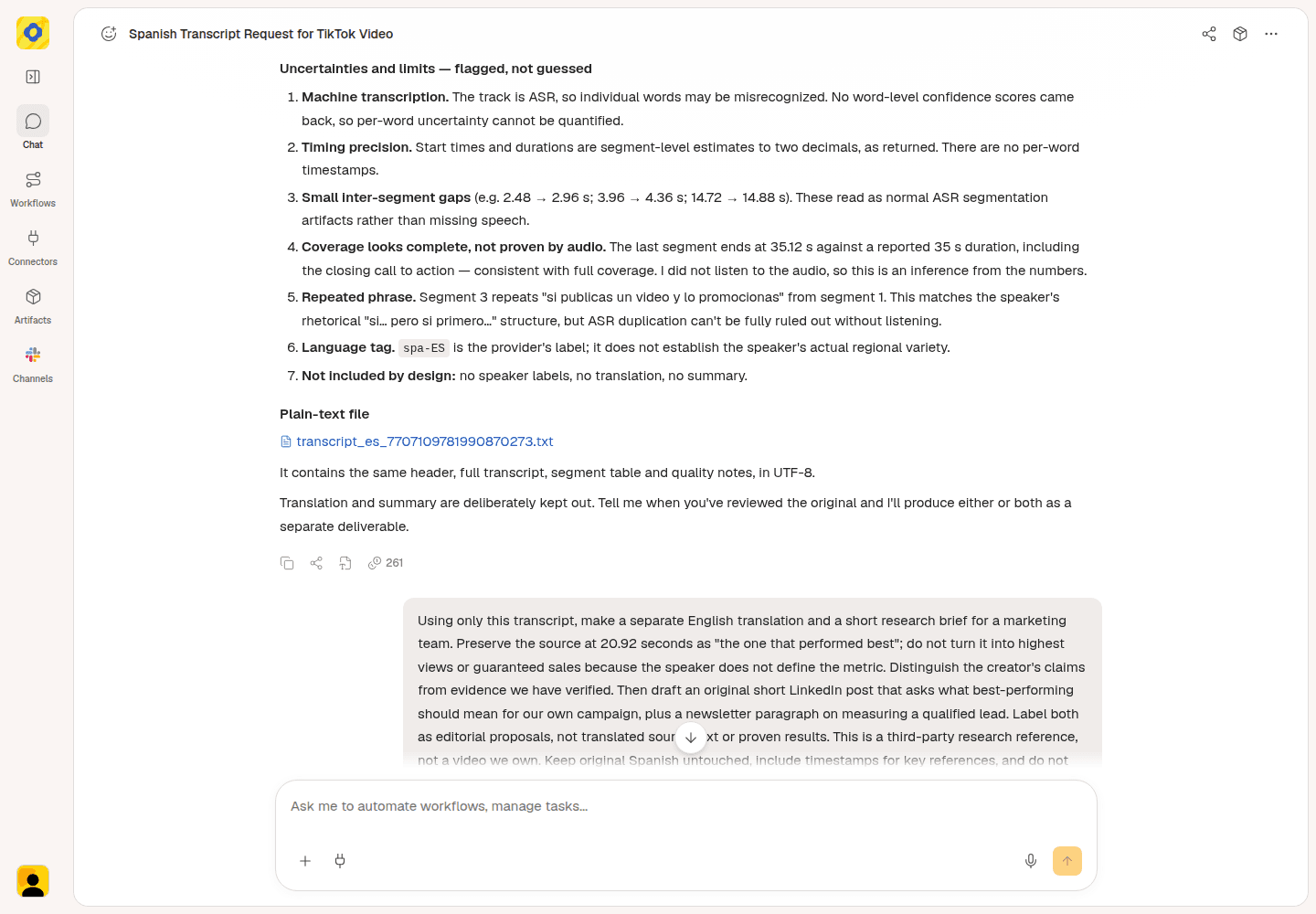
Open the transcript file from the response, then download it from the file view.
4. Translate or repurpose the text if you need to
For an English version, continue in the same chat.
Try this follow-up:
Translate this transcript into English. Keep the original Spanish beside it and preserve the timestamps.
In the example, “analizas el que tuvo mejor rendimiento” became “you analyze the one that performed best.” Keeping both versions visible makes the translation easier to check.
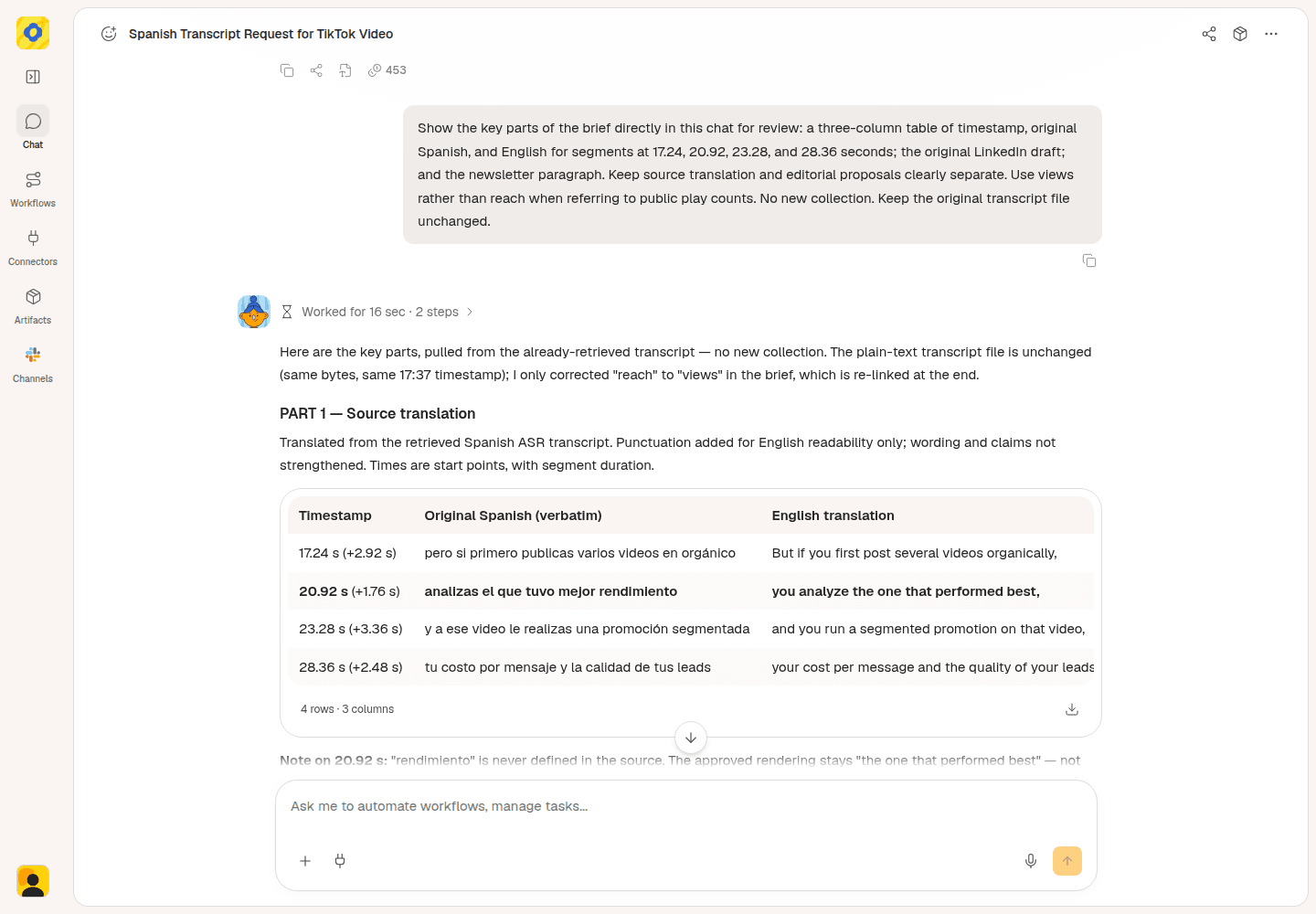
The English translation appears alongside the original Spanish. It doesn't replace the source text.
If you own the video or have permission to adapt it, ask for the next piece of content:
Turn my transcript into a LinkedIn post for [audience]. Keep the main point and examples, don't add new claims, and leave it as a draft for me to edit.
You can ask for a newsletter paragraph instead. Read the draft before using it: it should preserve what the speaker meant and make sense to someone who hasn't watched the video.
The Spanish video here belongs to another creator. It was used for research and original commentary, not presented as our own script. Use third-party videos as references; adapt your own or authorized material.
Optional: share a document with your editor
Need to send the transcript to a colleague? Ask Okou to package it as a short report, an editable Word document (DOCX), or a PDF. Include a brief summary, available timestamps, and the source link. Keep the TXT file for the direct transcript download.
For the files shown here, we gave Okou the saved transcript in a separate chat and asked for both DOCX and PDF. We downloaded and checked both versions for the original Spanish, timestamps, labeled summary, and source link.
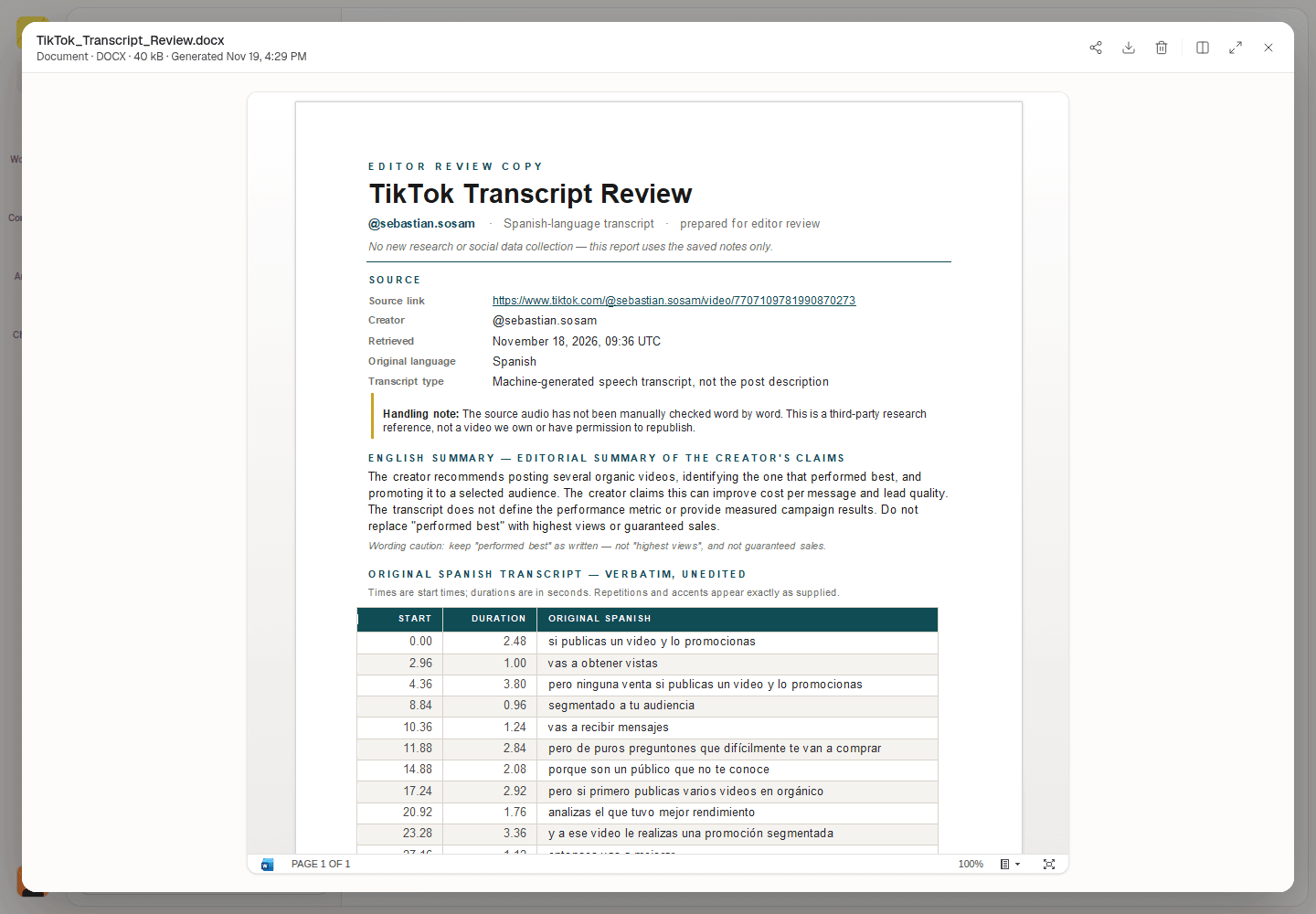
DOCX report generated from saved transcript notes in a separate Okou chat.
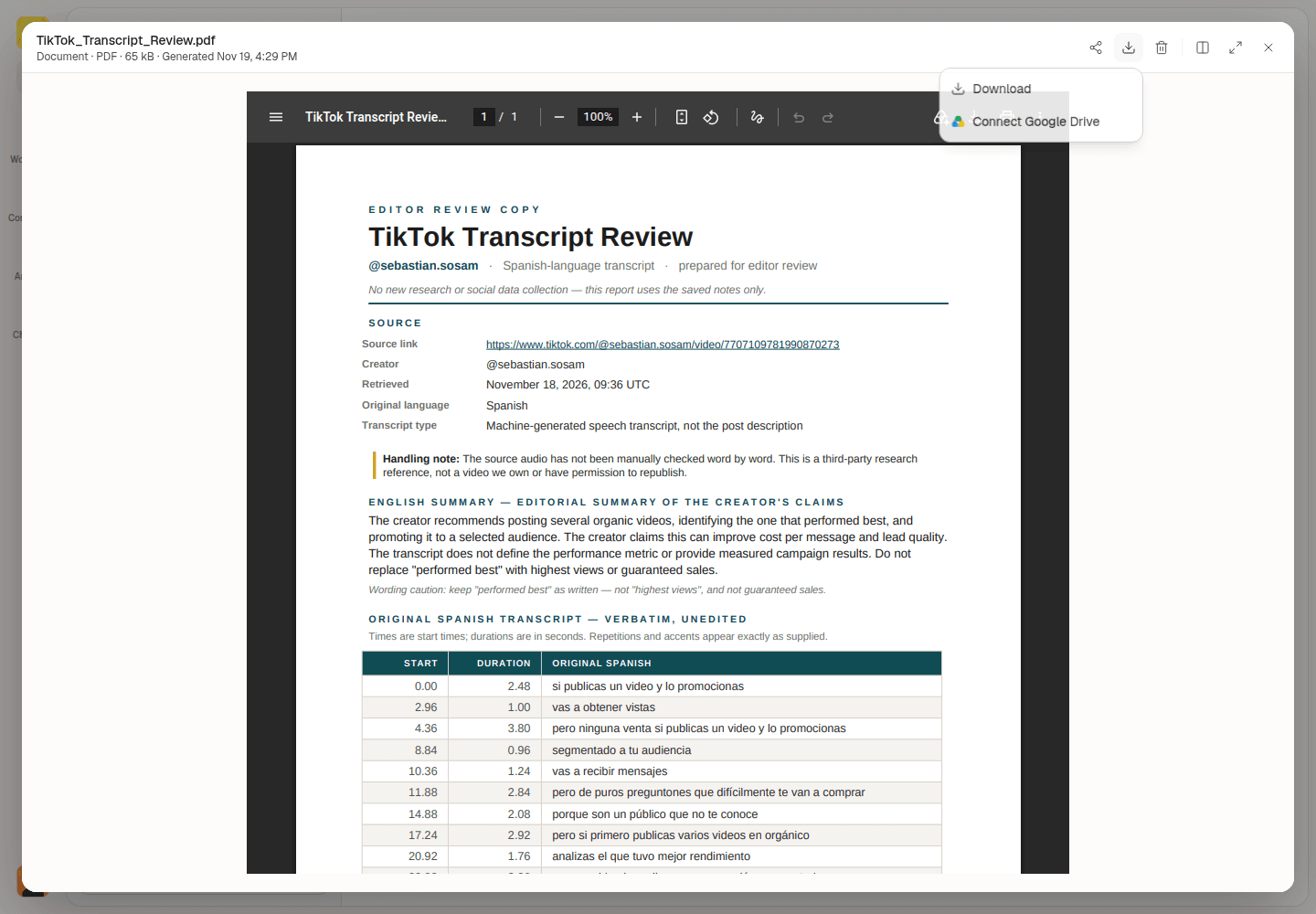
Use Download options → Download to save the PDF. Download availability depends on your plan.
Check the generated document's facts, wording, and sources first. After you connect Gmail, ask Okou to prepare a draft with the report attached and a short summary. Open the email card to review the subject, message, recipients, and attachments in Okou's email panel. Ask for any changes you need before sending it yourself.
Try this follow-up after checking the document:
Prepare a reviewable Gmail draft to [recipient email] for my editor. Attach the checked transcript document, include a short summary and source link, and leave it unsent for me to review.
The panel below shows an example draft with sample addresses.
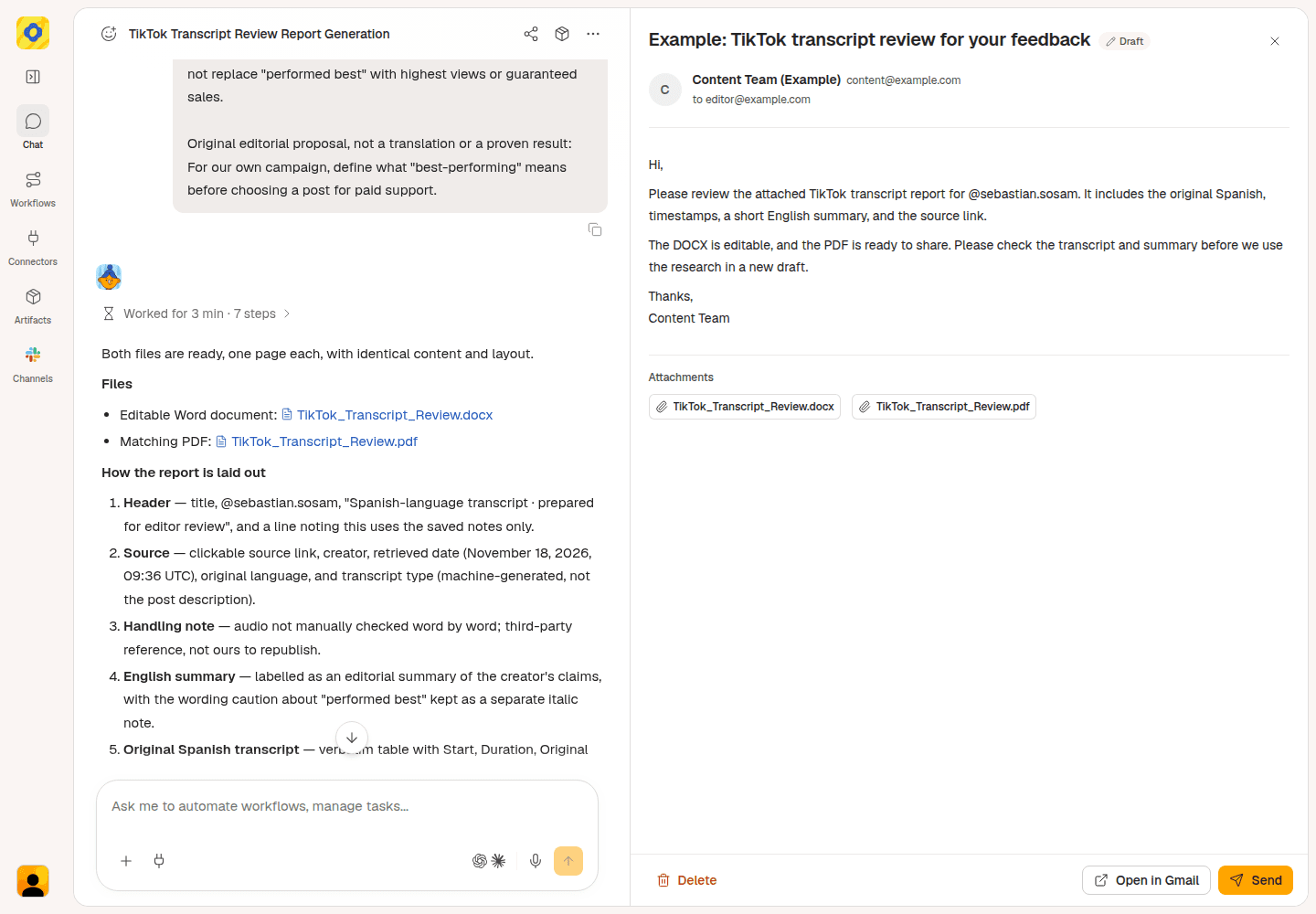
Example email review in Okou, with sample recipient details. Review the message and report attachment before sending.
Start with one video
Open the TikTok transcript generator, then give Okou your link. Get the text first, download it, and ask for a translation or new draft only when you need one.
Frequently asked questions
Can I transcribe a TikTok video without downloading it?
Yes, for supported public videos. Paste the link into Okou. If you already have a video file you can use, the video transcript generator also accepts files.
Are captions the same as a transcript?
A post caption is the description beneath the video. A speech transcript contains the spoken words. On-screen subtitles may show those words during playback, but text that is never spoken won't necessarily appear in the transcript.
What if the transcript is missing or has no timestamps?
Ask Okou what was unavailable. The video may be inaccessible, have no speech, or lack a supported transcript. If text is available without timing, you can still use it as text; don't invent timestamps.
Is the TikTok transcript generator free?
Running the task requires signing into Okou and uses credits. Check your available credits before starting. This guide doesn't promise free or unlimited transcription.